BestCode Next Series 8 Technical Manual October 2022 Page 87 of 290
Ink Filter Replacement
Be familiar with proper safety information for handling fluids.
Procedure Time: 15-30 minutes
Video Guide for Ink Filter Replacement: https://youtu.be/eTCUxVzlIOE?t=190
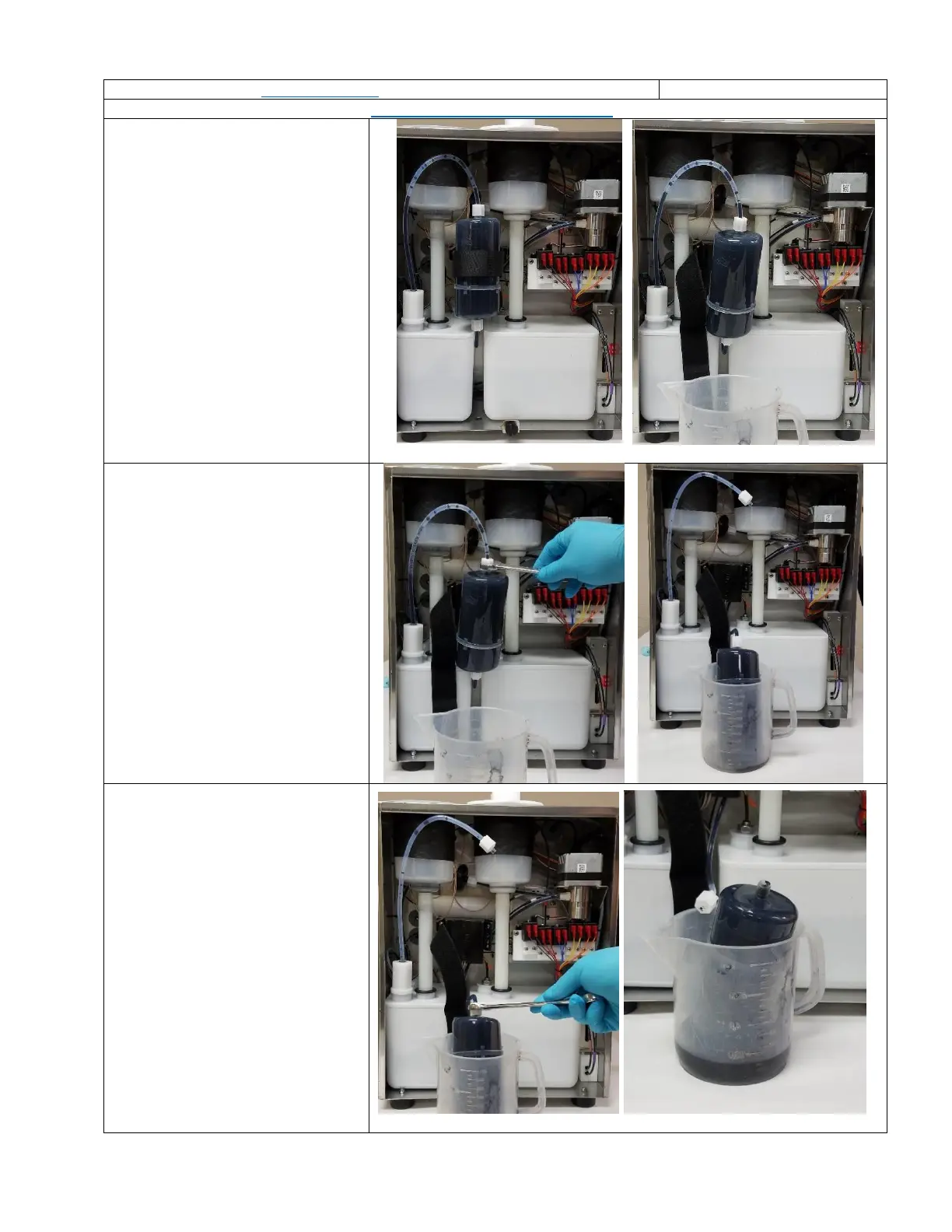
1. Remove the Fluidic Service Door.
2. Remove the filter strap from the
Main Ink Filter.
3. Place a wash beaker (47-0021-01)
underneath the filter.
4. Loosen the compression nut on
the filter outlet side 1
st
. (use 5/8”
open end wrench)
5. Set the filter in the beaker to
drain.
6. Loosen the compression nut on
the filter input side. (use 5/8”
open end wrench)
7. Allow the filter to drain, then
dispose of the filter and waste ink
in accordance with local
regulation.



 To Next Page