EasyManua.ls Logo

BestCode NExT 82 - Ink Valve Cleaning

Default Icon
305 pages
Print Icon
To Next Page IconTo Next Page
To Previous Page IconTo Previous Page
Loading...
BestCode Next Series 8 Technical Manual October 2022 Page 112 of 290
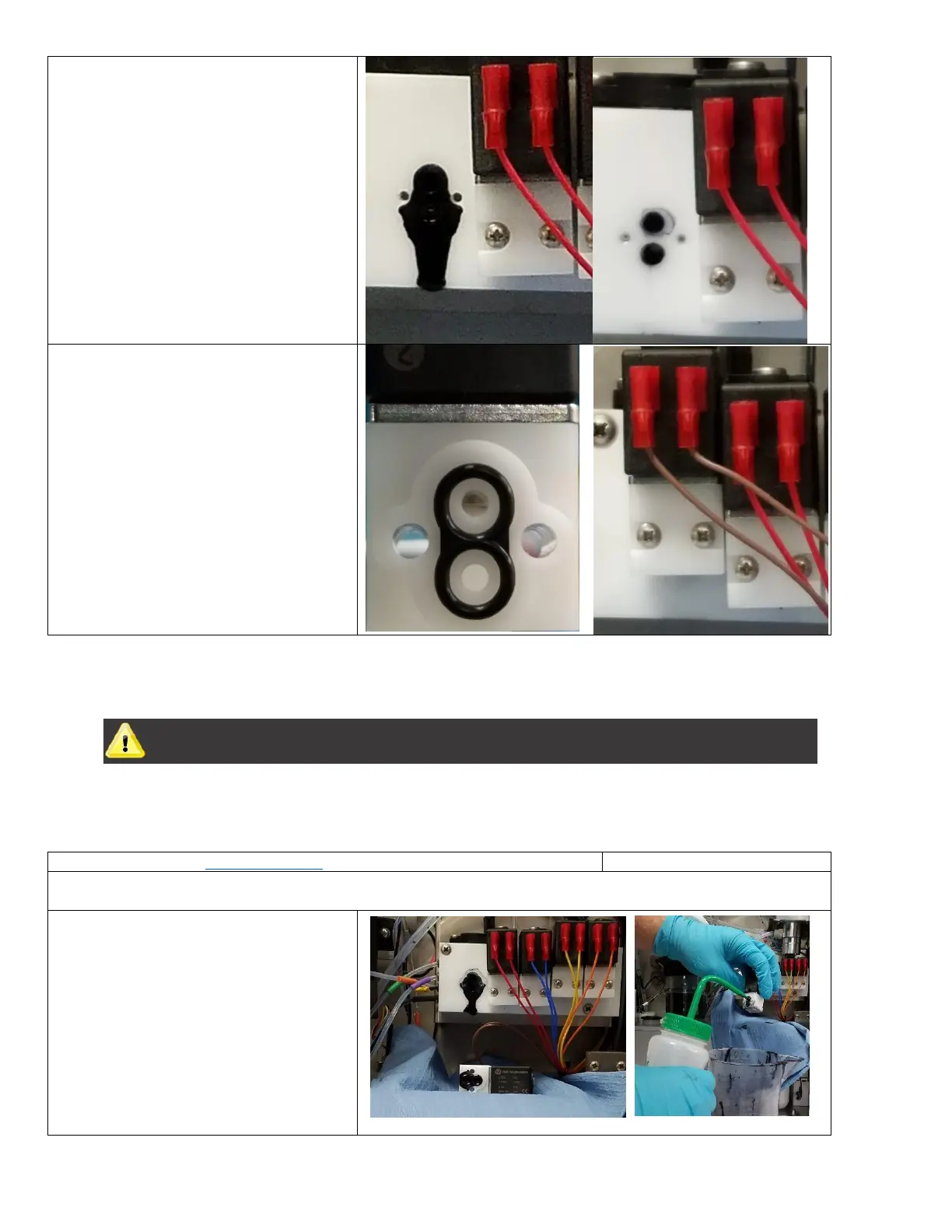
3. Clean the port with Cleaner
4. Ensure that gasket is in the new
valve.
5. Install the New Valve
Ink Valve Cleaning
WARNING
EQUIPMENT DAMAGE: Do not submerge the valve coil or wires in fluid. Wetting the coil or cables can
cause shorts between the 24V supply and ground that will permanently damage the Main Circuit
Board.
Be familiar with proper safety information for handling fluids.
Procedure Time: 15 minutes
This routine is for trained personnel only. Servicing the system while powered on can cause damage. Do not wet any
cable connections. Use caution to prevent spillage in the fluidic compartment.
1. Remove the Ink Valve from the Manifold
2. Clean the valve ports

Table of Contents

Related product manuals