BestCode Next Series 8 Technical Manual October 2022 Page 122 of 290
Display Replacement
Be familiar with proper safety information for electronic service routines.
Procedure Time: 10 Minutes
This routine is for trained personnel only. Servicing the system while powered on can cause damage. Be careful not to short
any connections to the board while it is powered on.
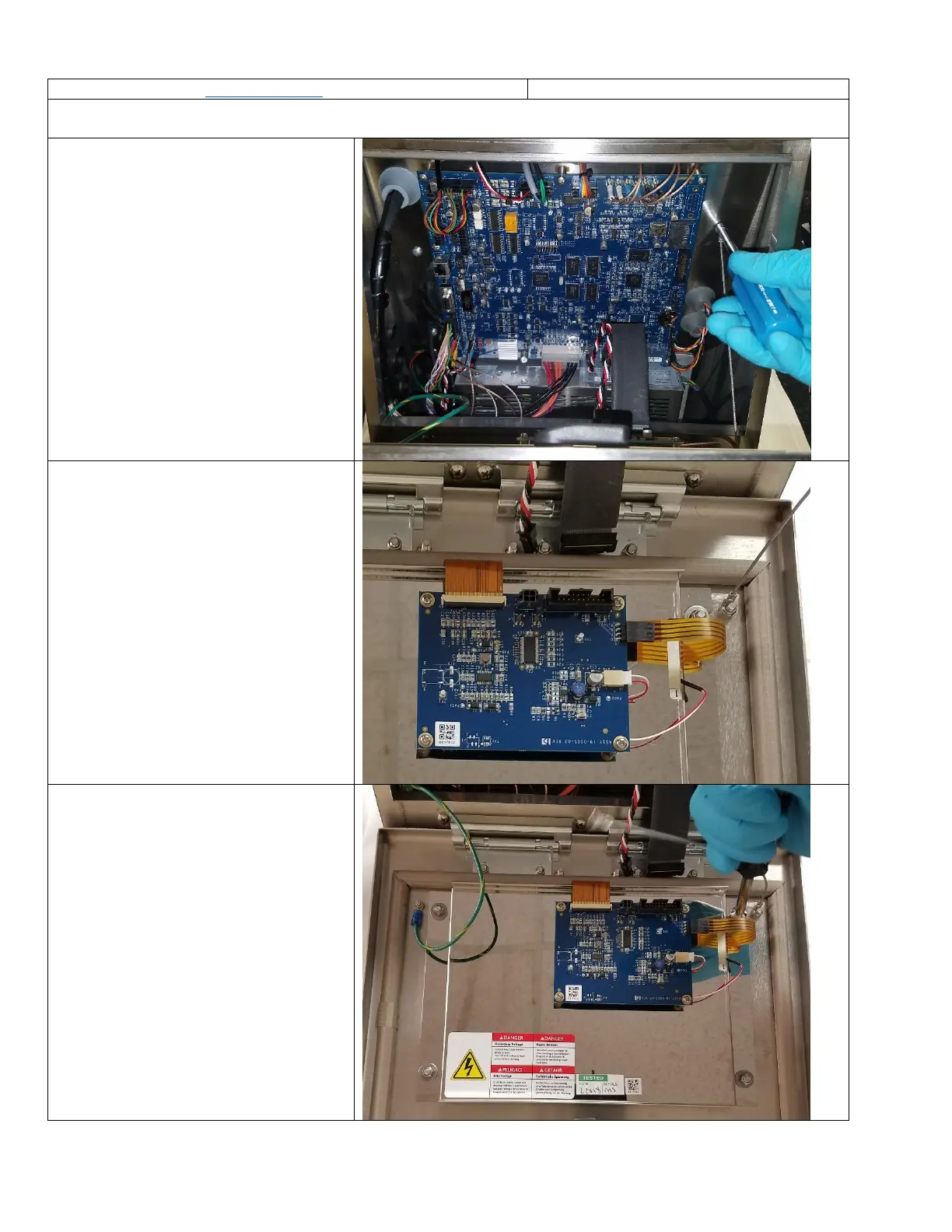
1. Open the Electronics Compartment
Door
2. Remove the nut for the door lanyard to
increase accessibility.
Use a 7mm nut driver.
3. Disconnect the LCD Power Cable (16-
0031-02) and the LCD Ribbon Cable (16-
0032-01)
4. Remove the M5 lock nuts that secure
the LCD Display into the Electronics
Door using an 8mm nut driver.



 To Next Page