BestCode Next Series 8 Technical Manual October 2022 Page 92 of 290
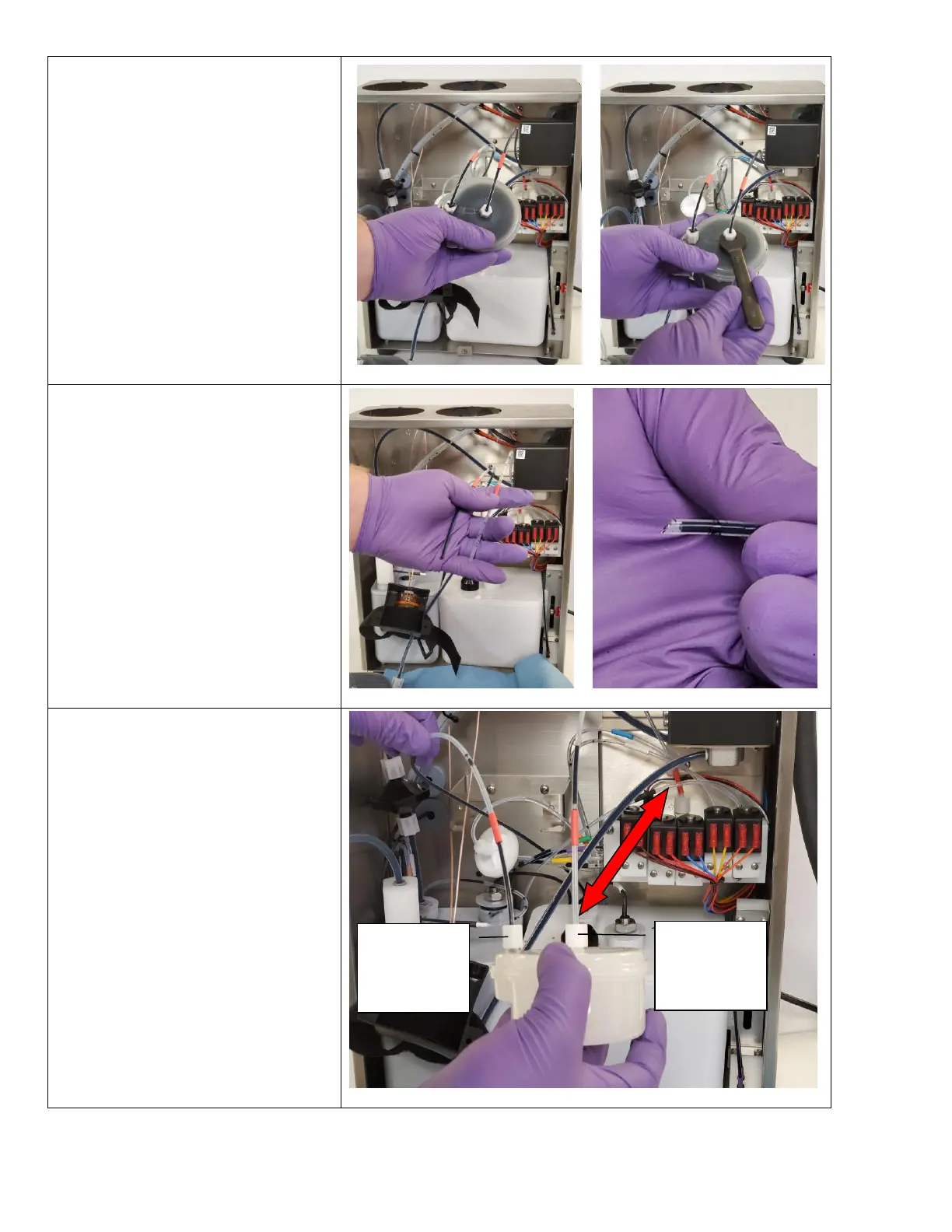
5. Lift the Dampener out of the
SmartFilter brackets Dampener
cradle.
6. Use a 7/16” wrench to remove the
loosen the compression fittings.
7. Remove the tubes from the
dampener.
Discard the used dampener filter and
waste fluid in accordance with local
regulation
8. Cut the tubes to ensure they are at a
45° angle
This helps prevent clogging.
9. Install the new PH Feed/Dampener
Filter in the same orientation as
shown. The arrow be pointing in the
direction of the ink flow.
Inlet Side
From Main
Ink manifold
Outlet Side
To Printhead
manifold



 To Next Page