UNITE – Charging
15
8.1.2 How to operate the Cockpit charger
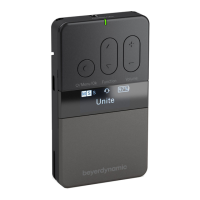
The Unite CC cockpit case is used for charging the
rechargeable batteries inside the bodypack transmitters and
receivers as well as transmitting the pairing information from
the transmitter to the receivers. The Unite CC-24P has 6
charging units, each with 4 charging compartments so that a
maximum of 24 bodypack transmitters or receivers can be
charged simultaneously. The Unite CC-36P has 9 charging
units each with 4 charging compartments so that a maximum
of 36 charging compartments are available.
Warning: When the Cockpit case is in use, do not mount the
cover on the case. There is a risk of overheating and fire.
8.1.3 Mains connection
• Connect the IEC connector of the power cable to the mains
connection of the charging case. Connect the power plug
to a power outlet.
• Switch on the charging case via the on-o switch.
• When not in use, switch o the device and disconnect the
power plug from the power socket. Make sure that you do
not pull on the cable, but on the power plug.
8.1.4 Automatic Firmware Update
• By using the Unite Cockpit Case you can upload firmware
updates to Unite transmitters/receivers.
• With the current factory setting the Unite Cockpit Case will
automatically update the firmware of the Unite
transmitters/receivers during the first charging process.
Just insert the transmitters/receivers into the charging
compartments.
During the firmware update the status indicator light of the
Unite transmitters/receivers will illuminate red. This process
will take approx. 5 minutes. Should the process take longer
than 10 minutes, turn the Unite Cockpit Case off and on
again. The update process will then restart.
Attention:
Please note that after a successful update to a new firmware
version, the Unite transmitters/receivers are no longer
compatible with older firmware versions.
8.1.5 Conditioning the battery
• In order to achieve the maximum capacity of the battery,
we recommend discharging the transmitters/receivers
completely to carry out a complete charging cycle after-
wards.
• This also increases the accuracy of the battery indicator on
the display of the Unite transmitters/receivers.
8.1.6 Service mode
• For maximum operational reliability, the Unite Cockpit
Case features a so-called service mode.
• If the device is disconnected from the mains within 45
seconds after being switched on (e.g. by accidental
switching off), the device will boot in a safety mode and
check itself.
• If this service mode is activated automatically (after
booting unsuccessfully), the system will return to its usual
operating mode after approx. 3 minutes.


 To Next Page