UNITE – Menu items
26
.. Set input eects
The Unite syem has a built-in DSP (Digital Signal Processor) for continuous processing of audio signals during opera-
tion. In the “Audio” main menu, the “Input Eects” submenu contains various filter settings for processing audio signals.
Device Menu path
Level 2
Menu path
Level 3
Menu path
Level 4
Adjustable
parameters
Description
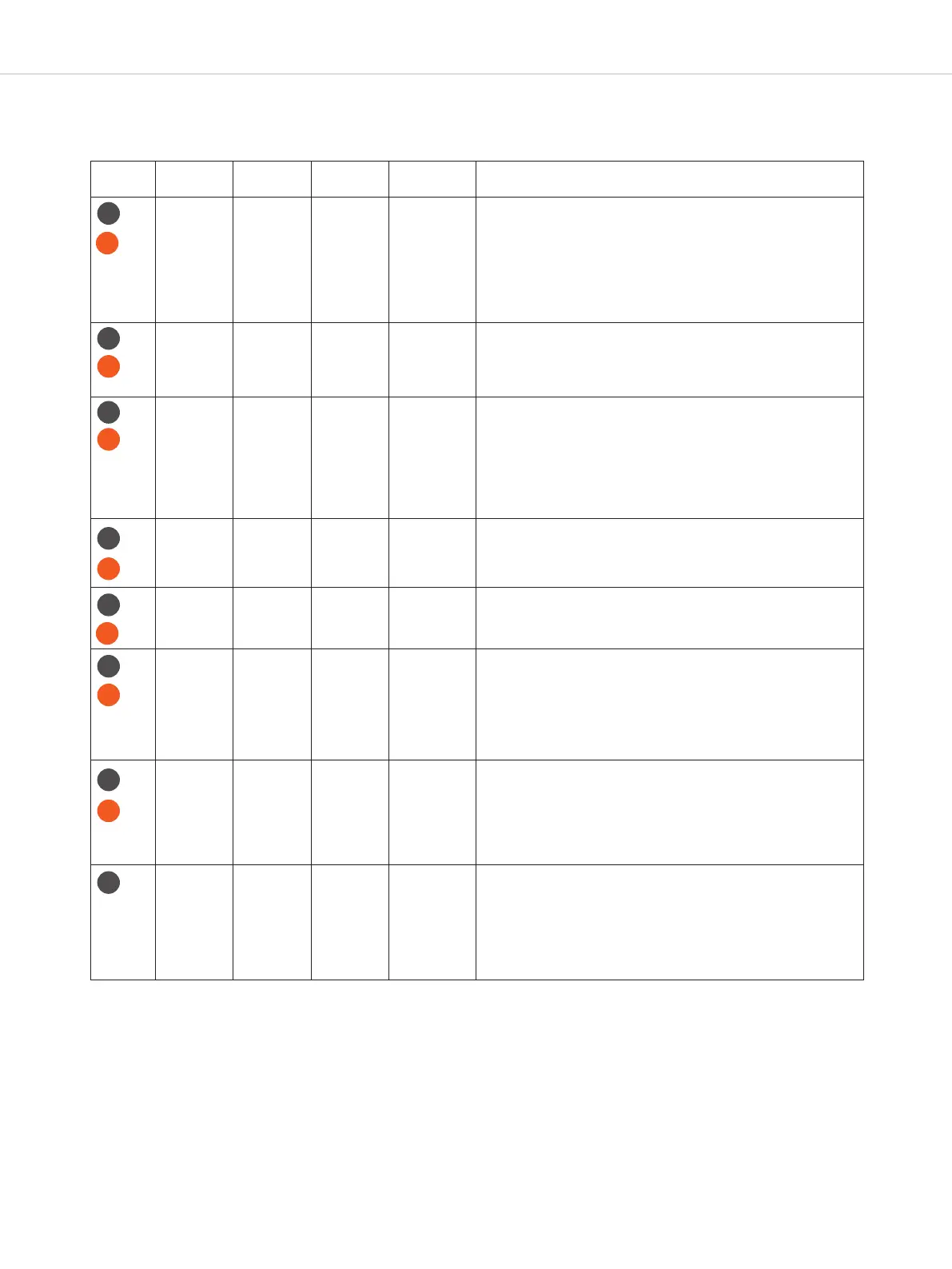
Input Effects ALC Off
Low
H
igh
ALC ands for “Automatic Level Control”. With this option, the de-
v
ice automatically adjus microphone amplification with the aim
o
f ensuring a signal volume that remains as consient as possible.
T
his significantly enhances speech intelligibility. Please note: ALC is
n
ot available for the internal microphone. When ALC is active, the
atic settings for sensitivity of audio inputs in the “Audio/Volume”
menu are disregarded and have no fuher influence upon signal
processing.
I
nput Effects
L
ow-Cut
Filter
O
ff (50 Hz)
80 Hz
120 Hz
1
80 Hz
2
50 Hz
A
low cut is an equaliser setting or filter eect setting that cuts out
a
ll frequencies below a preset frequency.
I
nput Effects
E
qualizer
O
ff
Female
M
ale
T
he equaliser (EQ) is a filter used to design the sound of the input
a
udio signal. The settings options are “female” for female speakers
a
nd “male” for male speakers. The preset “High Noise” is for use in
extremely noisy environments to ensure speech intelligibility de-
s
pite loud background noise. This is paicularly useful when the fil-
t
ers for background noise reduction (Noise Gate and Noise
C
anceler) no longer function on account of extreme background
noise.
I
nput Effects
N
oise Gate
S
tate
O
ff
On
T
he Noise Gate is a filter eect in the category of dynamic
processors and suppresses low signal transmission.
Input Effects Noise Gate Threshold 13 steps
(-48 dB to
-12 dB)
In the Threshold menu you can set the threshold value above which
the background noise is muted. The lower the background noise,
the lower the threshold value should be set.
Input Effects Noise
Canceller
Off
Low
Mid
High
Noise cancellation (ANC) is a sma, adaptive way of eliminating
noise. The Noise Canceler in Unite works extremely well with conti-
nuous background inteerence. This filter is capable of “learning”
to identify and eliminate noises, ensuring that only the voice is au-
dible via the microphone input where possible. Background noises
in the settings “low” are eliminated using lower volume, and for
“mid” to “high” using high volume.
Input Effects Compressor Off
Low
High
Less Pop Noise
A compressor in sound engineering belongs to the group of dyna-
mic processors. It serves to rerict the signal’s dynamic scope. The
settings options “Low” and “High” represent the degree of com-
pression of the input signal. Regardless of the microphone used, it
may be that plosive sounds (e.g. P, B, T, D, K) may cause dioion
for the liener. To reduce this “pop” eect there is also a “compres-
sion” setting for additional reduction of unwanted sounds.
Input Effects Ducker Off
Low
Mid
High
Ducking is a common expression in sound engineering for giving
specific automatic prominence to an audio signal. This is achieved
by decreasing other signals rather than increasing the signal to be
given prominence. This eect can be used when an external audio
signal is transmitted as an analogue signal or via USB. Depending
upon the level (“Low” or “High”) of the setting, this external signal is
then reduced as soon as the microphone is in use.
TP
TP
TP
TP
TP
TP
TP
RP-T
RP-T
RP-T
RP-T
RP-T
RP-T
TP
RP-T


 To Next Page