UNITE – Unite TP bodypack transmitter
18
.. How to connect an external audio source
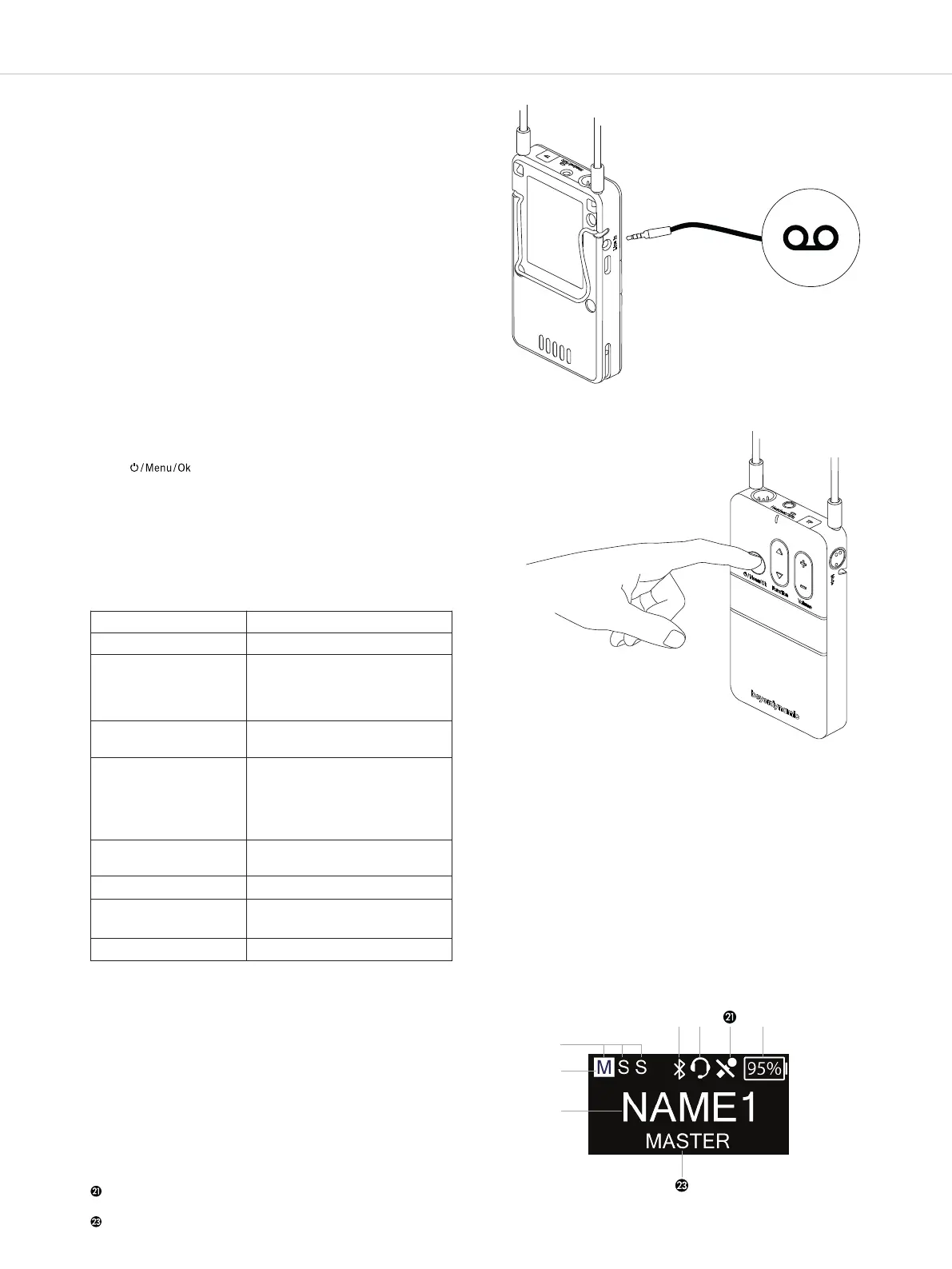
• If required, you can connect an external audio source
with a 3-pole mini jack plug (3.5 mm) to the line-in
input .
• You can set the sensitivity of the external audio
source in the “Audio” main menu under “Volume” via
the “Line in” menu item.
• Increase the level for quiet audio sources; reduce
level for loud audio sources.
.. Switching on or o
• To switch on the bodypack transmitter, briefly press
the button .
• In order to switch o the bodypack transmitter, press
the button for approx. 5 seconds.
• When the device is switched on, the atus indicator
displays the operating atus information. See also
the following “Status indicator light during opera-
tion” table.
• When the Unite TP bodypack transmitter is switched
on, the adjacent main screen will be displayed
indicating that the transmitter is ready for operation.
• The individual symbols mean:
Display of all active speakers (Master, 1
st
slave, 2
nd
slave)
Highlighted display of current type of speaker (Master,
1
st
slave or 2
nd
slave)
Current channel name
Bluetooth® status (various symbols; depending on the
status)
Headset connected
Microphone muted
Display of remaining battery capacity
Display of the actual speaker
Status indicator light during operation:
Table 4
Connect an external audio
source to the transmitter
Switching bodypack
transmitter on or o
Standard display
Indicator light Operating status
Off Device is switched off
Flashing yellow
slowly
• Ready to operate and
battery status > 10%
• Out of range (in slave
mode only)
Yellow Connection established and
battery status > 10 %
Green Connection established, audio
transmission running (micro-
phone open or another audio
source is used) and battery
status > 10%
Flashing green
slowly
Microphone is muted
Flashing red slowly Low battery level < 10%
Red • Device is starting
• Firmware update is running
Flashing red rapidly Critical error


 To Next Page