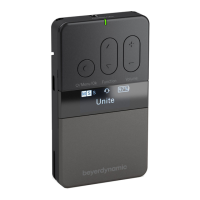
UNITE – Special functions
32
. Special functions
. Button lock
The button lock is a hidden function and is activated
and deactivated as follows:
Press and hold simultaneously one of the volume
buttons and one of the “Function” buttons (RP; RP-T:
“Channel” buttons) crosswise and for approx. 3 seconds.
Aer activation/deactivation, the display “Button lo-
cked”/”Button unlocked” will appear.
As soon as the button lock is activated, you cannot use
the button to enter the menu or to switch o
the transmitter/receiver.
This prevents switching o the device accidentally and
unintentional changes to the menu settings.
The volume can ill be increased or decreased by
pressing the volume button.
Example:
Press and hold the upper volume button and the lower
function button (RP; RP-T: channel button) or the lower
volume button and upper function button
(RP; RP-T: channel button) for more than 3 seconds.
Press buttons
crosswise
. Automatic headset recognition
Unite has automatic headset recognition at the 3.5 mm
jack socket. As soon as a device is connected to this
jack socket you will be asked whether a headset or
headphones without microphone have been
connected. The “Audio / Audio Source” menu is
configured accordingly.
. Automatic power o
All RP, RP-T and TP devices configured by you as Sub-
Maer switch o automatically if no connection is
made to a maer device for at lea 15 minutes (Display:
“No RF”).
T
P
R
P-T


 To Next Page