UNITE – Unite RP / RP-T bodypack receiver
23
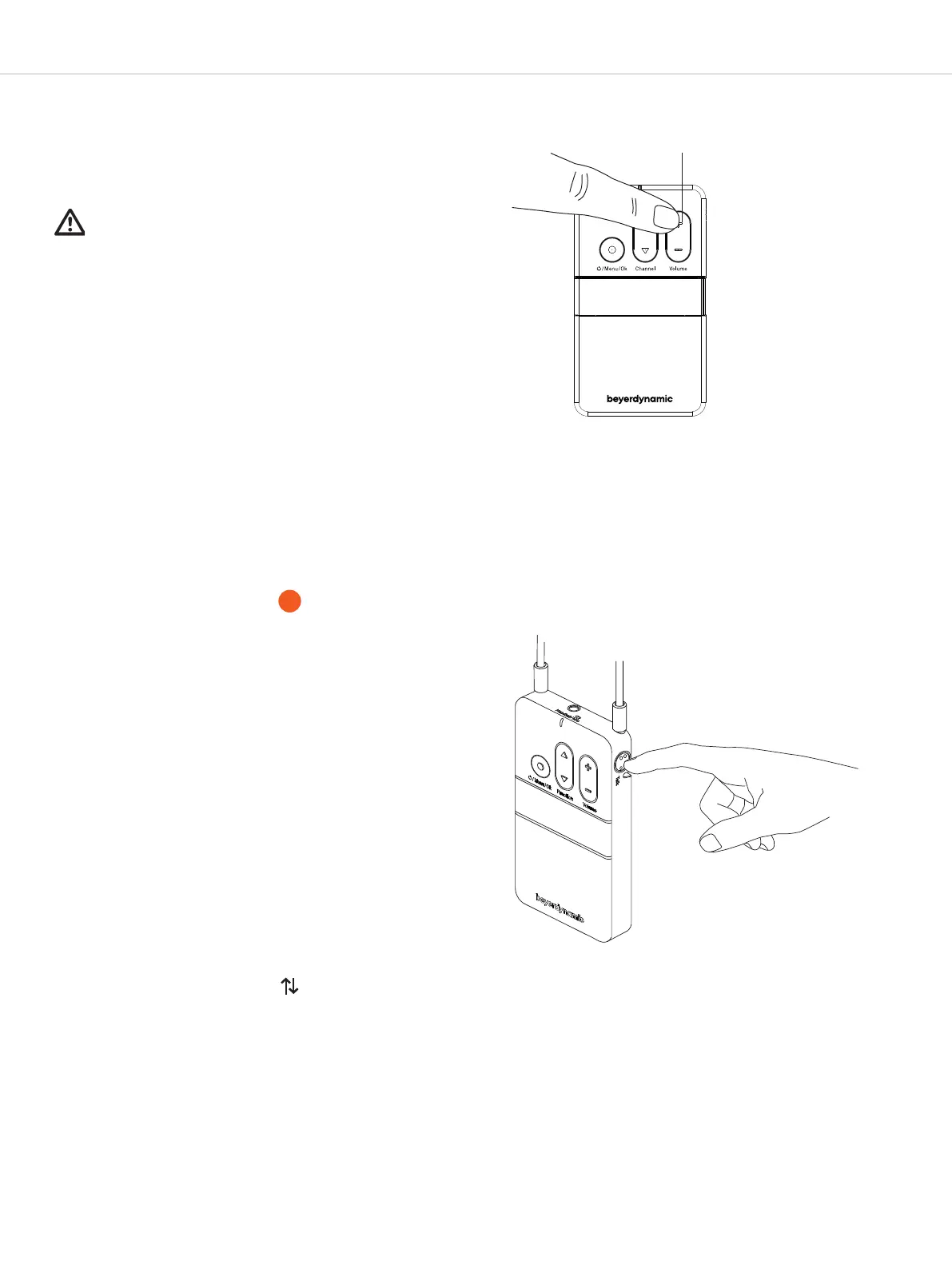
.. Adju the volume
Use the volume button to adju the volume of a
connected headphone/headset or induction loop.
• Press “+” to increase the volume.
• Press “-” to reduce the volume.
Impoant:
Please note the safety inructions regarding too high
volume.
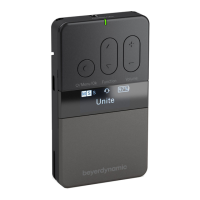
.. Speaking to the guide ( only)
The Unite RP-T bodypack receiver has a talkback button
and an integrated microphone for talking to the
guide during a tour.
• If the “Push” setting is selected in the “Talkback” menu,
press and hold the talkback button as long as you
speak into the microphone of a connected headset or
the integrated microphone when no headset is con-
nected. Refer to the separate chapter on “Menu items”.
• If the “Toggle” setting is selected in the “Talkback”
menu, press the button to activate the microphone of a
connected headset or the integrated microphone if no
headset is connected. When you press the button a
second time, the microphone is deactivated. Refer to
the separate chapter on “Menu items”.
• Please keep a distance of approx. 10 cm to the
integrated microphone when speaking.
Note:
• The integrated microphone was specially developed for
the talkback function in conjunction with the Unite TP or
TH transmitter for talking. For best audio transmission we
recommend using an external headset.
• When the talkback button is pressed, the active
function is also displayed by .
Adjust the volume
Operate the talkback button
RP-T


 To Next Page