UNITE – Unite TP bodypack transmitter
19
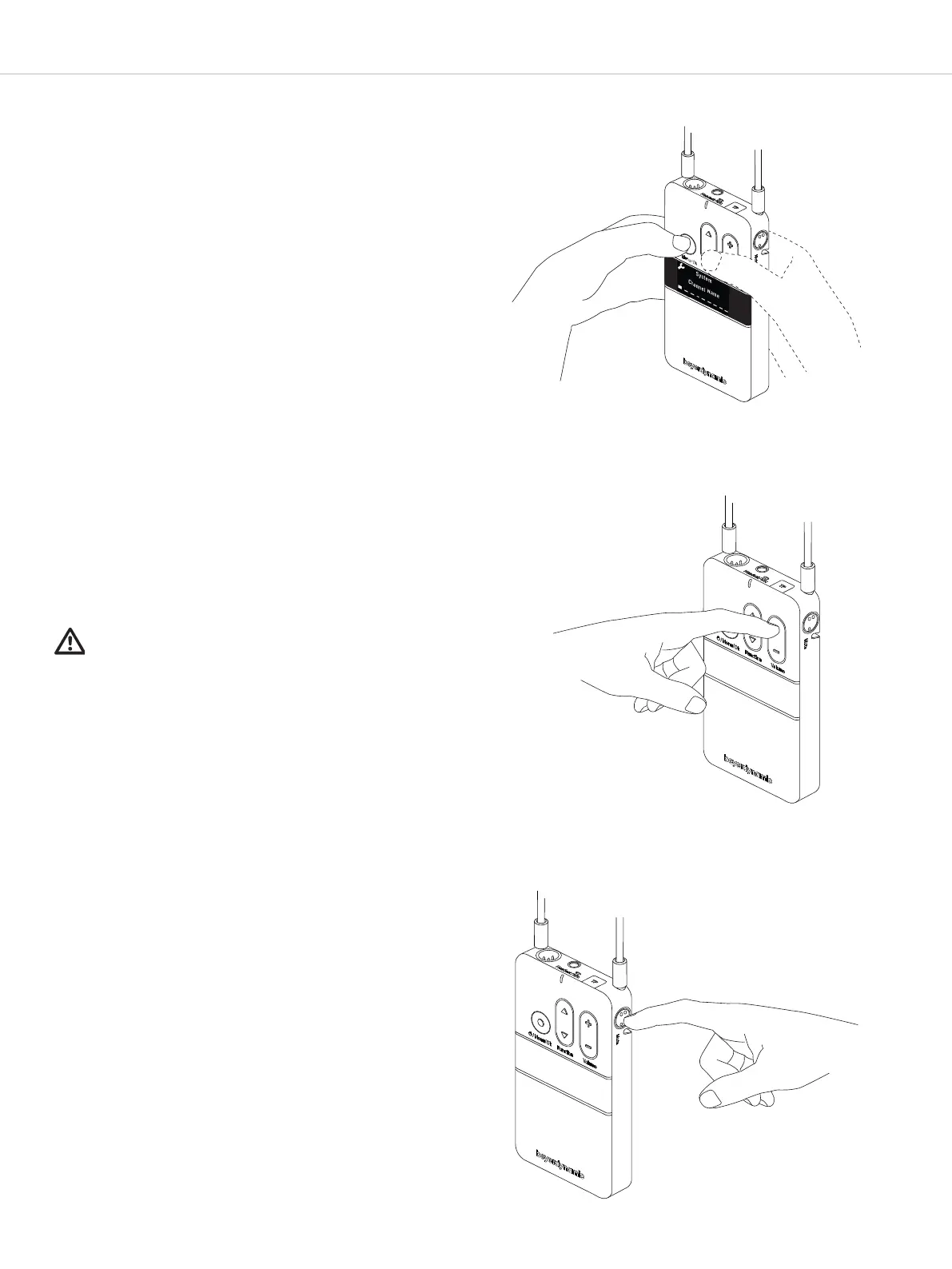
.. Set the channel name
In order to differentiate between audio channels from
several transmitters on the receiver, enter a five-digit
name for the channel on the transmitter.
Please proceed as described in the following:
• Hold down the menu button on the transmitter for
more than 2 seconds to activate the main menu.
• Use the multifunction button to select “System”
from the menu.
• Press the menu button to open the required sub-
menu.
• Use the multifunction button to select the “Channel
Name” submenu.
• Press the menu button to set the channel name.
• Use the multifunction button to scroll through the
characters. When the desired character appears,
confirm using the menu button . You can input max.
five characters.
• As soon as you select the configured transmitter on
the receiver, the set name will be displayed on the
receiver’s display.
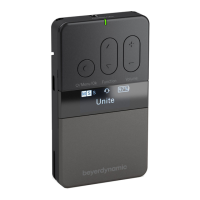
.. Adju the volume
Use the volume button to adju the volume of a
connected headphone/headset or induction loop.
• Press “+” to increase the volume.
• Press “-” to reduce the volume.
Impoant:
Please note the safety inructions regarding too high
volume.
..
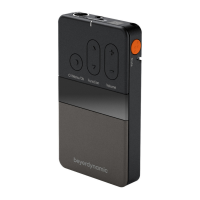
Mute function
Use the mute button to mute the internal or externally
connected microphone.
• If the “Push” setting is selected in the “Audio / Mute
Button” menu, hold the mute button down as long as
you want to mute the microphone. See also the
separate chapter on “Menu items”.
• If the “Toggle” setting is selected in the “Audio / Mute
Button” menu, you will mute the connected or
integrated microphone with the first press of the
button. With the second press of the button, you will
reactivate the microphone. See also the separate
chapter on “Menu items”.
• Please keep a distance of approx. 10 cm to the
integrated microphone when speaking.
Select “Channel Name”
menu item to enter the
channel name.
Adjust the volume
Operate the mute button


 To Next Page