8 Introduction
1.4 Conditional Access
Only used when Satellite Tuners installed for Satellite TV services
Amongst the channels that are scanned via Beyonwiz T3, some channels can be properly
tuned in only with
the corresponding Smartcard. Beyonwiz T3 provides two Smartcard
Reader slots and users need to purchase those Smartcards that are required for viewing such
subscription based services.
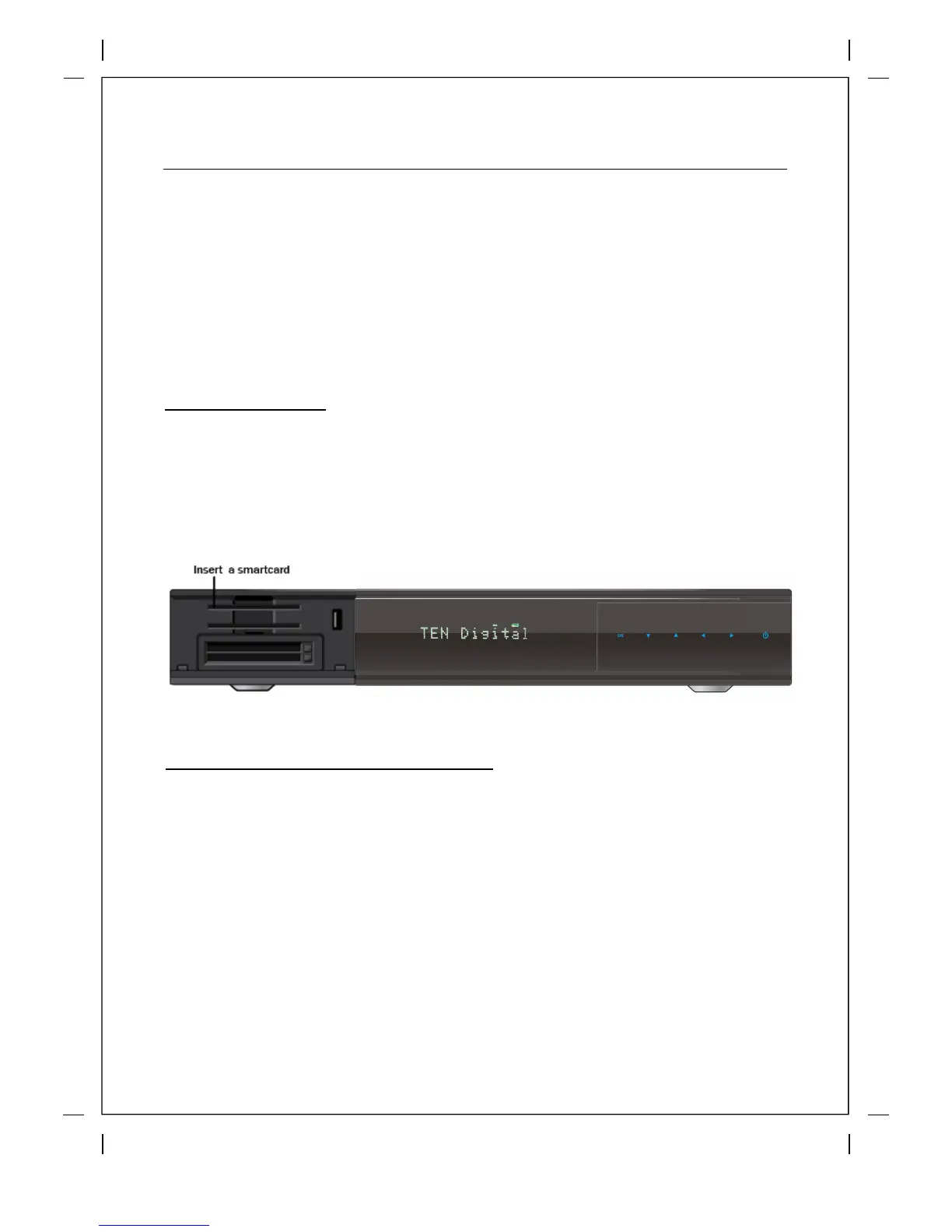
Insertion of Smartcard
① Open the door on the righ
t side.
② Insert Smartcard as in the following instruction.
③ Make sure that the Smartcard remain inserted while viewing.
Insertion of CAM (Conditional Access Module)
There are several Conditional Access Systems (CAS) that Beyonwiz T3 supports. To be able
to watch channels that are encry
pted in such CAS as Nagravision, NDS, Irdeto, Viaccess,
etc, users need to purchase a CAM that is corresponding to each CAS, as well as Smartcard
to decrypt those encrypted channels.
① Insert a Smartcard into the CAM as in the below pictur
e.
② Once the Smartcard inserted into the CAM, insert the CAM into the CI slot.
③ Make sure that the CAM remains inserted while viewing.
l
Insert CAM



 To Next Page