42 System Configuration
Backing up & Restoring your Settings
The T3 allows you to Backup your settings, this is a very useful tool that backs up your Timers,
Channels, Favorites, network and other custom settings so that in the event you have to perform
a factory reset or you upgrade the software you can restore these settings so you do not have to
spend time setting these things up again.
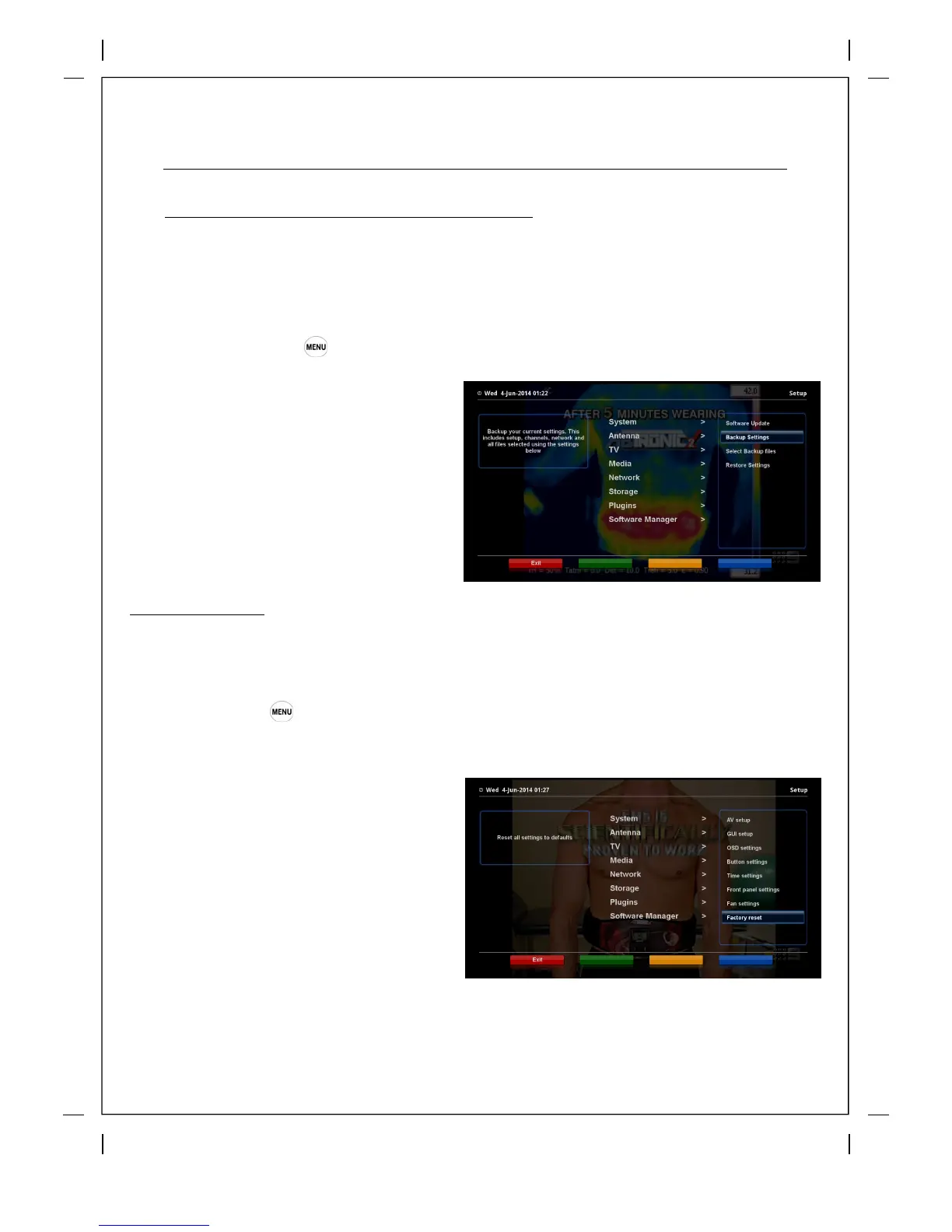
‘Setup’ ‘Software Manager’ > Backup Settings
Press 'OK' on Backup Settings and that is it,
you will get a message "Backup is Done'
To Restore Settings simply follow the same
menu path and click on Restore Settings,
your T3 will automatically restore your settings
from you Backup file and reboot.
Factory Reset
From time to time you may be required to reset the factory settings, it may be required when
applying a particular upgrade or for troubleshooting problems, you can back up your settings
before hand as explained at the top of this page.
How to use > Press
‘Setup’ ‘System’ > Factory reset
Press 'OK' on Factory reset and you will a
popup message to confirm, read the caption
and then select 'YES' to continue. Your T3 will
then reboot, once it has rebooted it will give
you the option to Restore Settings from the
back up you made.



 To Next Page