43 System Configuration
Checking Software Version and other information
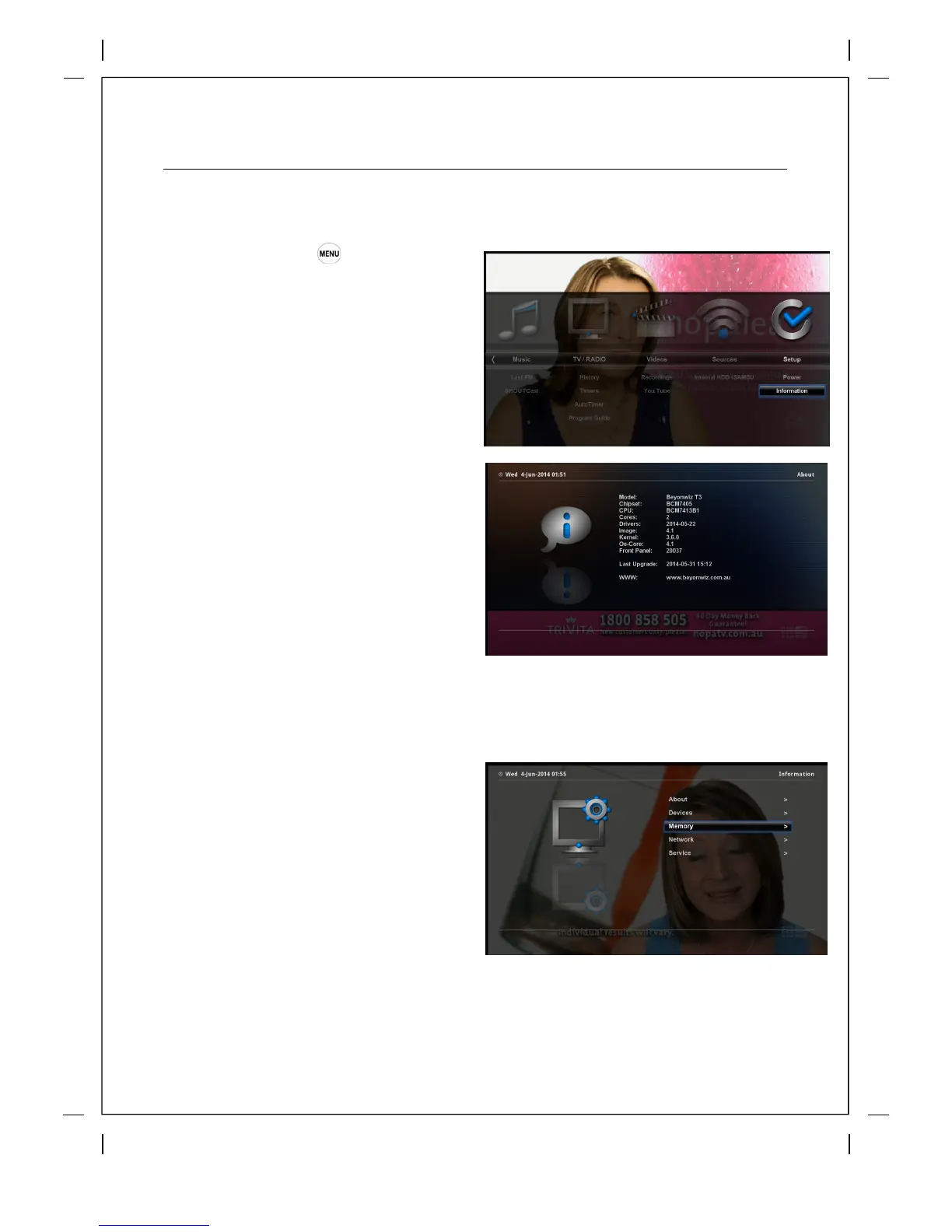
How to use > Press ‘Information’
If you want to check the H/W or S/W system
of your Beyonwiz T3, this is the menu that you
need to use. Also, here you can check very
detailed information of a specific service.
The Beyonwiz T3 uses Dates to track
software versions instead of version
numbers. To find out what Firmware
Version you are running simply press
'OK' on information and then 'OK' on
About in the sub-menu and you will get
this screen> The software version is the
Date listed under Last Upgrade:
You can find other useful information in the
sub-menu
About: Software info as above Devices: Lists
devices connected to the T3 including tuners,
hard drives and network devices.
Memory: Lists the available Flash and RAM
Network: Lists all your network connection
settings including your IP Address
Service: Technical information on the channel
you are currently viewing.



 To Next Page