27 Basic Operations
4.11 Timeshift
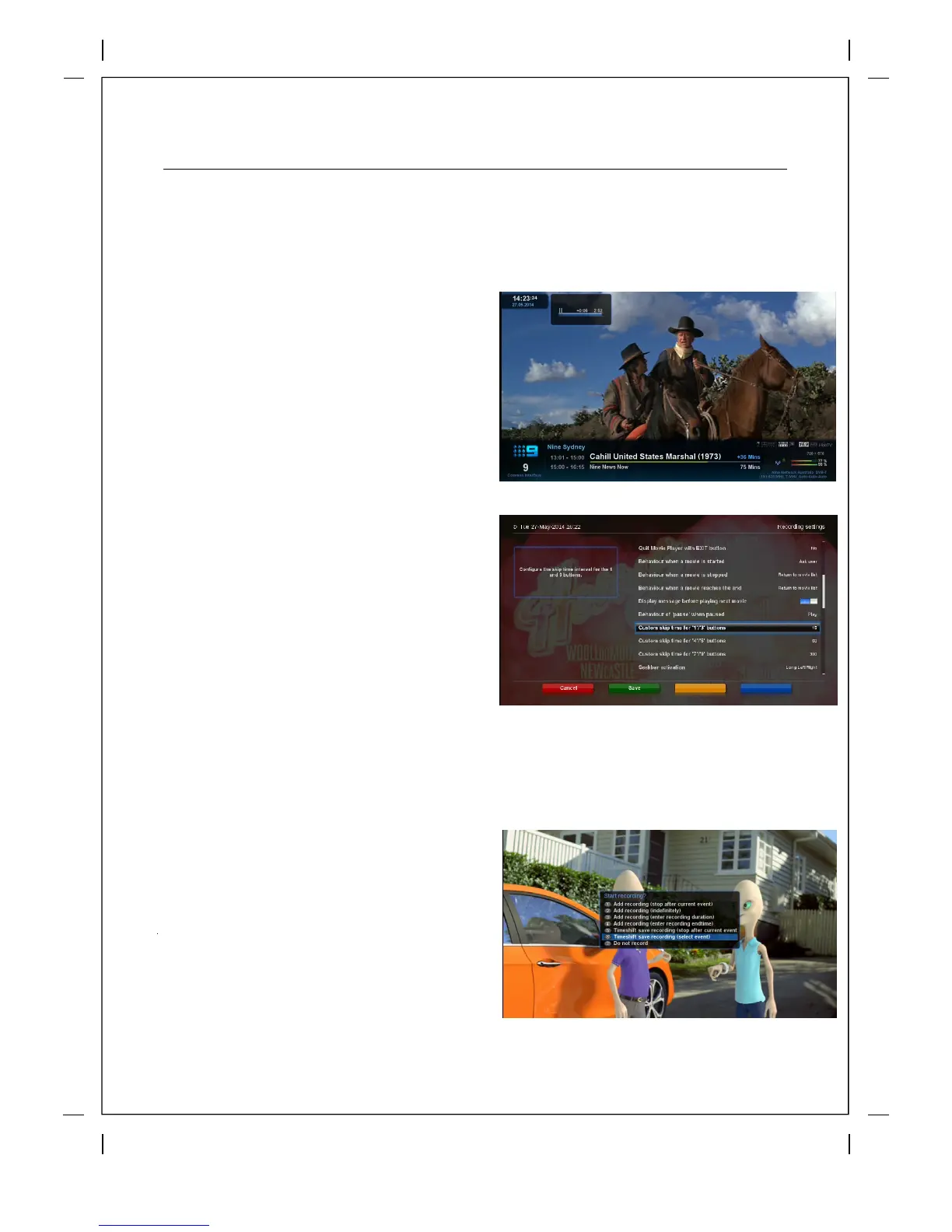
The best way to activate Timeshift mode is to Press PLAY/PAUSE ▶ll
10 seconds after changing to a channel a
timeshift buffer will be saved so you
can
rewind or record up to that point at any time.
As soon as you change channels the
timeshift buffer will be deleted from the
previous channel
and a new buffer will start
on the current channel.
When in timeshift mode you can Pause,
Rewind and Fast Forward Live TV or you can
use the fully programmable Skip buttons.
If you want to stop Timeshift mode and to
return to the live mode, press STOP key.
If you try to change channel while in Timeshift mode you will be warned and asked to confirm.
Press '1' skip back or '3' forward 15secs
Press '4' skip back or '6' forward 60secs
Press '7' skip back or '9' forward 300secs
Skip Buttons on your Remote
You can customize to your liking
Recording Timeshift
Timeshift is saved as events for as long as
theT3 has been idle on a particular channel,
so if the T3 has been on a channel for 3 hours
and there have been 4 programs on it that
time you can save any of them permanently
by pressing the 'Red' button or the 'Rec'
button on the remote and then selecting
Timeshift save recording (select event) and
then simply click on the show you missed that
you wish to record.



 To Next Page