Chapter4. Basic Operations 24
4.6 Subtitle
How to use > Press
You can view the subtitle of the current
program if the program provides the subtitle.
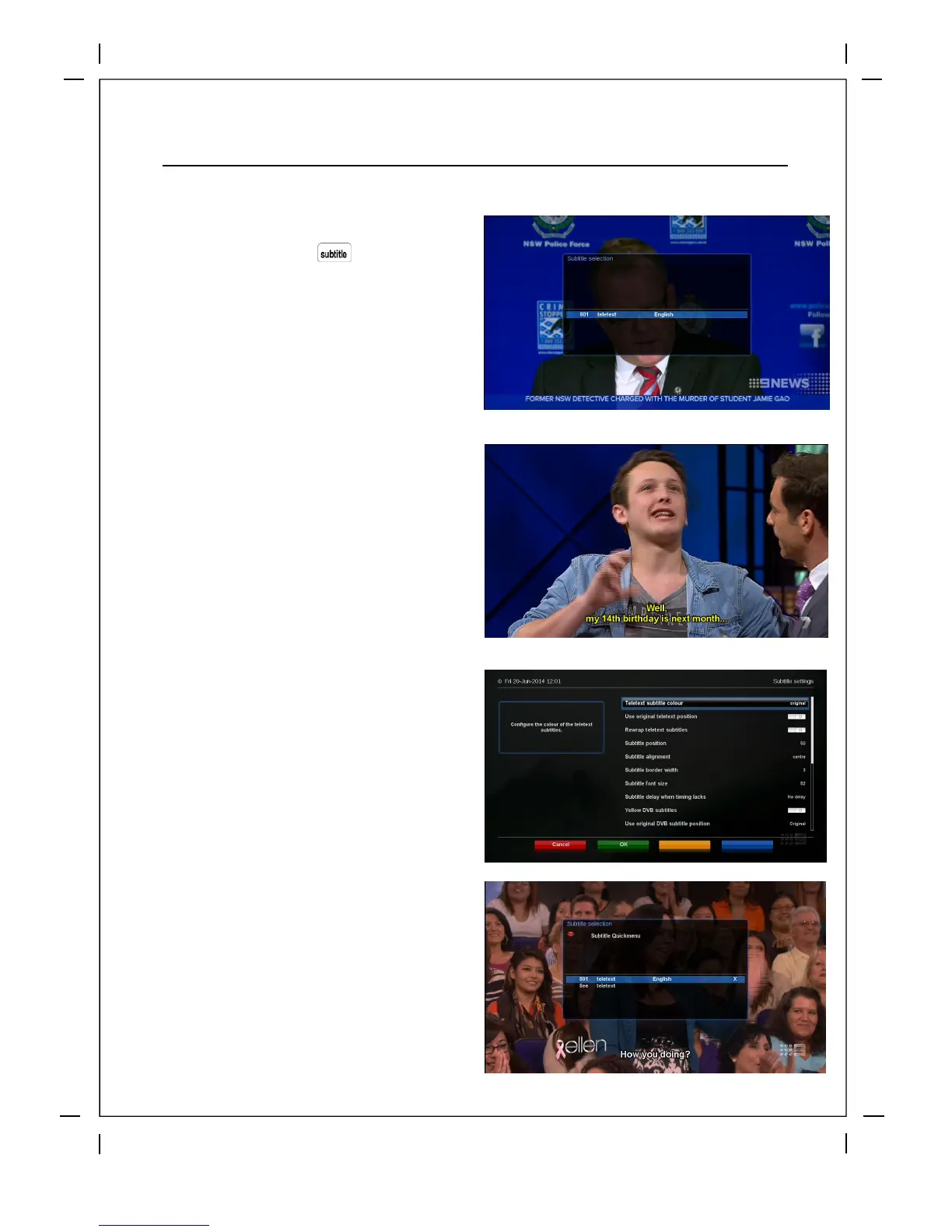
Press SUBTITLE key and Subtitle selection
menu appears as below.
Available subtitles, if any, will display. By
using UP/DOWN
navigate the list to select a
subtitle that you want to play and press OK to
activate it.
You c
an customize your subtitles either by
pressing Menu then browsing to Setup > TV
> Timeshift Settings
You can also customize y
our subtitles Live
when Subtitles are enabled by pressing the
Subtitle button and then the red button to
access the subtitle quick menu, here you
can see your changes live on the s
creen.



 To Next Page