Chapter4. Basic Operations 28
4.12 Recording
Beyonwiz T3 is a Personal Video Recorder with 3 integrated DVB-T2 tuners. You can record
multiple programs at the same time. There are two ways to operate and manage recording.
⑤ Instant Recording
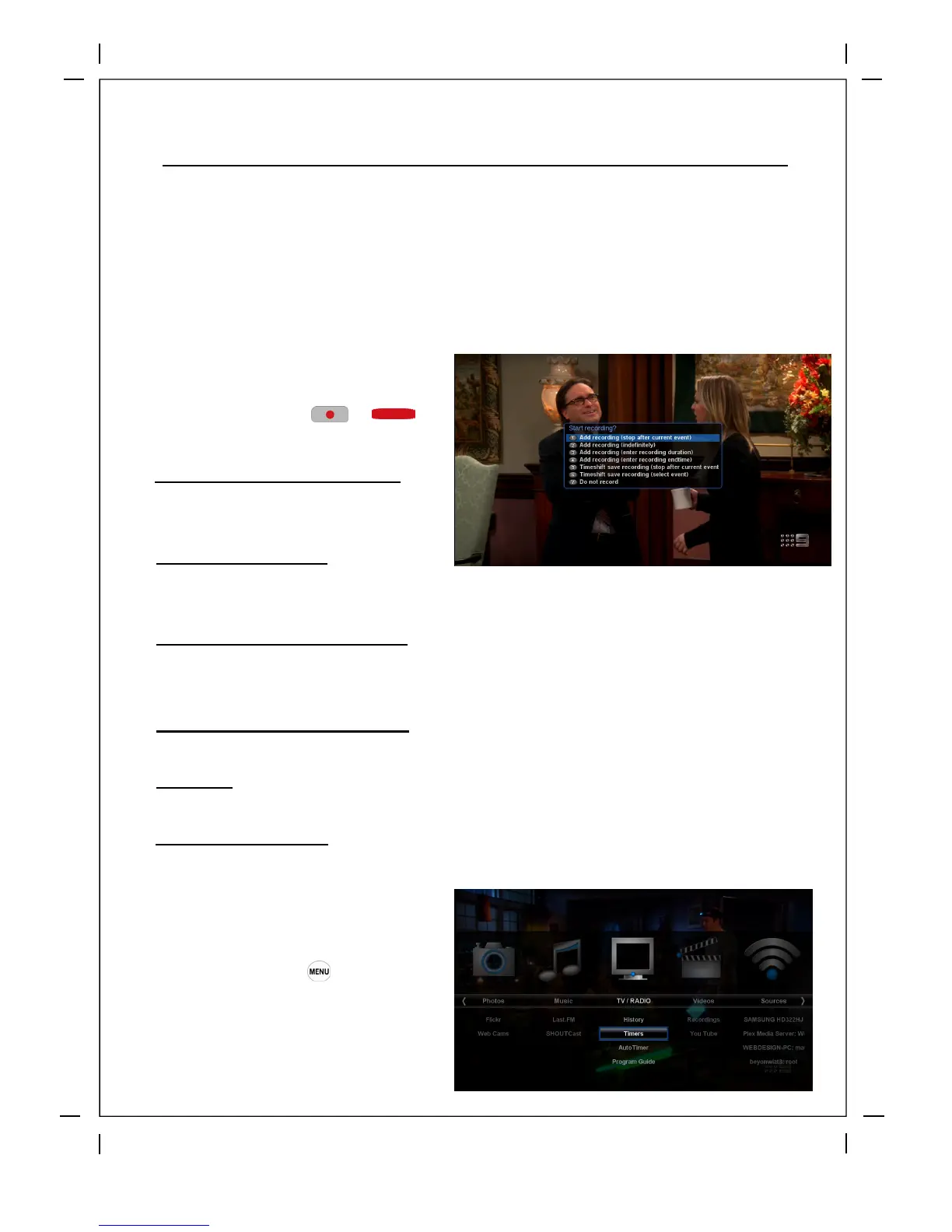
How to use > Press or
Five recording options are given.
Add recording (stop after current event)
This option is used when you want to end
recording when the current program ends.
Add recording (enter recording duration)
Don’t record
This option is used to exit from this menu without recording.
Add recording (indefinitely)
Start recording and set no finish time, the only way to stop the recording is to press the 'Red' button and then
click on Stop Recording.
This option is used when you want to manually set the length of recording by entering a certain amount of
time in minutes.
Add recording (enter recording end time)
This option is used when you want to define a certain date and time when the recording is to stop.
Timeshift save recording
This option will only be visible when there is a timeshift buffer, see 'timeshift' in the manual for more info
⑥ Recording by Timer
How to use > Press ‘Timer’
You can manage recording process
using Timer List menu. Press MENU and
select Timer on the menu.



 To Next Page