Chapter2. Installation 13
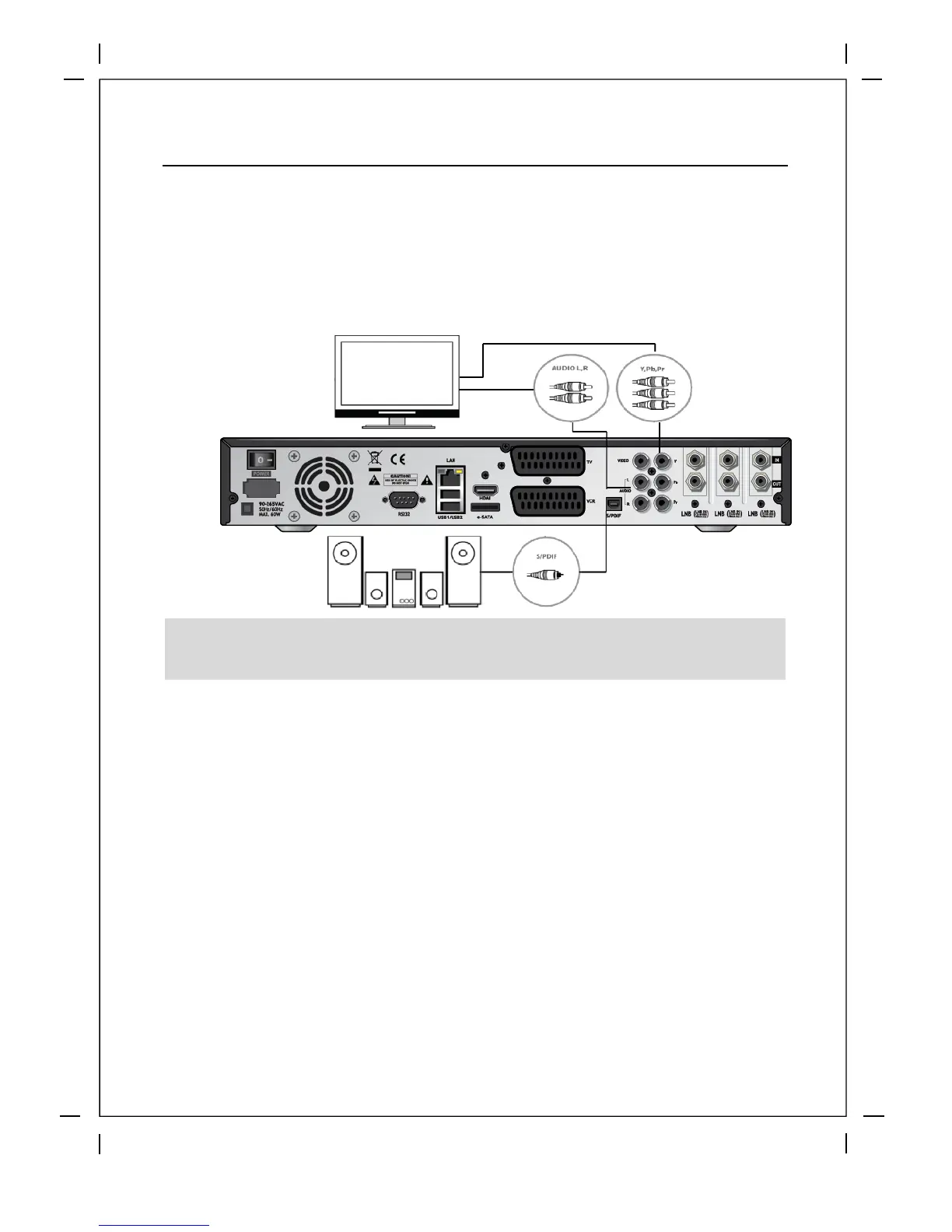
B. Connecting TV via Component Cable
The secondly recommend TV connection for digital TV is via component cable (YPbPr).
However, unlike the HDMI connection which delivers audio and video signal at the same
time, YPbPr connection requires additional audio connection either via RCA cable
(Stereo L/R) or S/PDIF as follows.
C. Connecting TV via RCA (Video) Cable
Beyonwiz T3 provides Composite v
ideo connection as well. Composite cable has
normally three connectors at the both end; one Video (Yellow) and two Audio
(White/Red). Connect your TV to Beyonwiz T3 as follows:
NOTE: When you have an A/V receiver with S/PDIF digital audio input, this connection is
recommended to enjoy the best audio quality, especially for the Dolby Digital sound.



 To Next Page