35 - Espas 20I
D812913 10598_02
ENGLISH
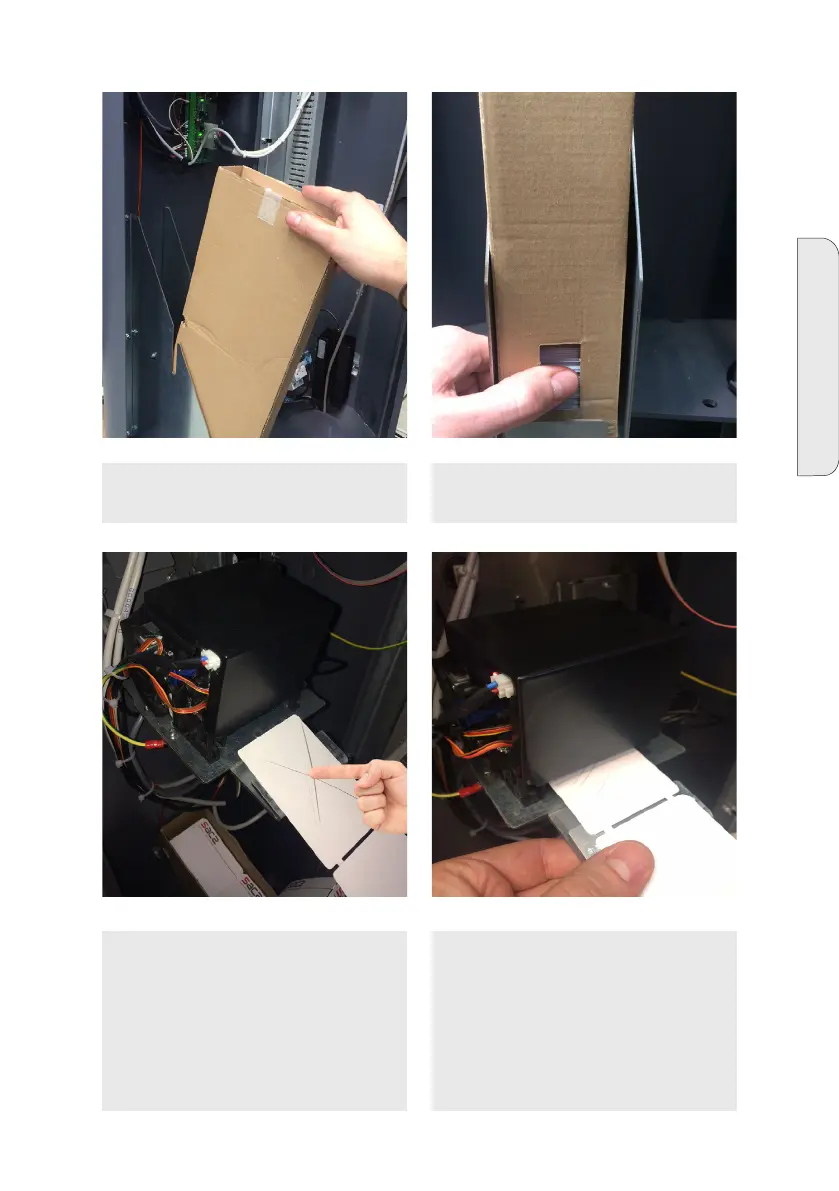
5 - Place the new packet of tickets on the
appropriate station support.
6 - For the paper sensor to work correctly,
push the tickets from the packet window.
7 - Place the tickets with the heat sensi-
tive side upwards, checking that the top
part can be written on marking it with a
tool.
8 - Insert the tickets into the bottom en-
try slot of the printer. The paper will be
automatically dragged by the printer for
a test. To check the system is working
correctly, print at least 3 car park entry
tickets; to activate the test function, see
Par. 14, DEVICE STATUS


 To Next Page