43 - Espas 20I
D812913 10598_02
ENGLISH
14 - MENU 1 PROGRAMMING
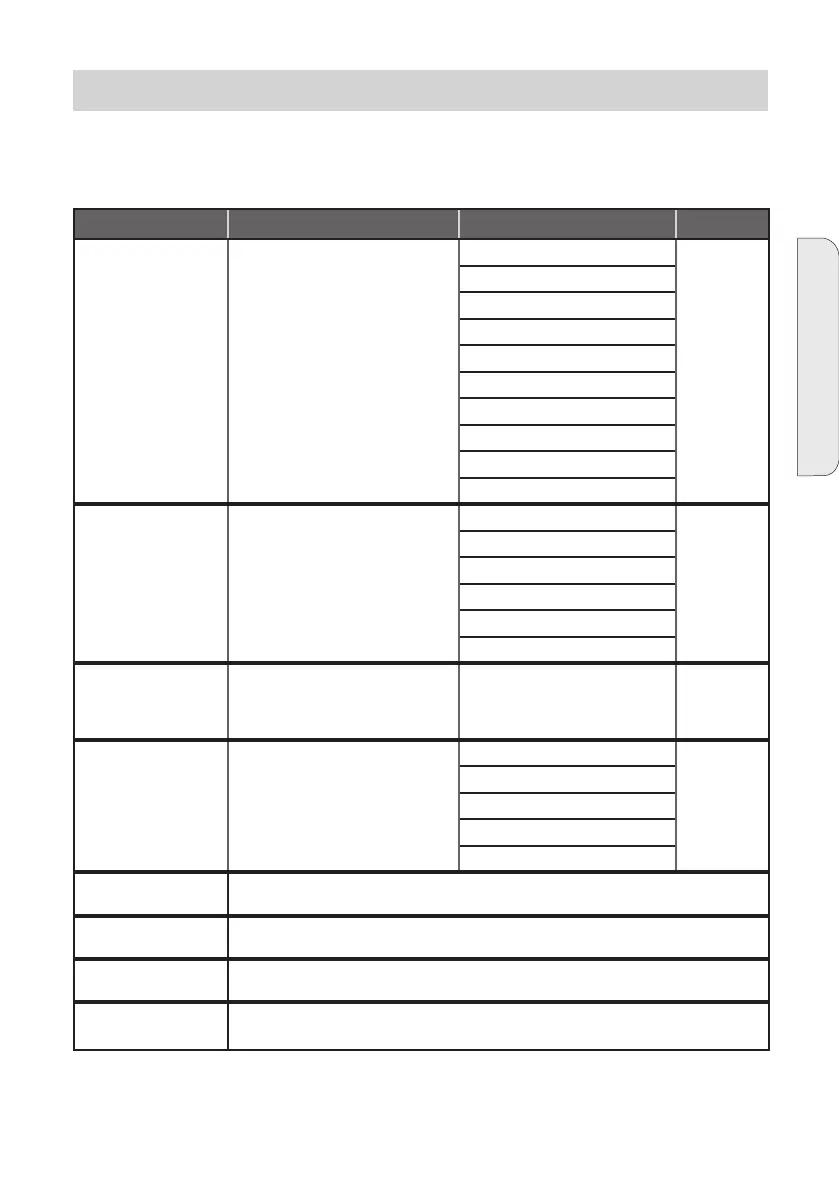
Parameter Description Settable values Default
DEVICE STATUS
ALARM
The normal operation screen displays
the DEVICE STATUS message “OK”,
while, if there are any alarms, a letter
will be displayed that indicates the
type of alarm.
A: Out of paper OK
If you press
the joystick
centrally, a
test ticket is
printed.
B: Nearly out of paper
D: Head up (KPM)
E: Printer door open (KPM)
G: Com. error 232 (KPM)
H: Printer supply voltage (KPM)
I: Paper jam
M: Cutter error (KPM)
O: Slot photocell busy (KPM)
P: Printer not connected
WORK The active operating mode. Change
with UP and DOWN, conrm with
PUSH
NORMAL NORMAL
OPEN
CLOSED
ON LOOP
SUBSCR.O.
TICKET O.
GRACE TIME The exit time, in minutes (for Espas
20 U exit after paying) Modify with
UP and DOWN, conrm with PUSH.
SEE 14.1
0...255 0
OPERATOR CARDS This submenu displays and allows
setting 400 operator cards. SEE 14.2
1-4: NORMAL -
5-8: OPEN
9-12: CLOSED
13-16: LOOP
17-400: PASS
CLEAR COUNTER Function used to clear the antipassback on all registered cards. Press PUSH to clear the an-
tipassback
DATE The current date in dd/mm/yy format
It is the date displayed and printed on the ticket. SEE 14.3
TIME The current time in hh:mm:ss format
It is the time displayed and printed on the ticket. SEE 14.4
TEMPER. Current temperature in °C. ONLY READING
How to use the joystick:
UP: move the button upwards RIGHT: move the button to the right
DOWN: move the button downwards LEFT: move the button to the left
PUSH: press the button


 To Next Page