38 - Espas 20I
D812913 10598_02
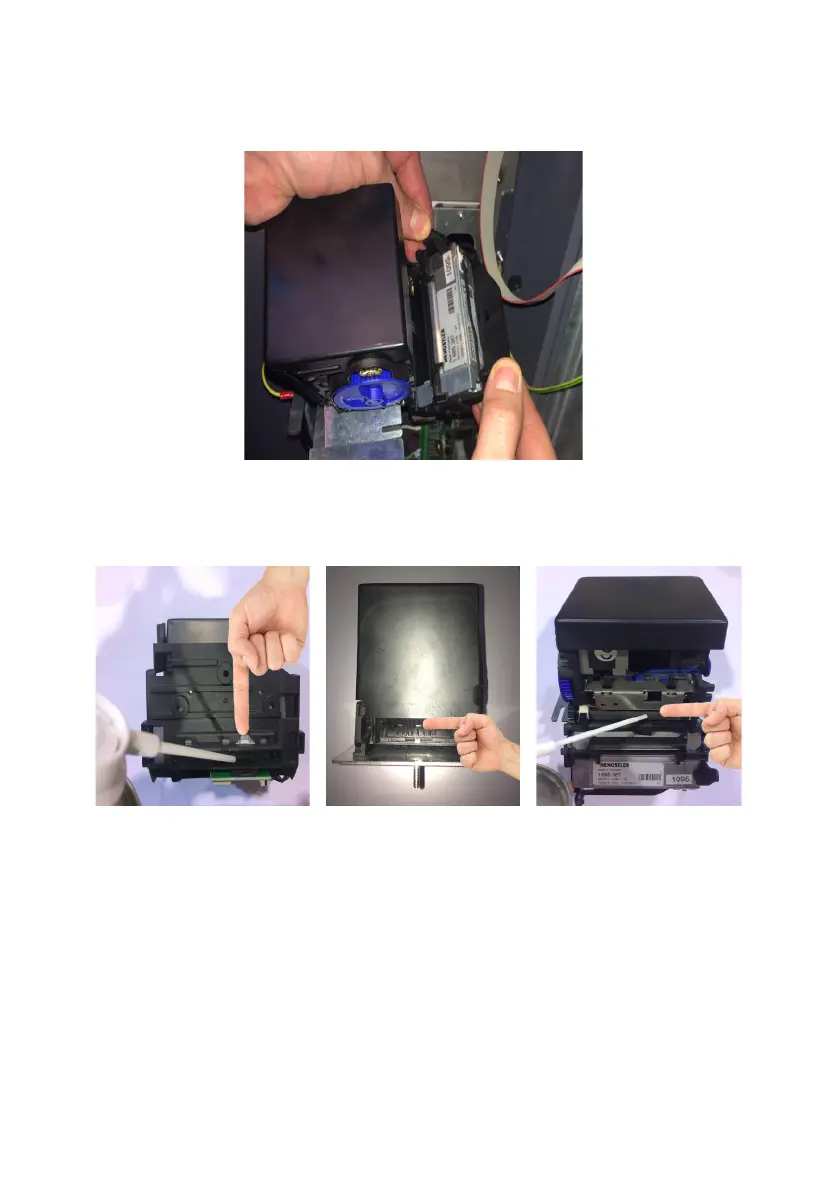
3 - Before starting the maintenance, get a can of oil-free compressed air and an anti-static
cloth. Act on the two side wings, open the printer and clean the inside of the unit.
4 - Clean the two front sensors, the two back ones and the paper dragging roller with the com-
pressed air, passing then with the anti-static cloth.
Removal of a jammed ticket
To remove a jammed ticket, follow the following instructions:
1 - Remove the printer as explained in the previous paragraph (Par. 8), remove the jammed
ticket, clean the printing unit as indicated and reposition it on its support, carried out the
operations described in chapter 7 - REPLACEMENT OF THE PAPER.


 To Next Page