10
BIFFI FAIL SAFE ELECTRIC ACTUATORS, MODEL EFS2000V4
InstructIon and operatIng Manual
7.2 ESD clutch status
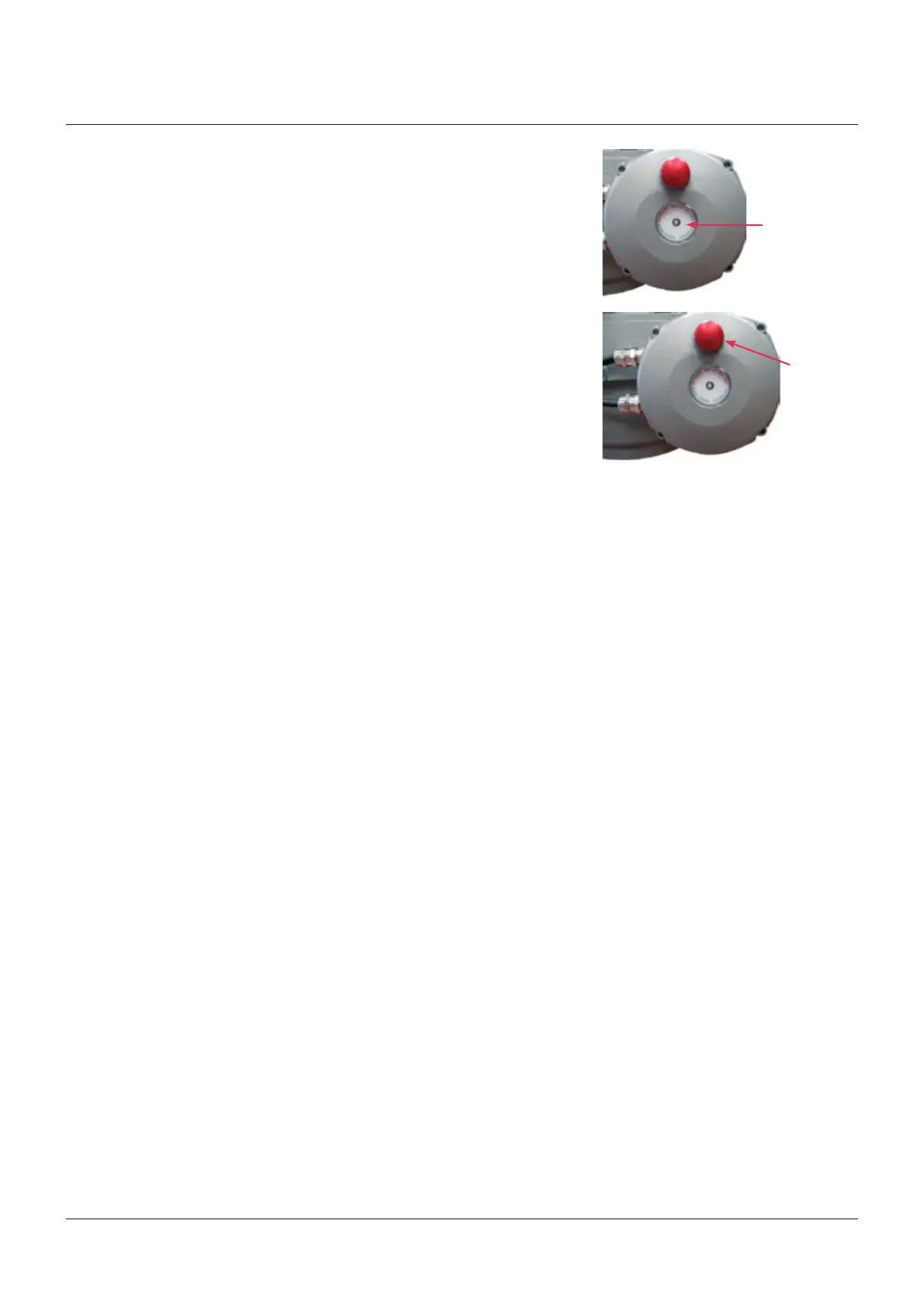
A red/green LED on the clutch enclosure
indicates the status of the ESD electrical clutch
as follows:
• Off: Clutch not supplied
• Green: Clutch coil energized
• Red: Clutch coil not energized.
• Green flashing: Clutch coil will be energized
at the end of the configured
RESET DELAY time
7.4 EFS Shut-Down action
The EFS ESD action is carried out in case of
loss of voltage supply of clutch coil (as it's
described in SM 020 (SIL Safety Manual –
Actuator series EFS2000 v4)
The Local Shut-Down actions are carried out if
the Local red mushroom pushbutton is pressed
According to actuator configuration , the EFS
action can be carried out also in caseof :
- loss of actuator main power supply
- 3-position selector in OFF: the start of EFS
action is delayed 20 sec from switching to
OFF of the selector to allow the operator
to enter view and setup mode. In VIEW and
SETUP mode the Shut-Down action is not
carried out.
7.3 Local Shut-Down operation, reset and
autoreset
One red mushroom pushbutton is available
as Local Shut-Down command and EFS
reset. If clutch is energized, the LED in the
clutch enclosure is green and the mushroom
pushbutton works as Local Shut Down
command to de-energize the coil clutch and
perform the action operated by the spring. If
clutch is not energized, the above LED is red
and the mushroom pushbutton works as EFS
reset , to energize the clutch coil and allow
electrical open/close operation. AUTORESET
function works only if it was configured
“enabled”. The above function performs an
automatic EFS reset and energizes the clutch
coil after the configured RESET DELAY time.
The configured RESET DELAY time must be
greater than the stroke time during Local
Shut-Down operation.
Green/red LED
Mushroom
pushbutton
The condition EFS action in progress can be
configured to switch-over the monitor relay
for remote signalling by means of VIEW and
SETUP menu (“ESD – EFS” parameter). If SAFE
POSITION is not reached after a predetermined
time, an alarm of EFS MID TRAVEL is
generated. The alarm is locally indicated by
the yellow LED of the actuator and remotely by
the change over of the monitor relay and one
of the auxiliary relay As1,…,As8 , according to
the configuration done in the VIEW and SETUP
menu.
After the EFS action has been carried out, the
local display shows the message “INT EFS” and
actuator electrical commands are inhibited. If
AUTORESET function is ON (enabled), the EFS
reset is performed after the RESET DELAY
time and the electrical actuator commands are
available. If the AUTORESET function is OFF
(disabled) it needs to push the red mushroom
pushbutton to perform EFS reset and enable
electrical actuator commands.
During the Shut-Down action the time
corresponding to 1% of position change is
memorized . Up to 16 Shut-Down action
profiles can be memorized. When a new set
of data is available the oldest one is cancelled
and the new set is stored. The command “SET
ESD REFERENCE” (to be intended as "Set EFS
Shut-Down Reference") available in the VIEW
and SETUP menu allows to make a copy of 1
off 16 “ESD curves” in the “ESD reference”.
The “Shut-Down reference” will not be updated
until a new “SET ESD REFERENCE” (to be
intended as "Set EFS Shut-Down Reference")"
command is entered. Via Bluetooth, the data
can be read by a PDA or PC with A-manager
tool and the Shut Down curves and reference,
Position versus Time, can be visualized and
compared.
Note: In this case, ESD is simply a firmware
parameter related to a Shut-Down action
which is not related to the EFS 2000v4 "safety
function".



 To Next Page