User Manual • Basic-Step 11
Viper Climate and Production Computer
The menu item Target temp. corresponds to Temperature setpoint in the Temperature
menu (see section 2.2.2.1.1).
The settings of
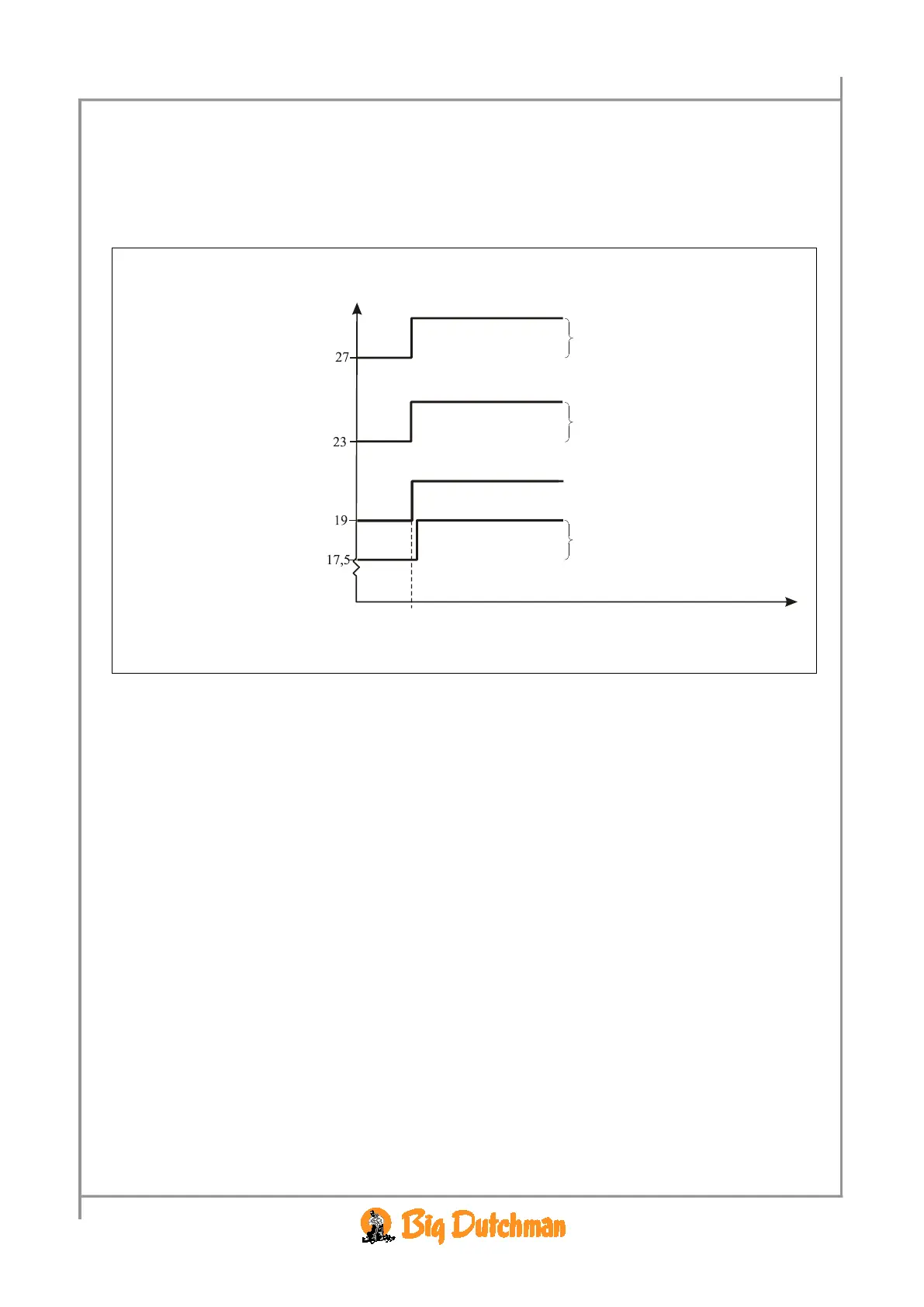
Room heat, Start tunnel and Stop tunnel and Tunnel control depend on
Target temp. Thus, if you change Target temp. by 2 °C, Viper will automatically change these
settings by a corresponding number of degrees.
Example 1: Dependent temperature settings
Start tunnel
If you wish to increase Temperature setpoint without increasing the dependent temperature settings, you must,
after having regulated
Temperature setpoint, reduce the settings by the corresponding number of degrees.
2.2.1.1 Room Control
This section is relevant only to houses with heating systems.
In houses with heating systems, the Viper computer adjusts the inside temperature according to the set
temperature and a lower temperature limit.
2.2.1.1.1 House Heaters
Viper controls the heating level of the house according to the climate conditions in the active grow
zone of the house. When only 1/3 and 2/3 of the house are used as grow zone (
Grow zone 1 or 2),
Viper can control both the heaters in the active zones and ensure that they run at minimum in the
inactive grow zones. This way, you avoid condensate on the curtains, and the inactive zones are heated
faster when they are to be used as grow zones again. You can use up to six
Heaters.
2.2.1.2 Brooding Control
2.2.1.2.1 Brooding Heaters
Viper controls the heating in the brooding zones of the house, independently of the heating level in the
rest of the house. As heating is concentrated around the brooding zones, the house temperature outside
the zones can be kept down to reduce heating consumption. Viper controls the temperature in the
brooding zones and heats them by means of heaters located in each zone. Each heater belongs to a
specific brooding zone, and when you activate a brooding zone, you also activate the heater of the
zone. You can use up to four
Brooding heaters.
Change of



 To Next Page