12 User Manual • Basic-Step
Viper Climate and Production Computer
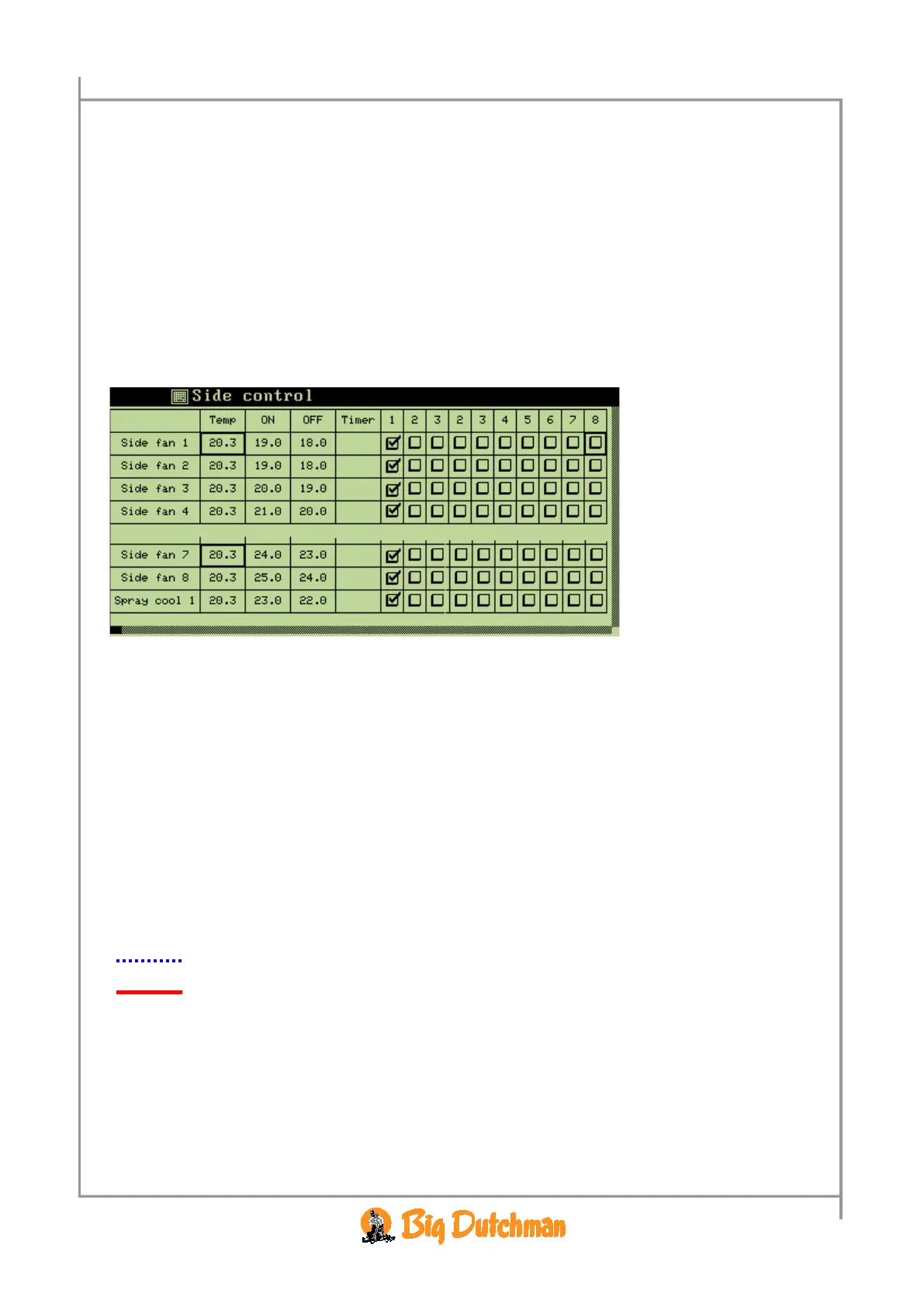
2.2.1.3 Control-Matrix
Temp Current temperature.
If more than one temperature sensors are installed, the value is shown as an average.
For each fan/heater you can specify the following:
ON Temperature setpoint that activates fan or heater
OFF Temperature setpoint that stops fan or heater
Timer Select type of timer function for fan or heater. See section 0.
1-8 Select according to which temperature sensors the individual fan or heater is to be
regulated
I Side control you can also set Spray cooling.
I Tunnel control you can also set PAD cooling.
2.2.1.3.1 Select Timer Function
In each control matrix you can choose between five timer functions (see Table 5).
The graphs in Table 5 corresponds to these settings:



 To Next Page