24 User Manual • Basic-Step
Viper Climate and Production Computer
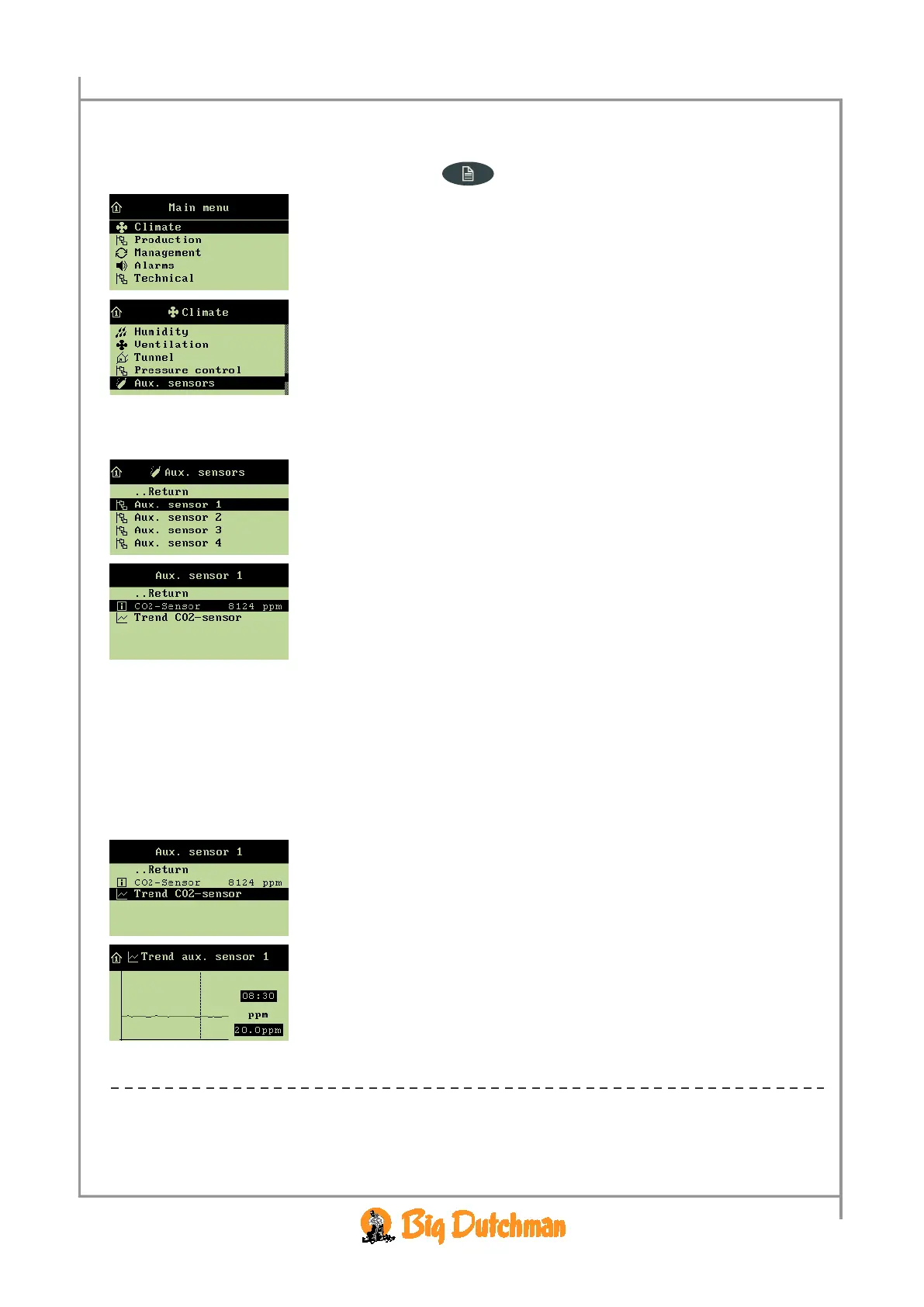
All menu items … in the Aux. sensors menu can be read by
→ pressing the menu key
→ select
Climate, and press
→ select
Aux. sensors, and press
When you want to … read the current value of an auxiliary sensor;
open the
Climate/Aux. sensors menu, and
→ select
Aux. sensor 1, and press
→ read the sensor registration
Repeat the reading for the installed number of sensors.
2.2.7.1 Auxiliary Sensor Curve
The auxiliary sensor trend curve indicates the registrations from the auxiliary sensor during the last 24
hours.
When you want to … read the trend curve,
open the
Climate/Aux. sensors/Aux. sensor 1, and
→ select
Trend xxx. sensor, and press
→ Press the arrow keys to read the exact time and figure values
→ Press the enter key to return to the
Aux. sensor 1 menu
Repeat the reading for the installed number of sensors.



 To Next Page