22 User Manual • Basic-Step
Viper Climate and Production Computer
2.2.6 Pressure Control
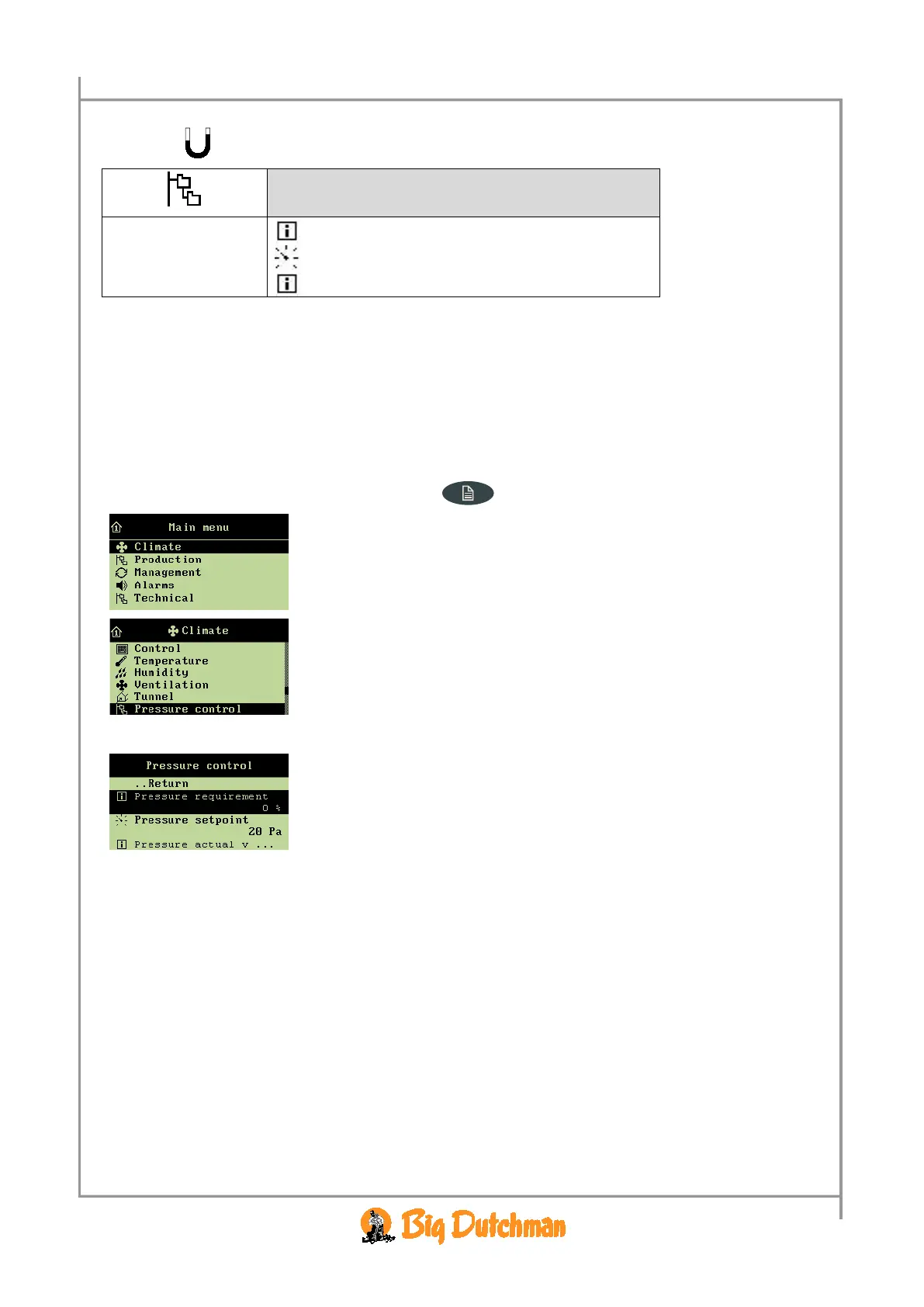
Pressure requirement 0 %
Pressure setpoint 20 Pa
Pressure regulator actual value 20 Pa
Table 10: Outline of the pressure control menu (changeable values are
highlighted in bold types)
This section is relevant only to houses with pressure sensors.
By means of a pressure sensor, the Viper computer can control the pressure level in the house. On the
basis of the sensor measurements, Viper controls the opening of the flaps; in this way, it maintains the
required pressure level in the house (
Pressure setpoint).
All menu items … in the Pressure control menu can be set and read by
→ pressing the menu key
→ select
Climate, and press
→ select
Pressure control, and press
The
Climate/Pressure control menu
The
Pressure requirement menu item is a percentage indication
of how much the flaps in the active grow zone are to be open to
maintain the
Pressure setpoint.



 To Next Page