User Manual • Basic-Step 7
Viper Climate and Production Computer
2.1.2 Display and Menus
2.1.2.1 Outline Screen
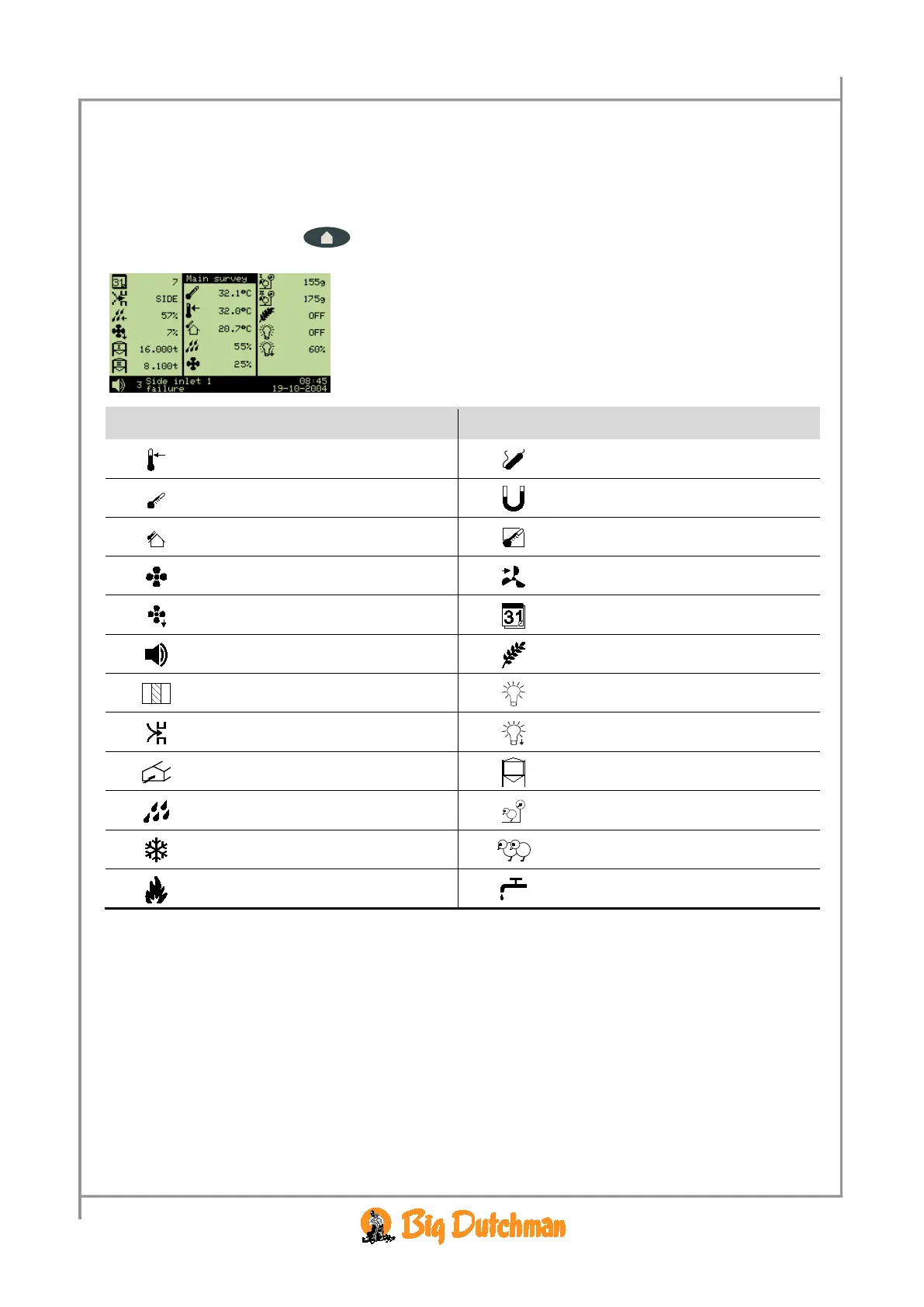
To gain access to the outline screen that provides you with an overview of the current conditions in the
house, press the outline key
once. Here, you can read the values which you will be needing
most often in your work.
→ The icons indicate which menu item is involved
→ The settings can be changed directly from the outline screen
when the setting is selected
Icon Menu text Icon Menu text
Temperature setpoint
Auxiliary sensor
Indoor temperature
Negative pressure
Outside temperature
Effective temperature
Ventilation
Wind speed
Minimum ventilation
Day no.
Alarm
Feed
Zone
Light
Side mode
Light dimmer
Tunnel
Silo
Humidity
Animal weigher
Cooling
Number of animals
Heating
Water
Table 1: Icons in the Outline Screen
2.1.2.1.1 Message line
At the bottom, the display shows a message line, which for instance informs about acknowledged
alarms and the fact that the computer is set to in-between function in connection with cleaning.
The current time and date are indicated farthest to the right.
When, in connection with setup or service, the computer is set to manual regulation of the system,
Viper will indicate the manual control in the message line.
The display reading returns to the outline screen when the computer has not been operated for ten
minutes.



 To Next Page