User Manual • Basic-Step 21
Viper Climate and Production Computer
→ select
Tunnel, and press
2.2.5.1 Heat Allowed in Tunnel
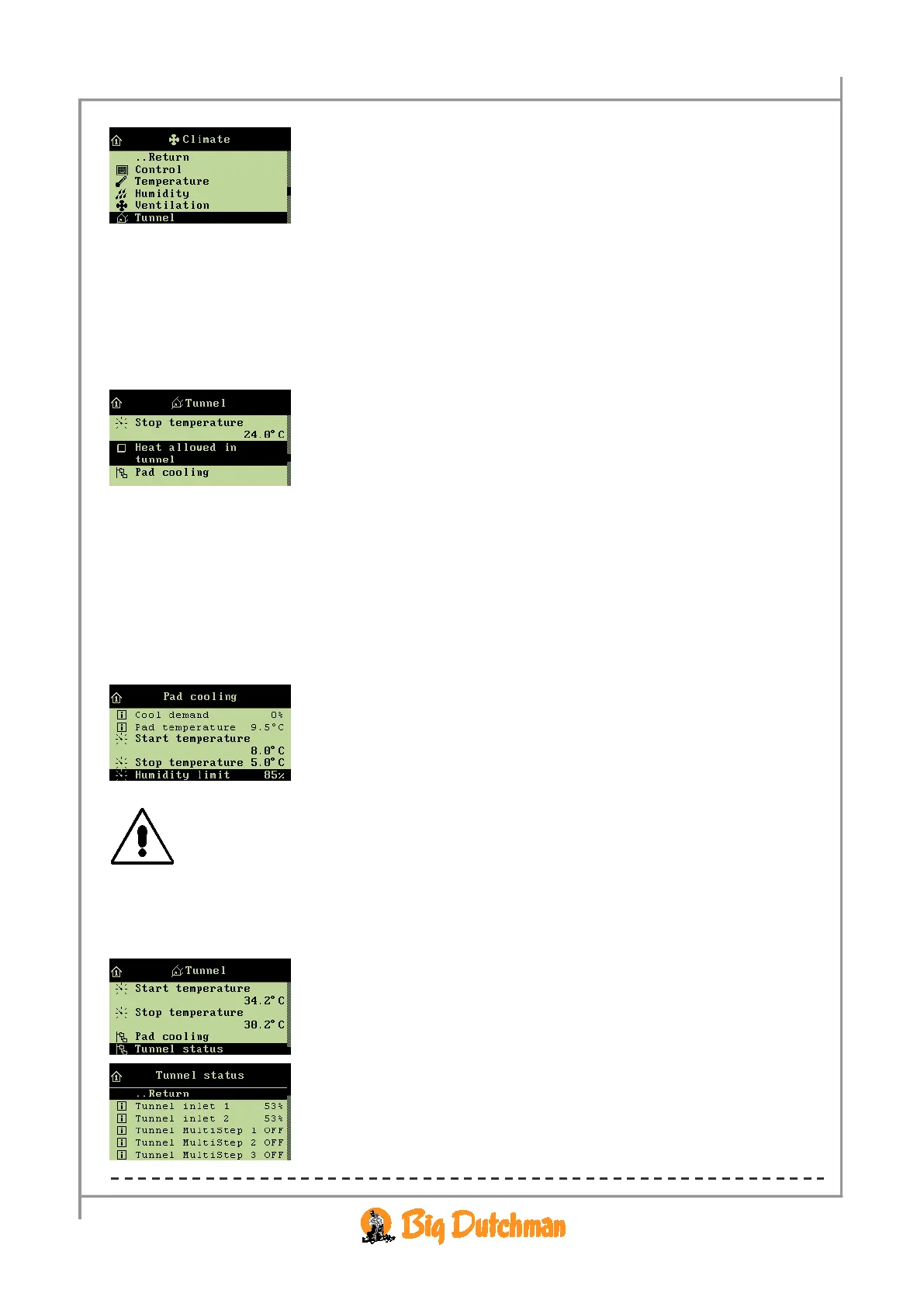
When heating is required in houses ventilated by means of tunnel ventilation only, you can connect the
Heat allowed in tunnel function.
When you want to … connect or disconnect Heat allowed in tunnel,
open the
Climate/Tunnel menu, and
→ select
Heat allowed in tunnel, and press
2.2.5.2 Pad Cooling
2.2.5.2.1 Setting Stop Cooling - Humidity Limit
When the house humidity is equal to or higher than the setting for Humidity limit, Viper stops pad
cooling.
When you want to … set a humidity limit for pad cooling,
open the
Climate/Temperature/Pad cooling menu, and
→ select
Humidity limit, and press
→ set a value, and press
The combination of a high house temperature and high air humidity can be life threatening
to the animals. Pad cooling should, therefore, be disconnected when air humidity is very
high since cooling will increase air humidity further.
2.2.5.3 Tunnel Status
The Climate/Tunnel menu
Tunnel ventilation consists partly of one or two stepless air inlets, and
partly of a number of ON/OFF exhaust units.
The flap opening is a percentage indication of how much the tunnel
air inlet is open (
Tunnel inlet 1 / 2). At Tunnel stage fan,
the exhaust units are either on or off (ON/OFF).



 To Next Page