Using the Web Browser
40
Binatone Helpline: 0845 345 9677 (UK), 1300 768 112 (Australia), +91 7503011385 (India), +491805938802 (Europe)
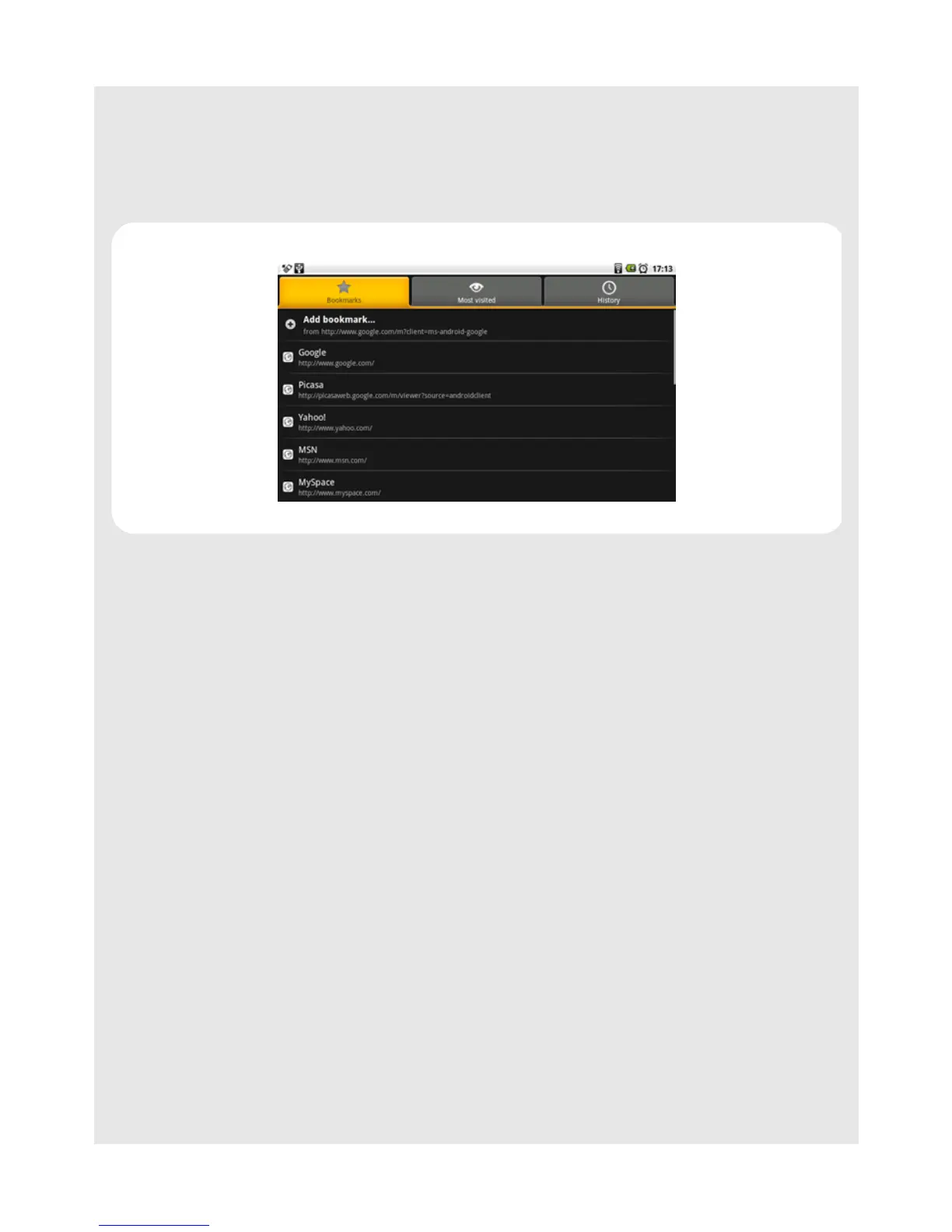
11.10.1 Bookmark a web page
1 In the Browser window, go to the web page you want to bookmark.
2 Press
O and then tap Bookmarks.
The bookmark option opens.
3 Tap Add bookmark and enter the bookmark name.
4 Edit the location if needed.
5 Tap OK.
11.10.2 Open a bookmark
1 In the Browser window, press O and then tap Bookmarks.
The bookmark option opens.
2 Tap to select the bookmark to open it.



 To Next Page