Listening to Music
Binatone Helpline: 0845 345 9677 (UK), 1300 768 112 (Australia), +91 7503011385 (India), +491805938802 (Europe)
53
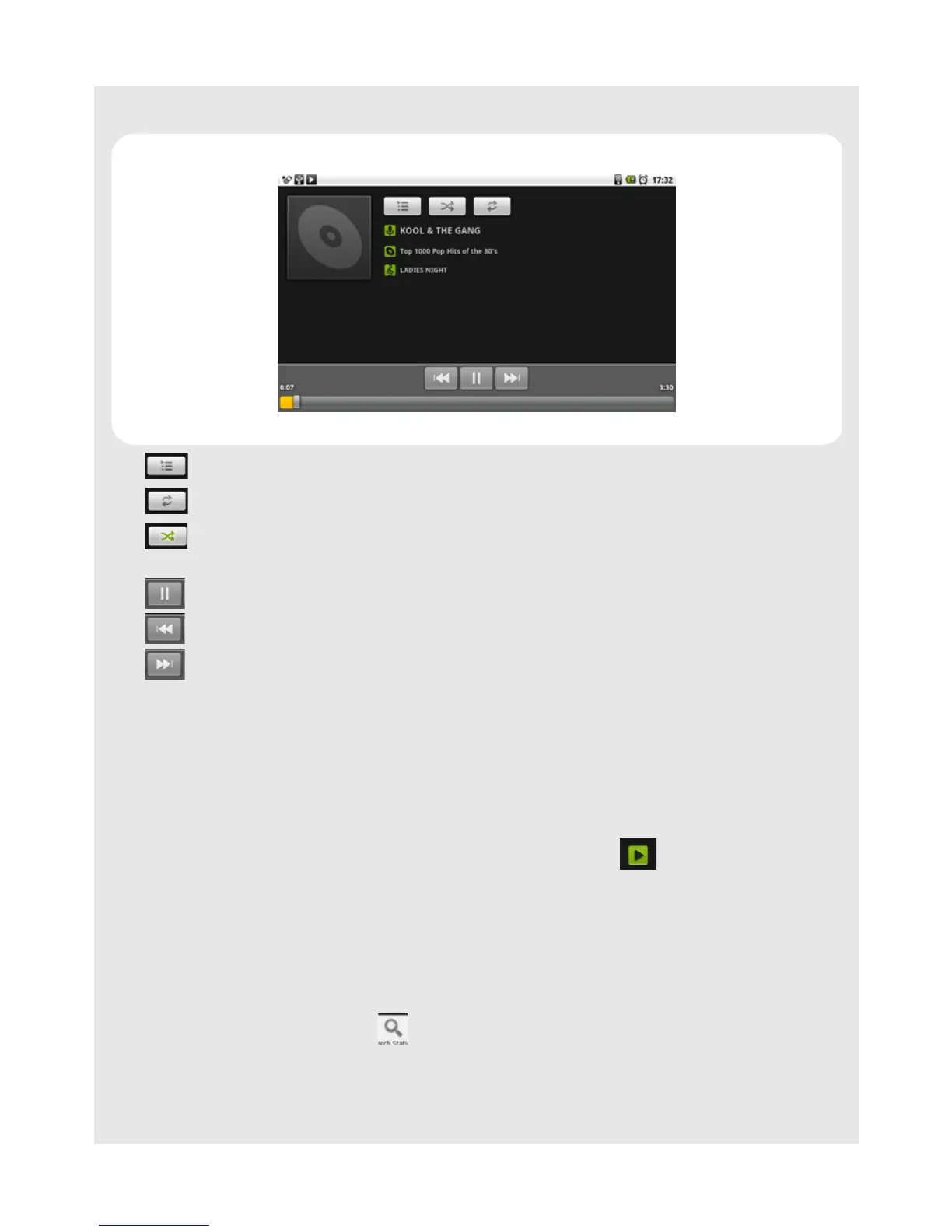
13.4 Playback controls
Tap to select songs from the list.
Tap to turn shuffle on and off. (Shuffle is off when button is gray.)
Tap to cycle through the repeat modes: Repeat all songs, Repeat current song,
Don’t repeat.
Tap to pause or to resume playing the song.
Tap to rewind.
Tap to forward.
Note
Press- or + to adjust the playback volume
If you do not see the playback controls, tap on the screen to show the playback controls.
Tips
To go back to the music library during music playback, press
O and tap Library.
To go back to the playback window from the music library, tap icon at the bottom of
the screen.
13.5 Search for a song
1 From the main music library, press O and tap Search.
2 Tap on the input field to launch the onscreen keyboard.
3 Enter the song name and tap icon.
A list of songs related to the song name is displayed. Tap to select and playback the
song.



 To Next Page