Installing Android applications
72
Binatone Helpline: 0845 345 9677 (UK), 1300 768 112 (Australia), +91 7503011385 (India), +491805938802 (Europe)
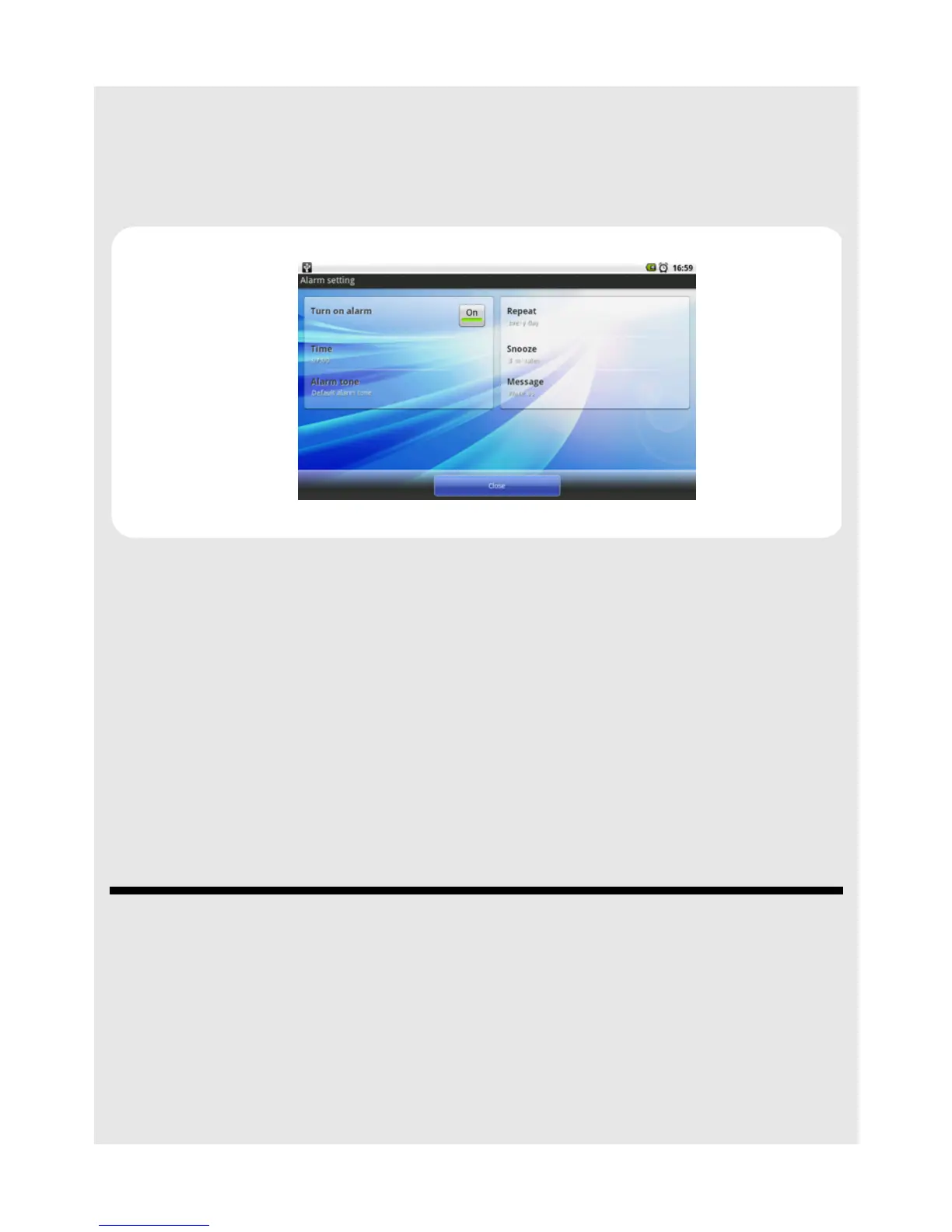
17.3 Deactivate Alarm Clock
1 Tap Program Launcher > tDigitalClock.
2 Press
O and tap Alarm.
3 Tap t h e On button in Turn on alarm option to deactivate the alarm clock.
17.4 Change Font Setting
1 Tap Program Launcher > tDigitalClock.
2 Press
O and tap Font setting.
3 Select your preferred font color for the clock and date and tap Preview to preview your
setting (press B to return to font setting window) or tap OK to confirm.
17.5 Exit tDigitalClock
Do one of the following:
• Press
B until you return to the home screen.
• Press
H.
18 Installing Android applications
1 Download .apk files from www.androidfreeware.org or any other similar site to your
computer.
2 Copy the .apk files into a memory card.
3 Insert the memory card into your HomeSurf Tablet.



 To Next Page