Reading and Managing emails
Binatone Helpline: 0845 345 9677 (UK), 1300 768 112 (Australia), +91 7503011385 (India), +491805938802 (Europe)
47
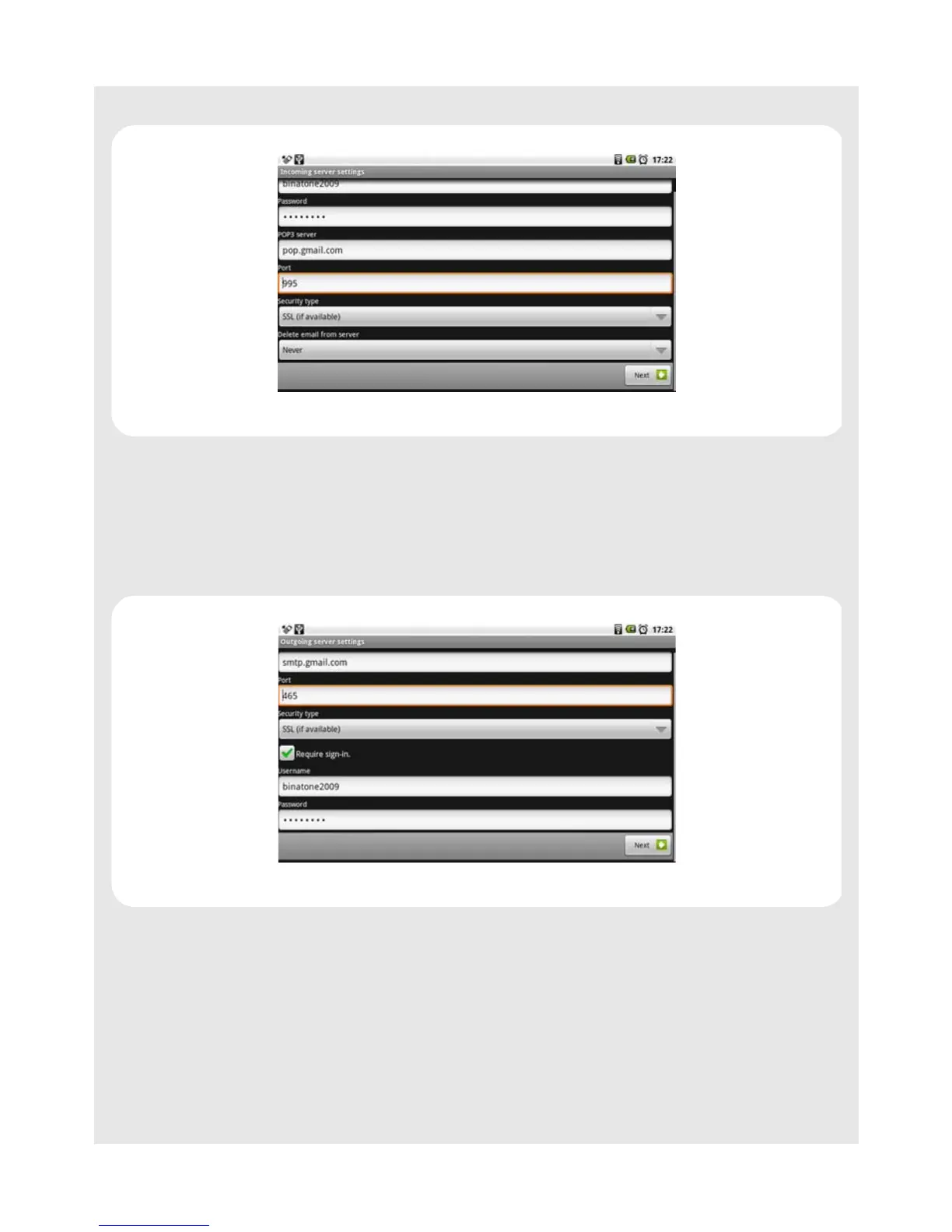
3 Modify the settings and tap Next to check and activate your new settings.
12.4.8 Modify outgoing server settings
1 Tap Program Launcher > Email.
2 Press
O and tap Account settings > Outgoing settings.
3 Modify the settings and tap Next to check and activate your new settings.
12.5 Compose and send email messages
You can send an email message to anyone who has an email address. You can send the
message to one person or to a group of people.
1 Tap Program Launcher > Email.
2 Press
O and tap Compose.
3 Enter the message recipient’s email address in the To field and tap Next.



 To Next Page