Reading and Managing emails
48
Binatone Helpline: 0845 345 9677 (UK), 1300 768 112 (Australia), +91 7503011385 (India), +491805938802 (Europe)
Tip
If you are sending the email to several recipients, separate the email addresses with a
comma. You can add as many message recipients as you want.
If you want to send a carbon copy (Cc) or a blind carbon copy (Bcc) of the email to other
recipients, press
O and then tap Add Cc/Bcc:.
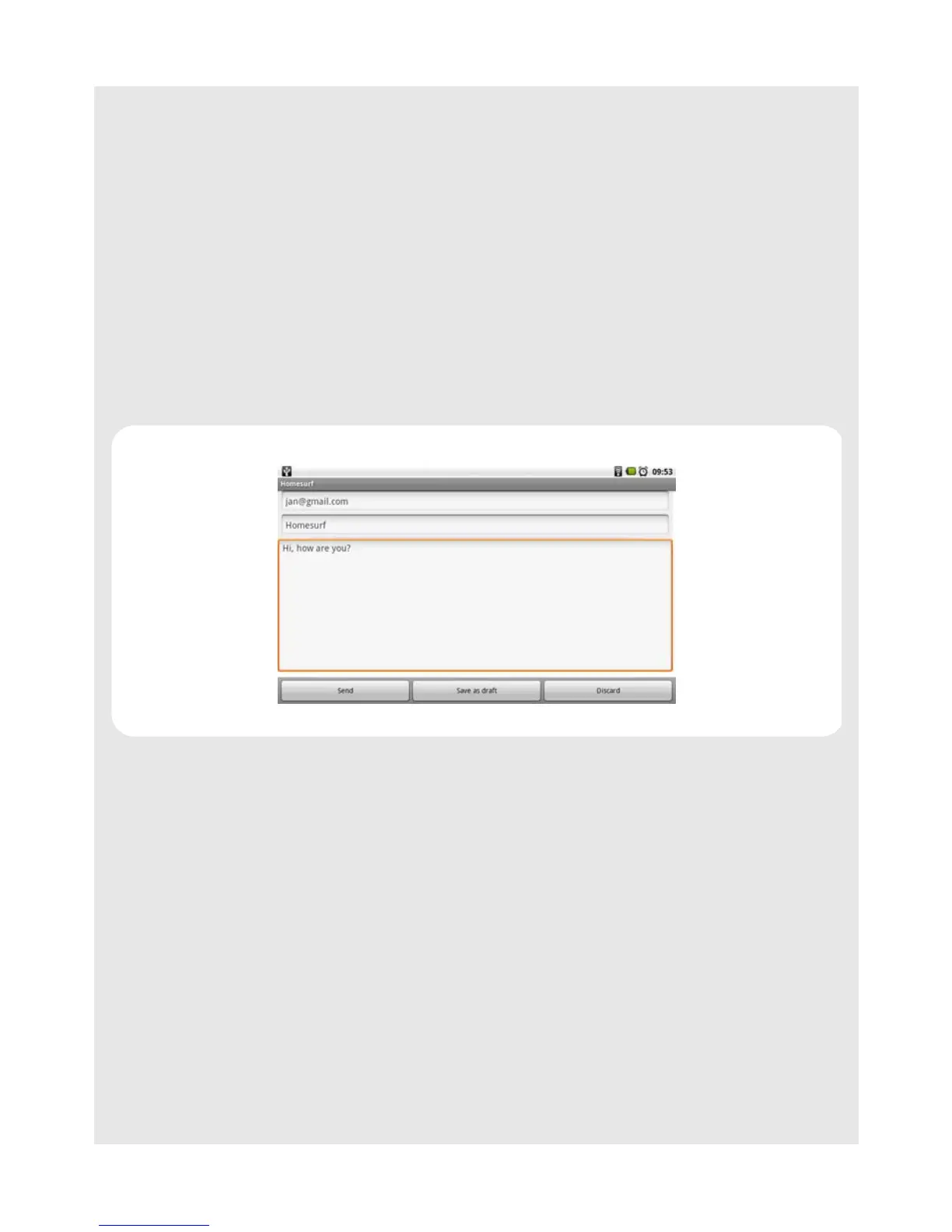
4 Enter the subject in the Subject field and tap Next.
5 Compose your message and tap Done.
6 Tap Send to send the message.
Note
Tap Save as draft to save the message as a draft or tap Discard to delete the message
you have just composed.
Tip
If you exit the email application without saving the message you have composed, the
message will be automatically saved as draft in the Draft folder of your email account.



 To Next Page