OVERVIEW OF THE PRODUCT
Binatone Helpline: 0845 345 9677 (UK), 1300 768 112 (Australia), +91 7503011385 (India), +491805938802 (Europe)
7
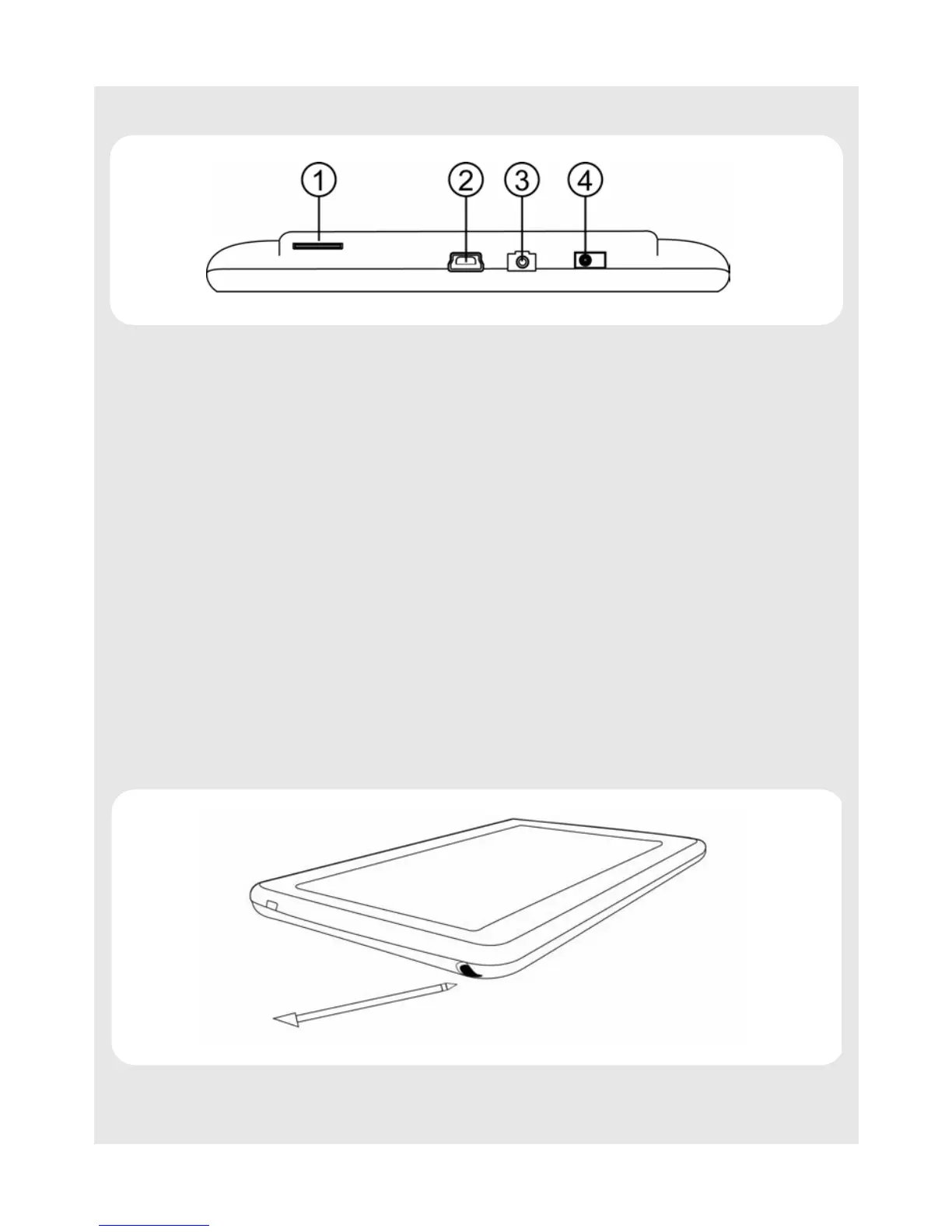
4.4 Side
4.5 Basic operations of your Homesurf Tablet
You can operate the HomeSurf Tablet by touching the surface of the display using the
Stylus pen (included) or with your finger.
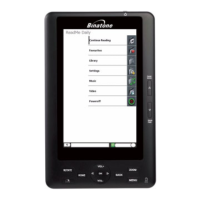
4.5.1 Using the stylus pen
The stylus pen is tucked away inside a holder.
To remove the stylus, simply pull out the pen.
1 Micro SD card
slot
Insert your micro SD card
2 • Plug in the USB cable for connection to a PC for data
transfer.
Note
The USB port is for data transfer with a PC only. You cannot
use it for charging.
3 Plug in a 3.5mm headset to listen to music and watch videos
4 Power connector Plug in the power adaptor for charging
Q



 To Next Page