OVERVIEW OF THE PRODUCT
6
Binatone Helpline: 0845 345 9677 (UK), 1300 768 112 (Australia), +91 7503011385 (India), +491805938802 (Europe)
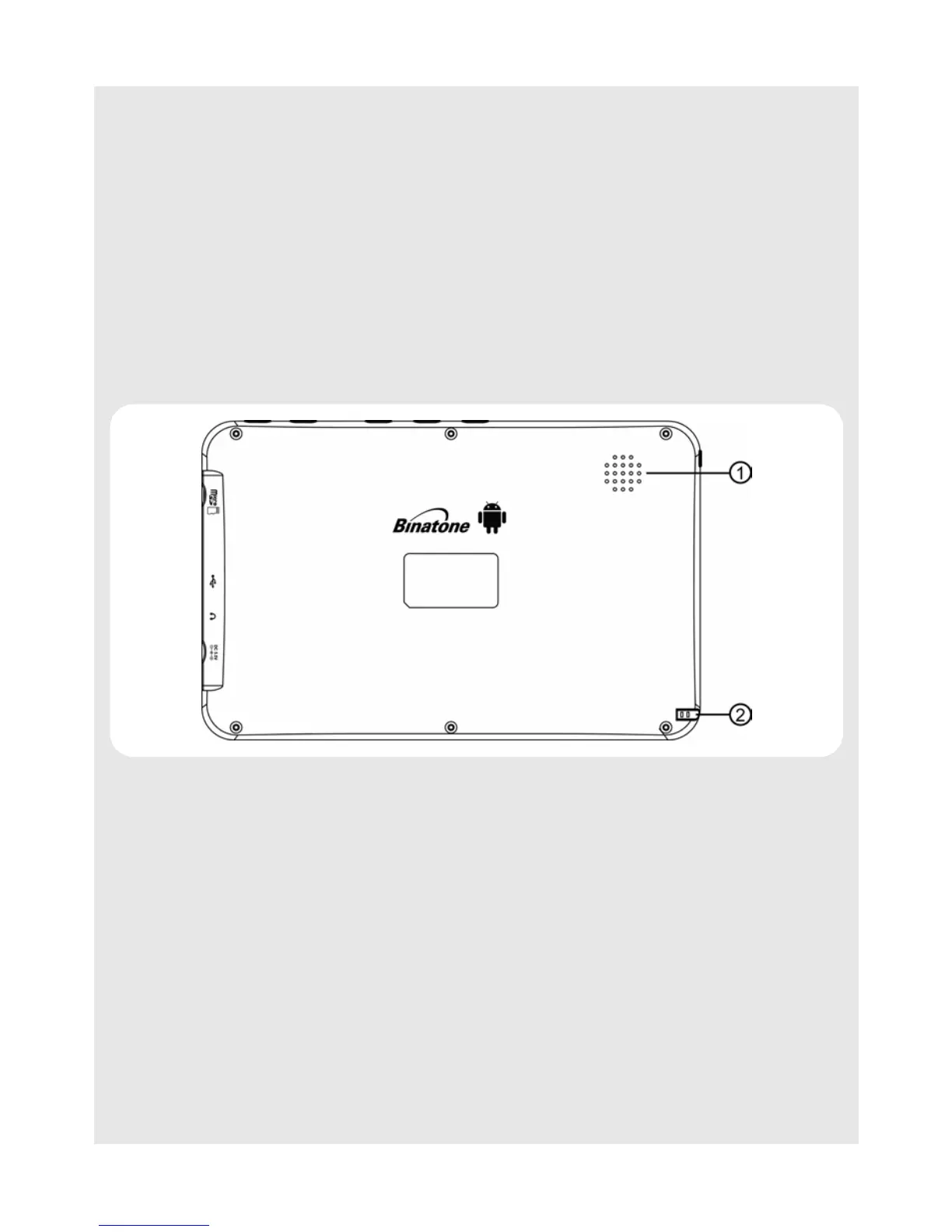
4.3 Back
4 O • Press to open the options list.
• Press and hold (about 10 seconds) to calibrate the touch screen.
• Press and hold (about 3 seconds) to launch onscreen keyboard.
Press again to hide the keyboard.
5
B • Press to return to previous screen.
• Press to hide the onscreen keyboard.
• Press to exit a dialog box, options menu or notifications panel.
• Press to cancel an operation.
• Press and hold to access Bookmarks, Most visited and History
during web browsing.
1 Speakers
2Stylus Pen



 To Next Page