BA-EN-HydroStar V3.1 page 19
7.6 Connecting an external operating device
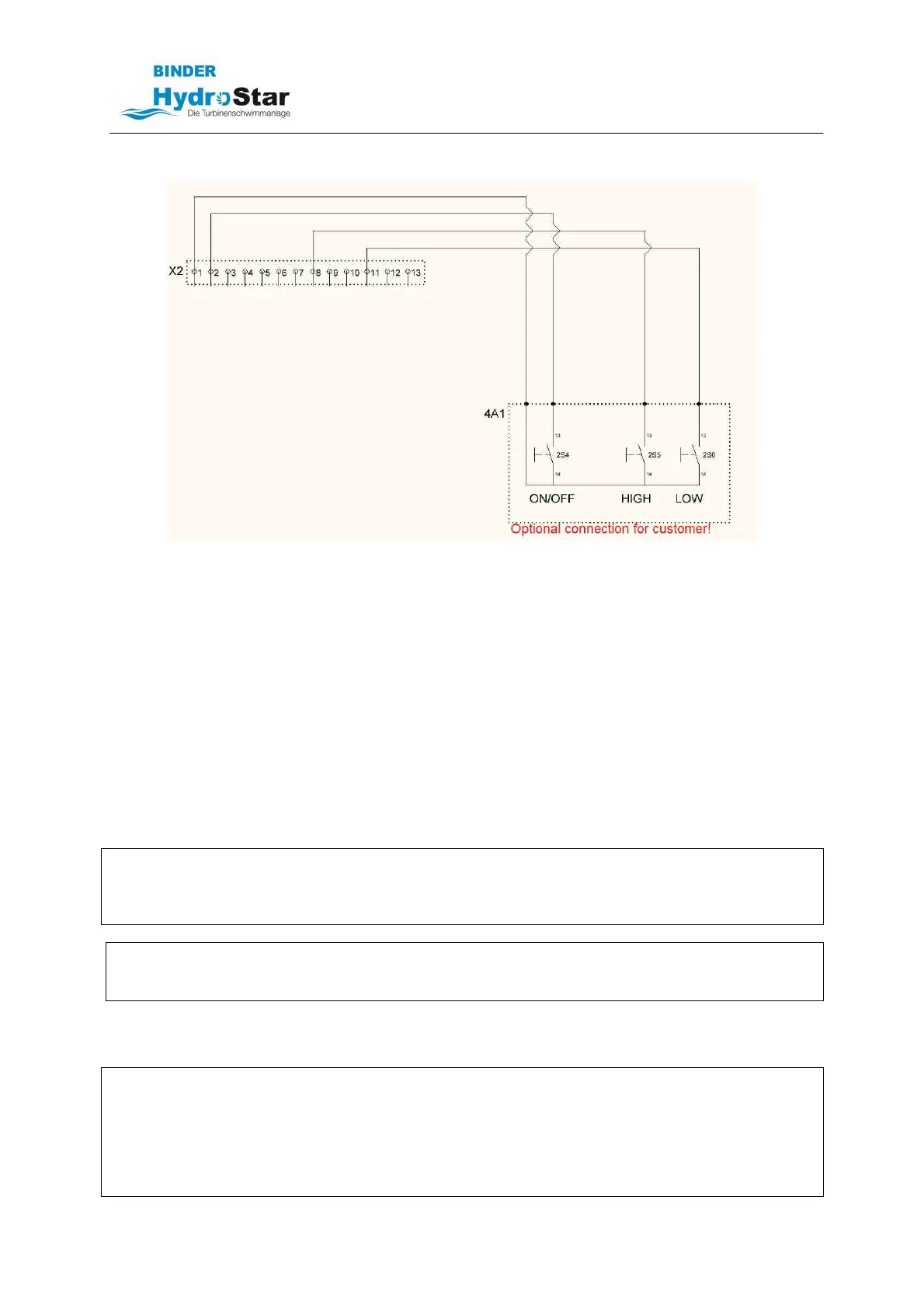
By means of push buttons connected to the X2 terminal strip, the following functions can be
controlled:
• On/Off by closing terminals 1-2
• Turbine acceleration by closing terminals 1-8
• Turbine deceleration by closing terminals 1-11
• Breaking capacity: 24VDC/20mA, maximum cable length 30m
• Please also observe the circuit diagrams included in delivery!
7.6.1 Instructions for operation with a smartphone
The X2 terminal strip can be used as an interface to an overriding control unit (e.g., Loxone). The
terminal assignment can be found in the circuit diagrams included in delivery.
8 Start-up
Turn the unit on using the rotary switch on the front side of the control unit!
ELECTRICAL HAZARD
Before starting the machine up, check the operation of the residual current device (RCD) on the
machine side.
Check all lines for damage and make sure the electrical connections are secure.
NOTE
Do not perform any trial runs unless the turbine is completely under water! Operating it above water or
only partly in water will cause the drive motor to fail!
8.1 Remote control operation
DANGER
The radio transmitter and receiver are pre-set to match at the factory and programmed for the
operation of the HydroStar counterflow unit. Any reprogramming or using a second or third-party radio
transmitter may damage the machine or harm people.
Before starting the turbine, make sure that no one is in the flow out area of the turbine. The sudden
flow of water may lead to unpredictable reactions.



 To Next Page