BA-EN-HydroStar V3.1 page 20
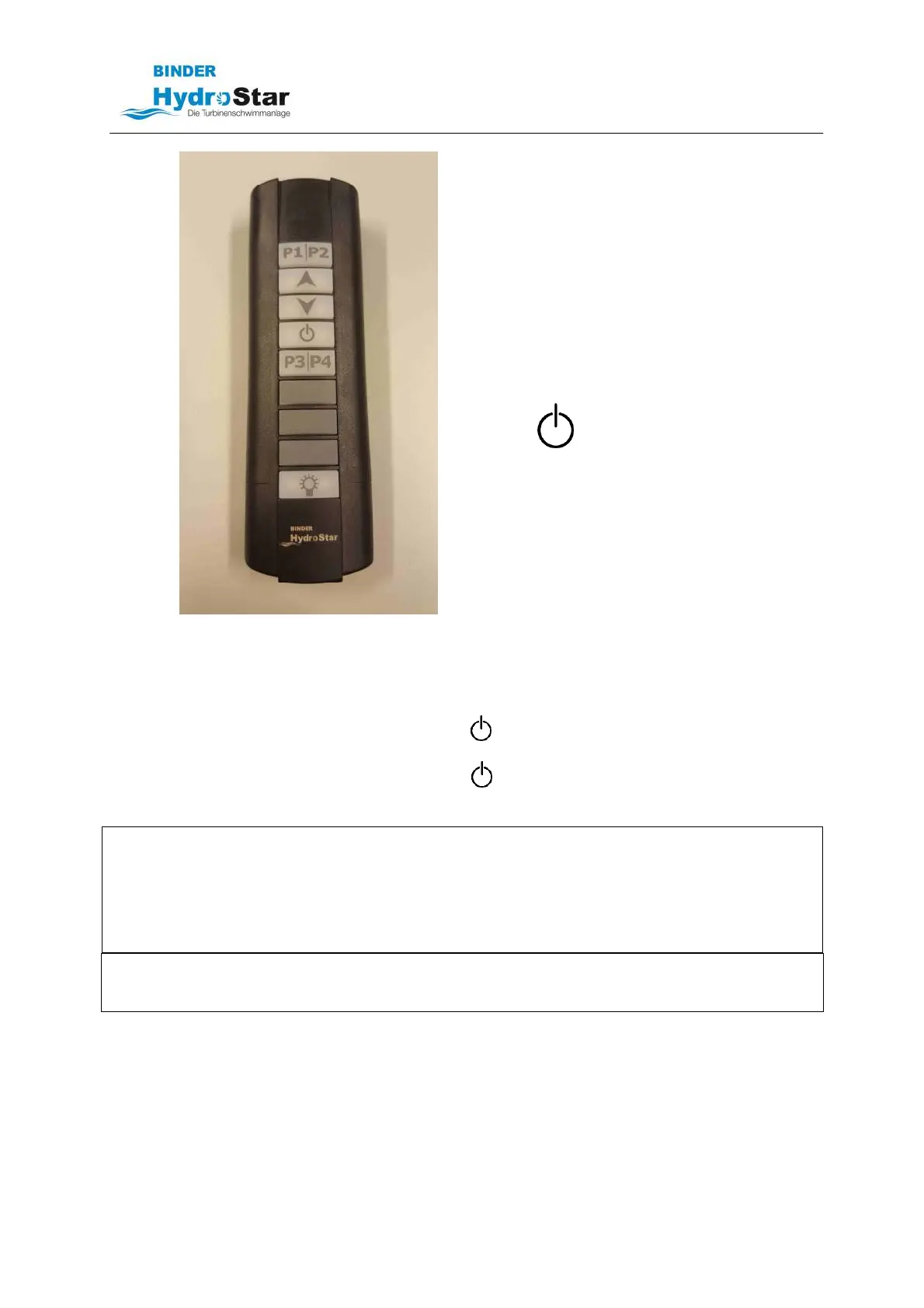
P1 ON/OFF LED (optional)
P2 Colour change LED (optional)
P3 LED brighter (optional)
P4 LED darker (optional)
Faster
Slower
Turbine ON / OFF
☼
Keyboard light (10 sec.)
NOTE
When the turbine is switched on, it always
runs at the lowest speed!
Hand-held transmitter IP67
8.1.1 Switching the turbine on and off
• Turn the unit on by briefly pressing button . After a delay of approximately 7 seconds, the
turbine starts running at the minimum motor speed.
• Turn the unit off by briefly pressing button
. The speed of the turbines is reduced and
after approximately 5-6 seconds, the unit is switched off.
The green/red LED above button P1/P2 indicates the actuation of a button on the remote control unit!
NOTE
After pressing the buttons of the hand transmitter, it takes approx. 2 seconds until the signal reaches
the radio receiver. A hectic or repeated pressing of several keys can lead to malfunctions.
NOTE
The range of the radio transmitter is 50 m under ideal conditions. The range may be severely limited
because of local conditions. If the range is insufficient, an external antenna with up to 20 meters of
cable can be connected and installed in a more favorable position of the building.
NOTE
The radio transmitter fulfills protection class IP66 and IP67. A permanent submersion of the
transmitter under water is not possible.
8.1.2 Water jet control
By pressing the buttons
or
, the flow rate can be changed between the minimum and maximum
speed.



 To Next Page