The instrument’s floating mode is selected in
the advanced settings window of the EC-Lab
®
software. Both the standard mode and the
floating mode can be used without modifying
the cell connection.
The floating mode allows the user to work with grounded cells, autoclaves, pipelines, glove
boxes, etc.
When the channel board is in floating mode, the red LED is not bright as it is when the channel
board is in Grounded mode.
Note that some specifications of the instrument can be modified using the floating mode.
Using the floating mode for measurements will require taking some measurement precautions.
Indeed, the cell connections should be isolated from the ground such as other apparatus that
can be connected to the cell (multi-tester, voltmeter …).
5.3 Specific connection for high current boosters.
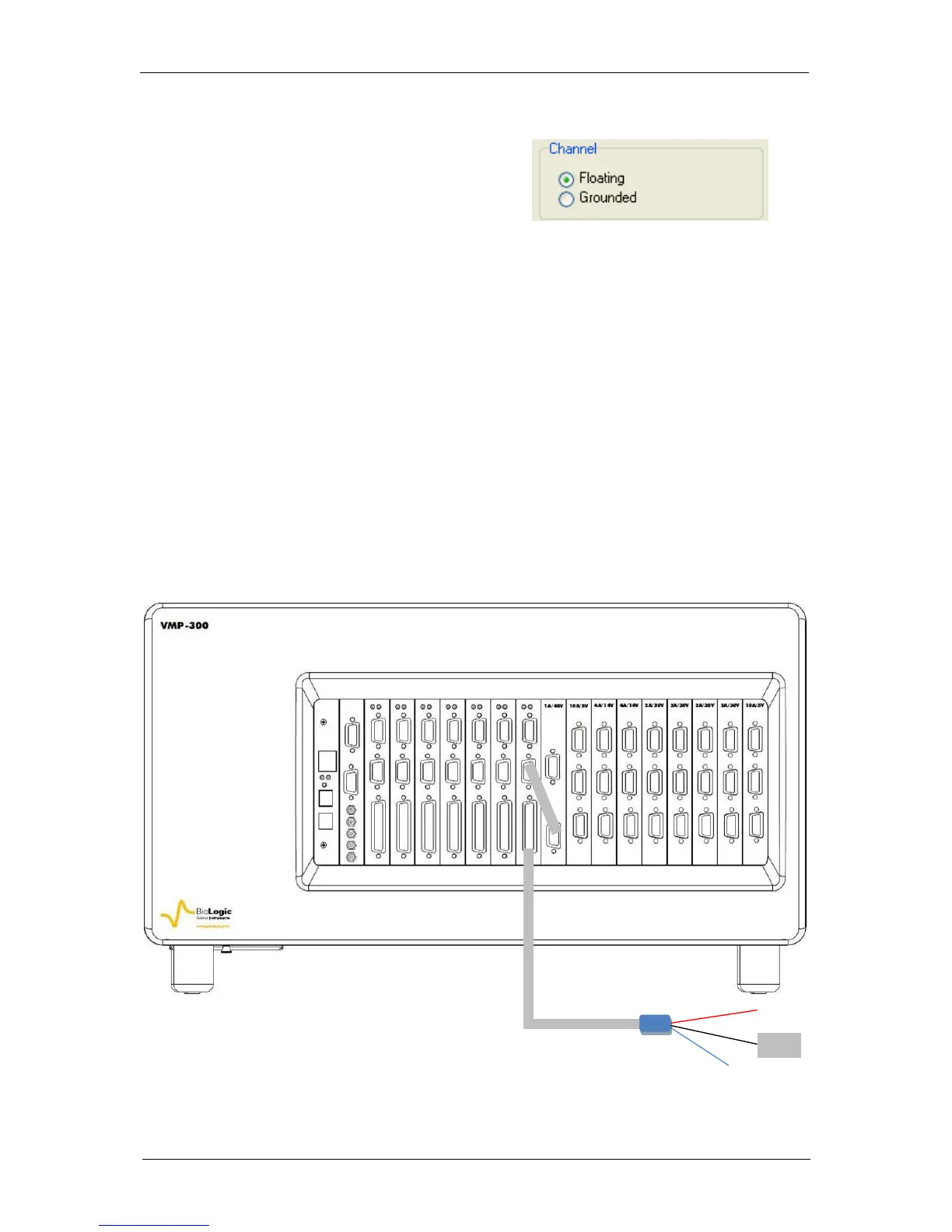
5.3.1 Connection to the cell with 1A/48V booster
The connection is similar to the connection described in the previous paragraph. The only
difference is that the potentiostat/galvanostat (with/without EIS) board has to be connected to
the 1A/48 V booster with the DB15 connection cable.
Fig. 68: Channel board connection to the cell with the 1A/48V booster.



 To Next Page