Basic Operation and Maintenance
20 Bio-Plex Pro and Bio-Plex Pro II Wash Stations
Keypad Basics
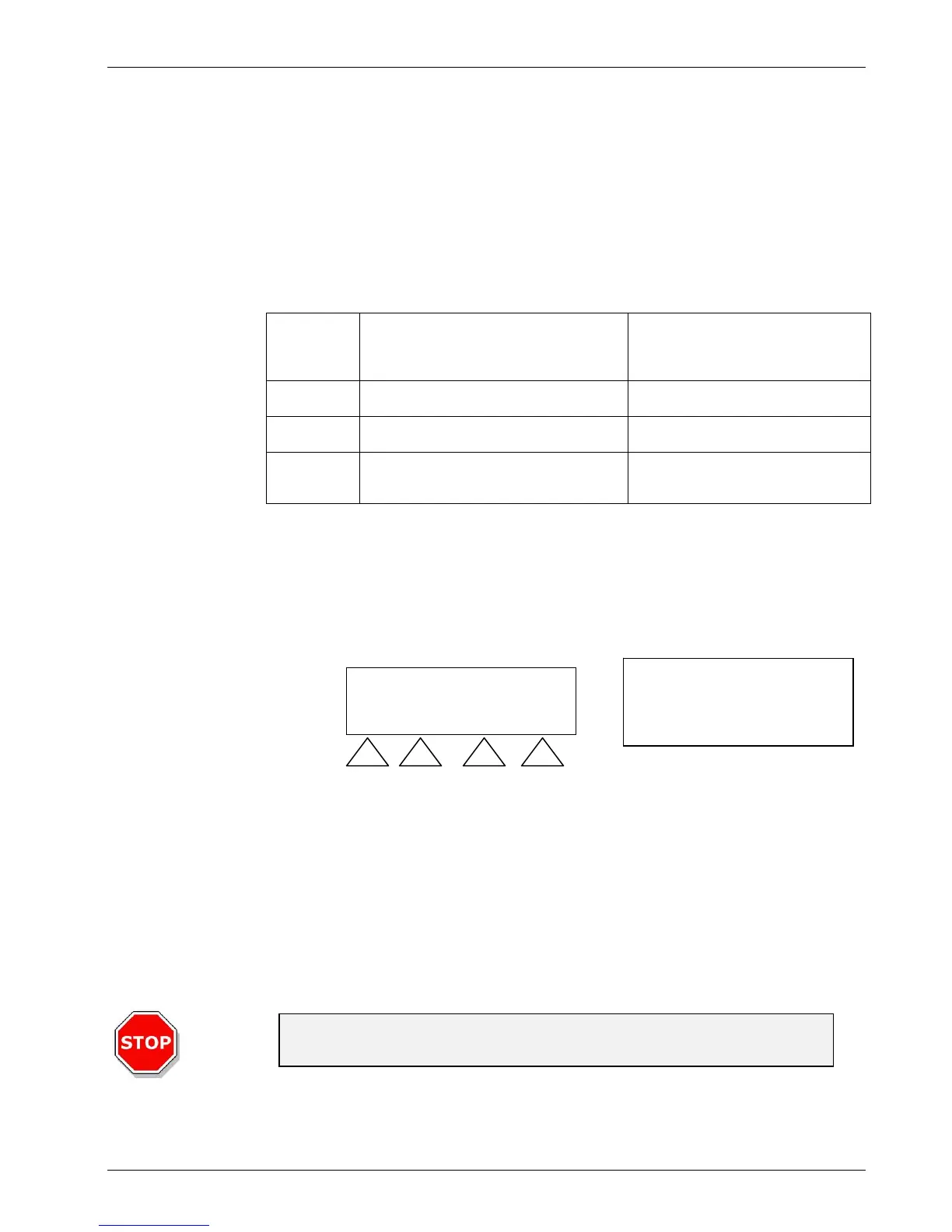
All the functions you need to run Bio-Plex programs are easily accessed using the
keypad on your wash station. The system is organized into primary and secondary
menus.
Primary Menu
The instrument menu has the following options:
Primary
Menu
Options
Functions Secondary Menu Options
Programs Wash programs used to process assays Start, Define/Edit, Show, Clear
Settings Rarely accessed advanced features Edit Plates, Options, Bubble Sensor
Procedures Preparation or maintenance processes Prime, Rinse, Empty Prime Tray,
Vacuum Filtration
Secondary Menu
If you choose OK when any of the primary menu options (Programs, Settings, and
Procedures) are visible on the LED, you will navigate to the secondary menus. You
may Select a choice from the secondary menu, or press Exit to return to the primary
menu.
Priming the Instrument
You should prime both Channel 1 and 2 after installation and if the instrument has not
been used for an extended period of time. Priming is performed to fill the liquid
system of the instrument and to remove all air from the tubes. A priming step must
also be performed when switching to a different wash buffer.
Caution
Do not use your new instrument until you have primed both channels.
Navigate
to other
options
PROGRAM
< > OK
< >
Select or
Exit
If you get confused about
where you are, press Exit,
until you no longer see Exit
as an option.
LCD
Keypad
buttons


 To Next Page