Defining New Programs
62 Bio-Plex Pro and Bio-Plex Pro II Wash Stations
Edit Plates
Predefined Bio-Plex plate definitions should not be edited!
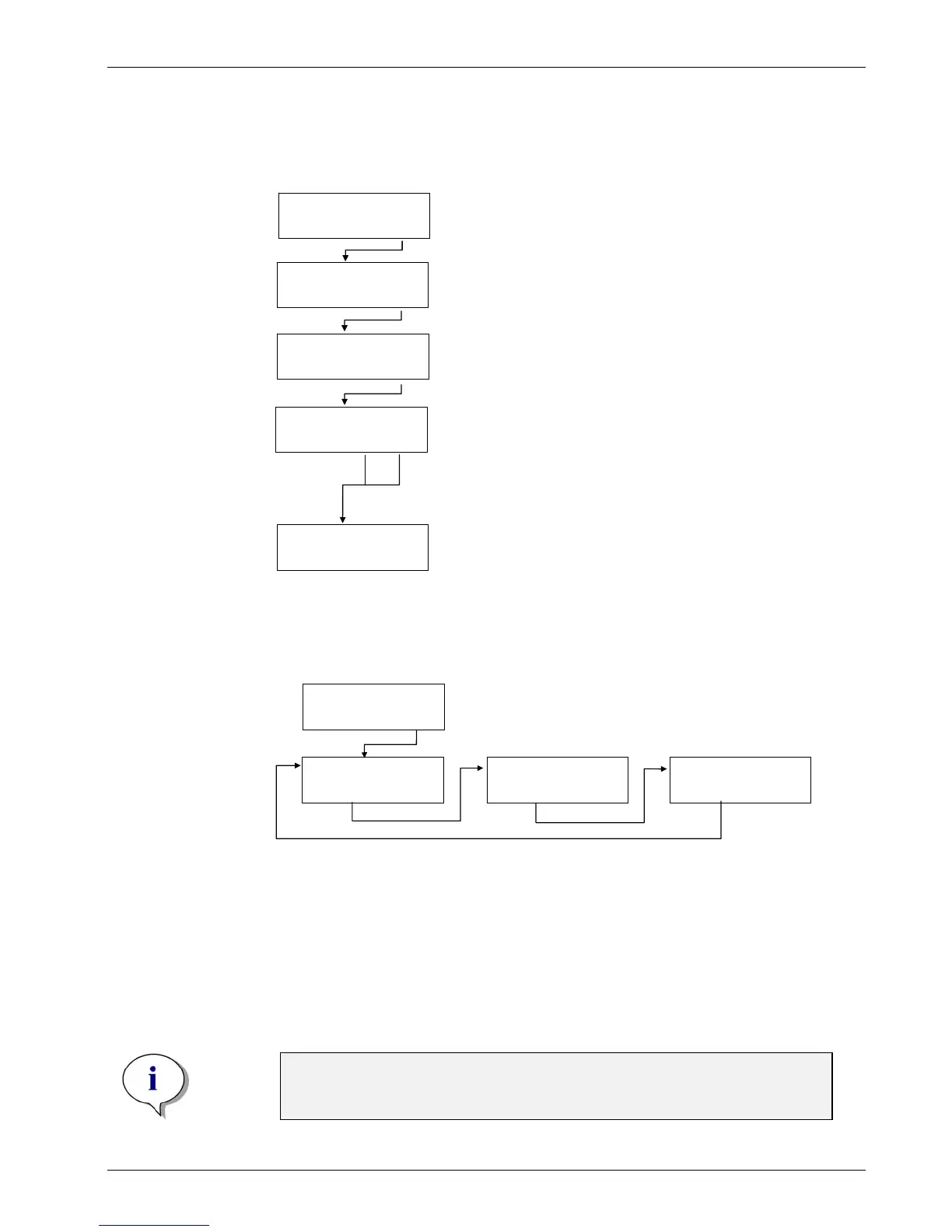
EDIT PLATES
- + EXIT OK
Plate 1, GRE96ft
- + EXIT OK
Z-User Def 14600
- + EXIT OK
OVERFLOW POS.
< > EXIT OK
Press OK to continue.
Press – or + to select the plate (1-20)
and press OK to edit the plate parameters.
Use the cursor keys to select the position to be defined
(OVERFLOW, BOTTOM, ASP1 or ASP2) and press OK.
For round and V-shaped bottom plates,
only one aspiration can be defined.
The instrument moves to the predefined position.
Use the – and + keys to change the position. Confirm with OK.
The next position can then be selected.
Press OK to save the defined position; Press EXIT to leave the
menu without saving the position. The instrument moves to the
home position and the firmware returns to the Edit Plates menu.
EDIT PLATES
- + EXIT OK
Options Submenu
The Options submenu has the following structure:
EDIT LLD CHANNEL
- + EXIT OK
OPTIONS
< > OK
VACUUMFILTRATION
- + EXIT OK
PROCESS CONTROL
- + EXIT OK
Vacuum Filtration
See Page 18. Enabling/Disabling Vacuum.
Note
Make sure that the vacuum transport is mounted when the vacuum
filtration option is enabled.


 To Next Page