Bio-Well Company
www.bio-well.com
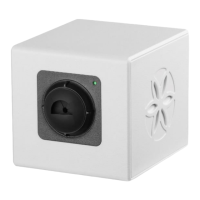
• Blinks from green to orange while connecting to the computer or during
capturing an image.
• Doesn’t light up at all: no power. Check the USB cable connection, if it
doesn’t help – contact local Bio-Well representative.
2. Place for the finger insert or calibration cylinder insert.
3. USB cable socket: USB-B for Bio-Well 1.0 and 2.0 devices, USB-C for Bio-Well
3.0 device.
4. “Ground” or “Earth” socket. Used for connection of the calibration cable during
calibration of 1.0 and 2.0 devices.
5. Ventilator button. Turn it ON when using Bio-Well device in humid
environmental conditions, especially when doing long-term experiments with
Sputnik, glove or water sensor. In all other cases keep it OFF.


 To Next Page
 Loading...