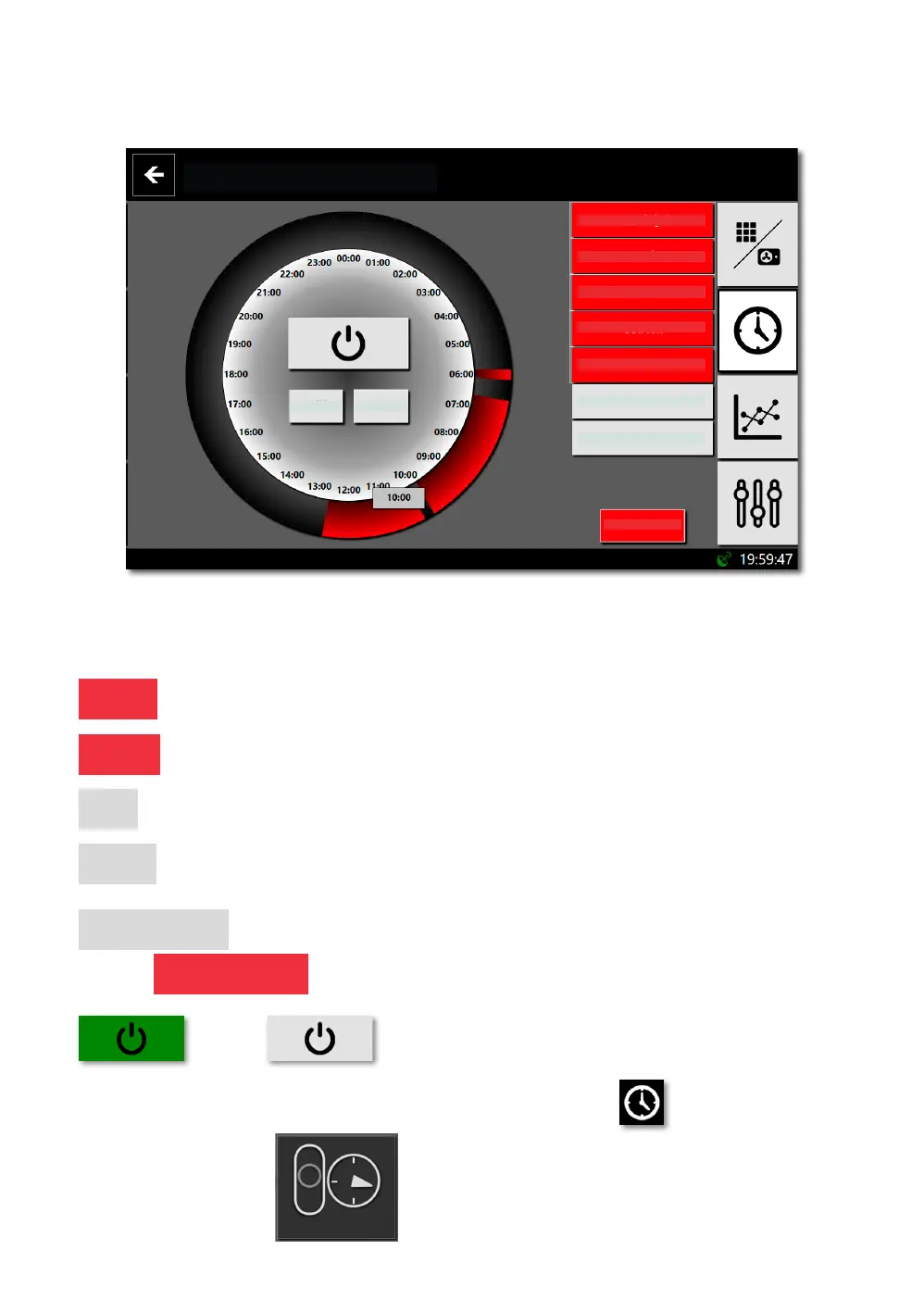
10.2. BOILER OPERATION TIME PROGRAM
Time program screen.
Heating boiler
Clear
Connect days
Monday
Tuesday
Wednesday
Thursday
Friday
Saturday
Sunday
15min interval (10:00 - 10:15)
Clean up
Click / drag your nger around the circle to set / delete 15 minute intervals,
when the boiler is to be switched on.
Monday - select the day for which you want to set the program.
Continue - when the button is selected, we set the time intervals - we colour them in red.
Delete - when the button is selected, we delete the time intervals - we colour them black.
Clean up - Clears / deletes the whole circuit.
Connect the days
- If active Connect the days we set the program for all days marked - red.
Turns on / Turns off time program operation
If the time program is active, appears at the top right of the screen
and on the main screen
www.biodom27.si
BIODOM 27A 33


 To Next Page