Instruction Manual TProfessional Basic 06/2011 59
 To switch lid preheating on or off activate the corresponding status display and press [Preheat
ON/OFF].
Set lid temperature in status display under [-- °C] within the range of 30°C to 99°C.
 Enter temperature [°C] and time [m:s] in the programming table for each single step. To hold a
temperature for an indefinite time enter “0” under [m:s] and press <enter>. Subsequently, the word
“pause” is shown in the display.
Note: Minutes and seconds can be separated by “dot”. You can also enter the digits one after the
other. Example: to set 2 minutes, 30 seconds enter “2”, “3”, “0” or “2”, “.”, “3”, “0”.
 To insert or delete a program step move cursor to the corresponding position in the programming table
and press [Insert/Delete Step].
 To insert or delete a program step press [Insert Step] or [Delete Step]. The position at which a
step will be inserted or deleted is highlighted.
 In the next screen confirm insertion or deletion with [YES]
 To define a loop A) enter the step the program shall go back to [goto] and B) enter how often the loop
is repeated [loops]. The defined loop is graphically displayed by a bracket at the left side of the
spreadsheet, the total cycle number is mentioned.
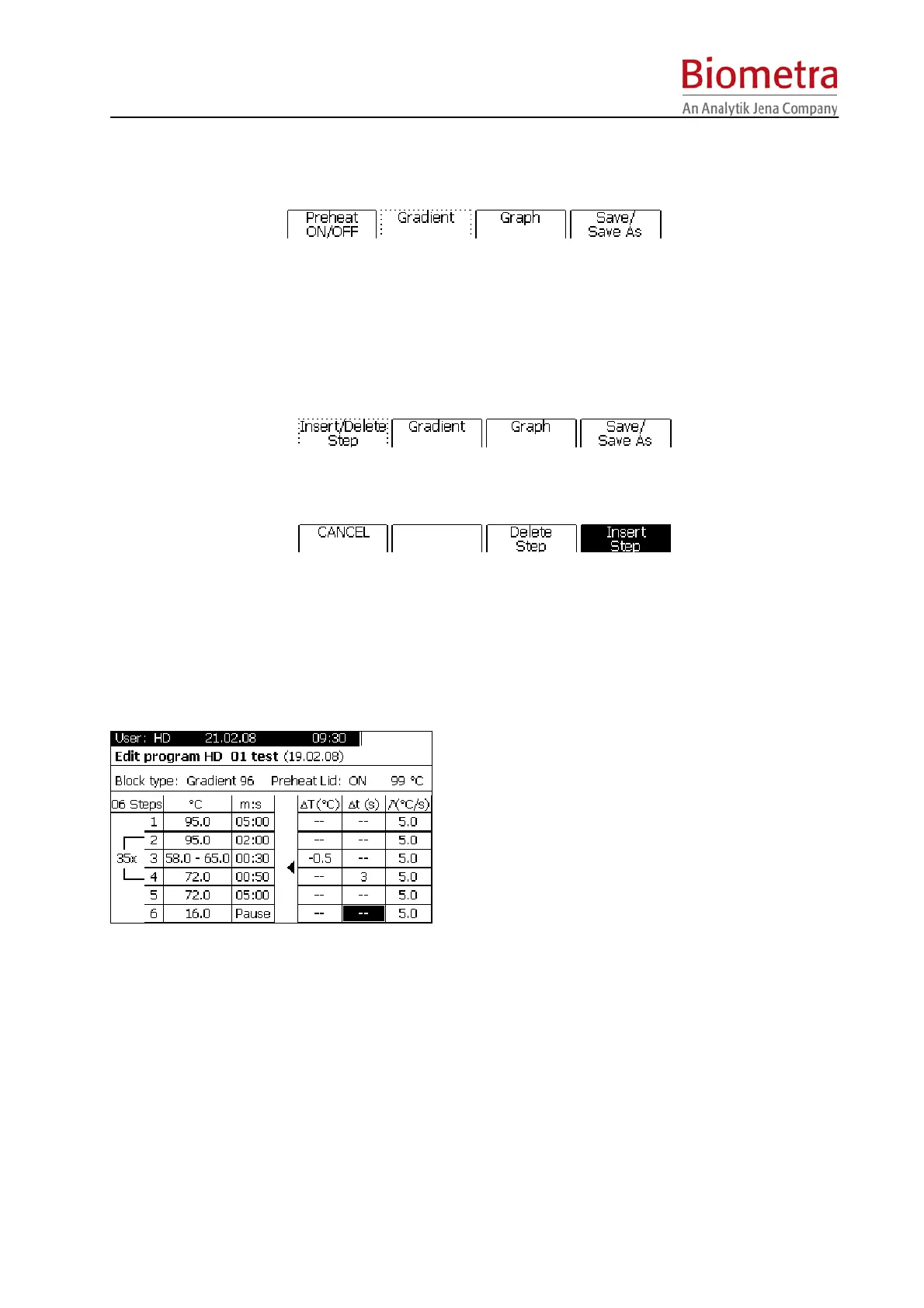
 To program special features like temperature increment, time increment or heating and cooling rate
repeatedly press the cursor key <right> to open the options tab. A new table is displayed:
Tip:
Storing samples at 16°C rather than 4°C at the
end of a run will increase the instruments life
time.
 To reduce or increase the annealing temperature from step to step within a loop set a negative or
positive temperature increment under ∆T(°C).
 To increase or reduce the incubation time from step to step in a loop set a positive or negative time
increment under ∆t(s).
 By default the ramping rate (heating and cooling) is pre-set to 3°C/sec. To adjust the ramping rate,
enter any value between 0.1°C and 3.0°C under Ê[°C/s].
 (For gradient enabled units only) To define a gradient A) enter the two temperatures of the block (left
and right side) separated by a minus under [°C] (e.g. 40-60) or B) press [Gradient] and then [Edit
linear Gradient]. This activates the screen for programming linear gradients:



 To Next Page