60 Instruction Manual TProfessional Basic 06/2011
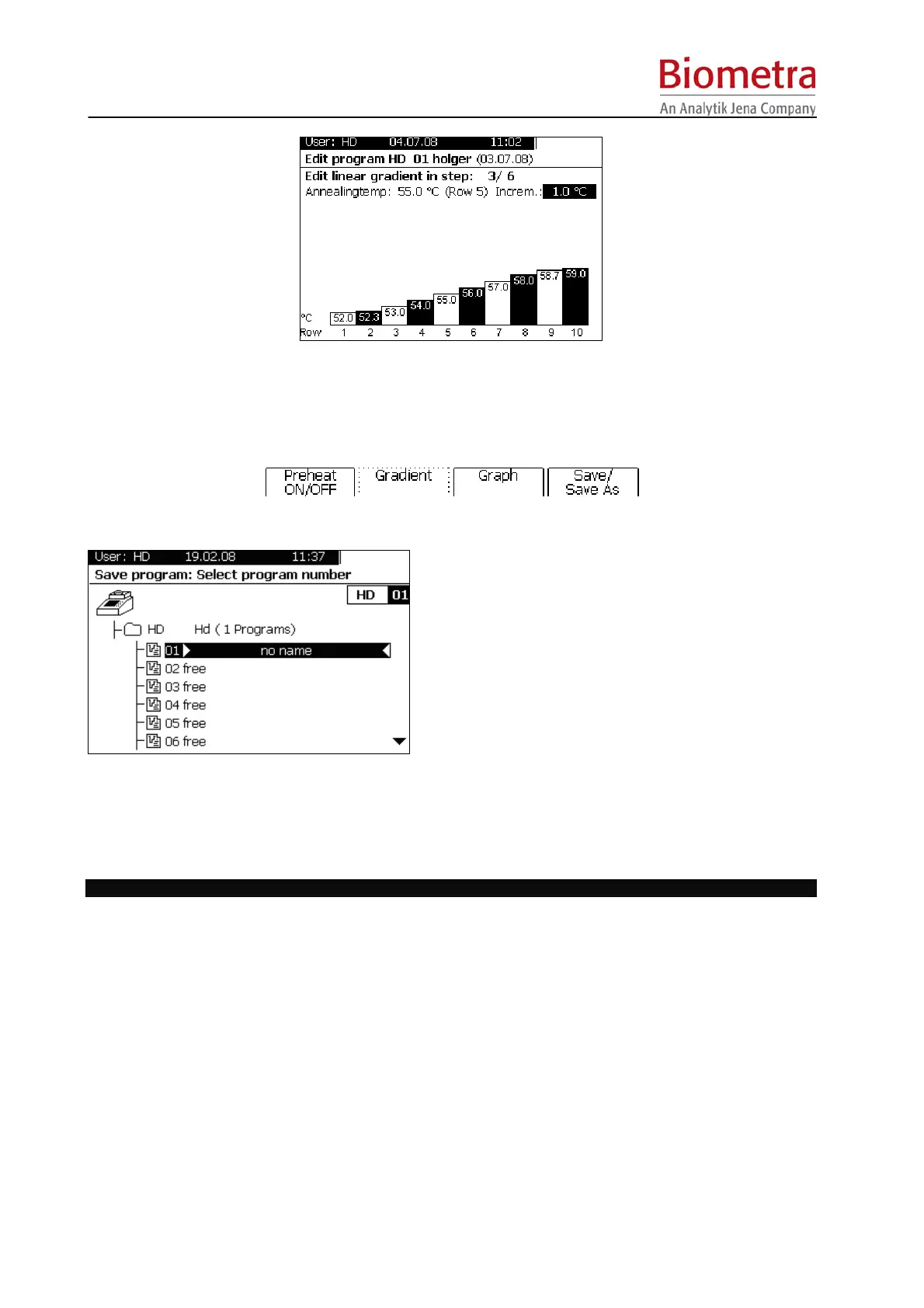
 Enter an annealing temperature. The set annealing temperature defines the temperature in row 6 of
the thermoblock. Enter a temperature increment [Incr.]. The corresponding temperature profile is
shown for each single row.
 Press [Save/Save as] to save a program.
Subsequently the program storage screen opens:
Tip:
A folder with common protocols could be
established. From the common folder each user
may copy any program into the own account and
modify it easily.
 By default the program is stored at the first free storage place available. To save a program at a
specific storage place use cursor keys <up> and <down> or enter two digits.
 To edit the name of the program press [Edit name]. In the next screen occurring enter a name by
using the keypad and confirm with [OK].
Start, pause and stop programs
 The TProfessional Basic Thermocycler for each user stores the last 5 programs that have been run or
modified. For quick start of one of these programs press the [Block] menu button. In the next screen
select one of the last five programs by using the cursor keys <up> and <down>. Press the [Start]
button on the left side of the keypad to start the program.
 To start a program from a user directory log in with your user account and press the [Program] menu
button. In the next screen select the appropriate user directory and program by navigating with the
cursor keys. Press the [Start] button on the left side of the keypad to start the selected program.
After starting a program the following screen is shown:



 To Next Page