24 Instruction Manual TProfessional Basic 06/2011
5.3.1 Create program from template
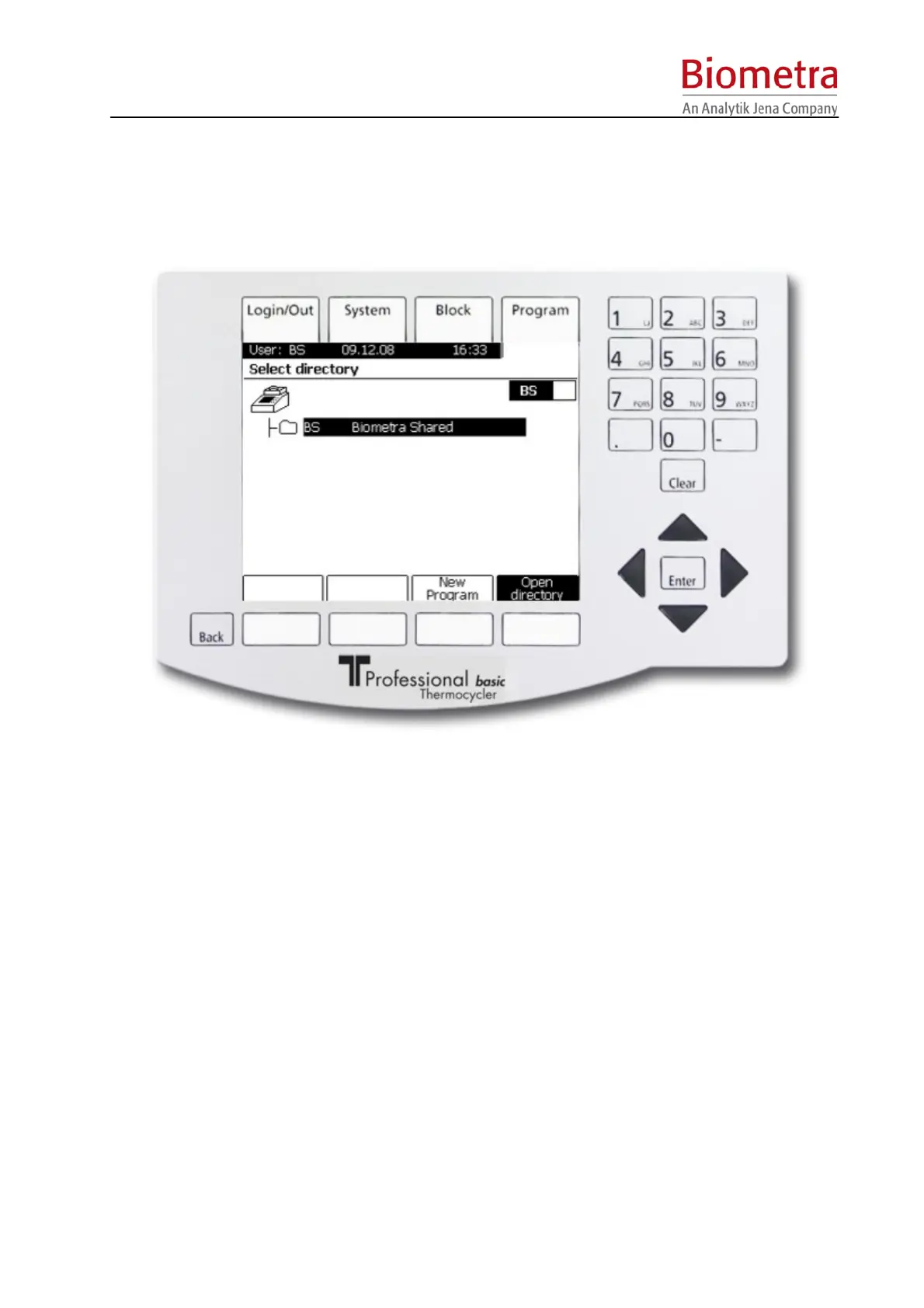
Log in to your personal user directory and press menu button [Program] above the display to
enter the TProfessional Basic program menu. In the directory “Biometra Shared” you will find
several pre-installed protocols for different PCR applications.
Press softkey [Open directory] to open the directory „Biometra Shared“. Choose a suitable
program using the cursor keys or enter the corresponding program number. Protocols may be
started directly from the Biometra Shared directory or may be copied to the respective user
directory and edited (see chapter 5.3)
Note: Please always, before starting a template protocol, check the single steps and adapt
details (times, temperatures, loops, temperature- and time-increments) according to the
required PCR conditions respectively. Biometra will not be liable if the PCR does not work if
necessary adjustments have not been programmed.
Note: The directory is protected by a PIN-Code. The default PIN for the directory “Biometra
Shared” is 0000.
5.3.2 Create program without template
Press menu button [Program] above the display (see chapter 5.3.1) to enter the TProfessional
Basic program menu.



 To Next Page