Instruction Manual TProfessional Basic 06/2011 53
6.4.1 View log files of Power on self test
During boot up (Power on) the TProfessional Basic hard ware is checked (Self test). Here you
can see the results of the last five self tests.
6.4.2 Execute extended self test
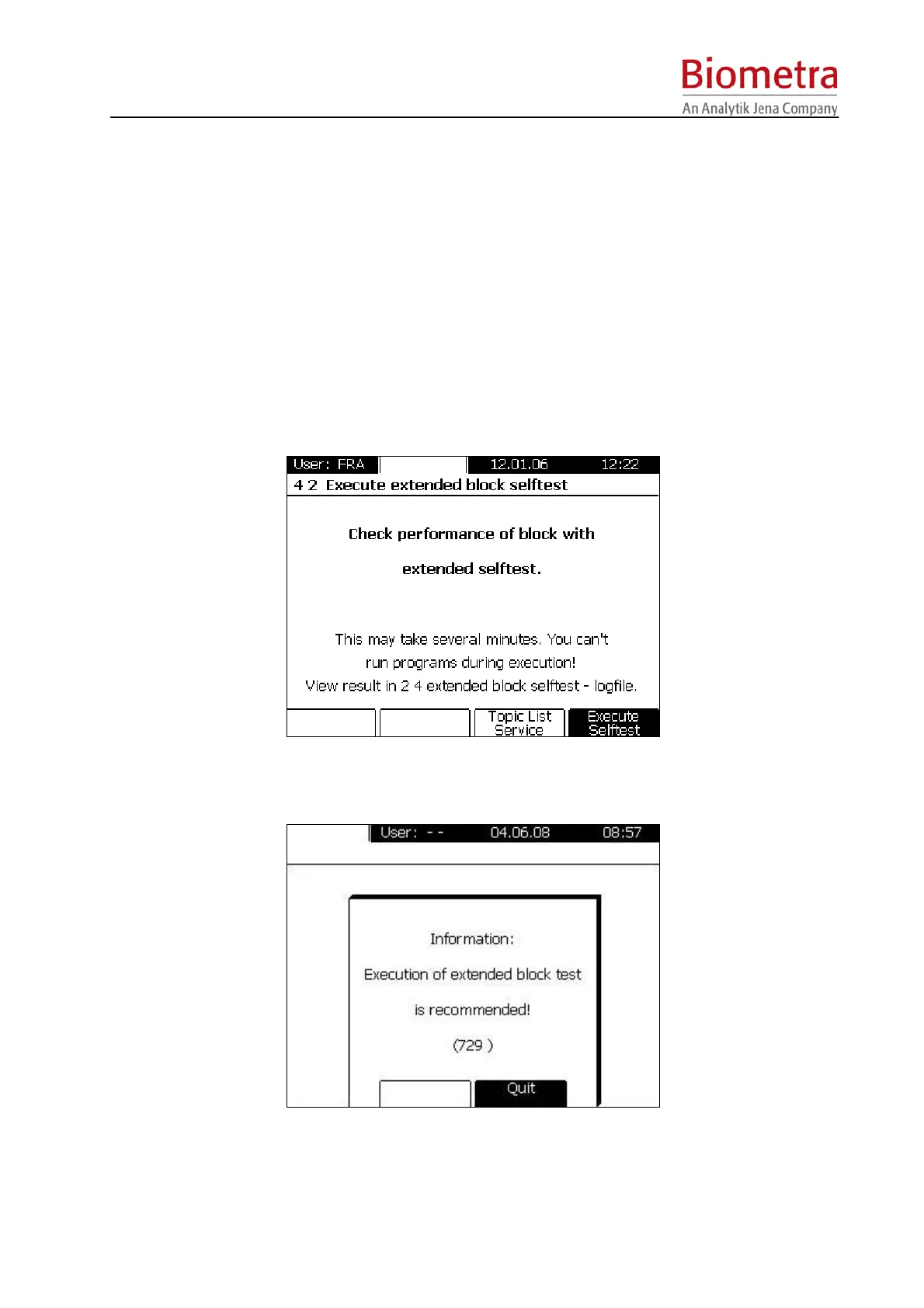
In addition to the regular Power on –Self test, a more comprehensive test can be triggered by
the user. In the extended block self test the unit can check the status and condition of different
components and functions. Therefore, this test is an important and useful information to the
customer whether the Thermocycler is still working within its parameters.
The extended block self test is listed in the [System] Menu under [Service]. With [Execute
Selftest] this test is initiated. This test takes several minutes. During the test no programs can
be run on the thermocycler.
In certain intervals the unit will automatically recommend to check the components of the unit,
i.e. to execute a new extended block self test (message 729).
Pressing [Quit] confirms that this recommendation has been noted. In case the unit is switched
off but the extended block self test has not been initiated, this recommendation window will
appear again if the unit is switched on.



 To Next Page