Instruction Manual TProfessional Basic 06/2011 39
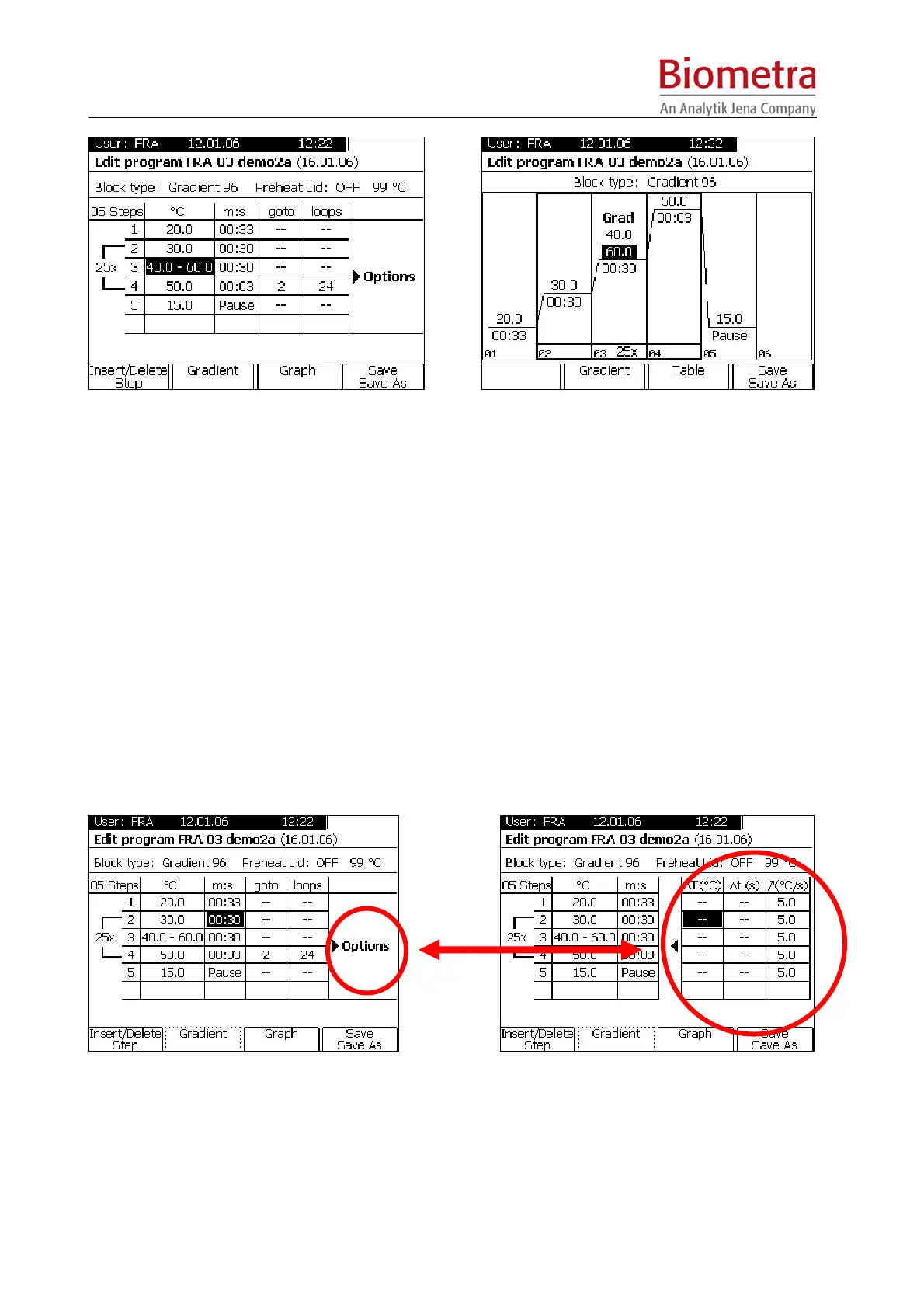
To change temperature and time settings, move cursor to the respective field and enter new
values with the key pad. Once confirmed with enter, the temperature graph is updated.
Note: The steps are automatically spread over the whole range to give maximum resolution
(thus steps height does not represent the real temperature).
Note: To set loops, go to the Spread Sheet Mode (press [Table])
Note: To insert or delete program steps, go to the Spread Sheet Mode (press [Table])
Note: To edit or enter gradients, move cursor to the respective step and press Soft Key
[Gradient]. Enter gradient temperatures as described in section 5.3.10, page 31).
5.5 Change program options
For each step additional options can be defined.
To change program options, move the cursor to the right side of the spreadsheet, labelled with
“Options”. A new table is displayed.
To go back to programming sheet, move the cursor to the left side of the display



 To Next Page