58 Instruction Manual TProfessional Basic 06/2011
 Press [Select Language] to select preferred language
Create, modify and save programs
 To create a new or edit an existing program, press the [Program] menu button.
 Move cursor to your directory and press [Open directory].
 Press [New Program] or choose existing program and press [Edit Program] to enter the program
screen.
Use the cursor keys to navigate in the program screen. In each case the activated field is displayed
inverted. Corresponding to the activated field the assignment of the Soft Keys in the TProfessional Basic
control panel will change accordingly.
Note: In the directory “Biometra Shared” you will find pre-installed protocol templates for different PCR
applications. In chapter 5.3.1and 5.8 you will find instructions how to use these protocols.
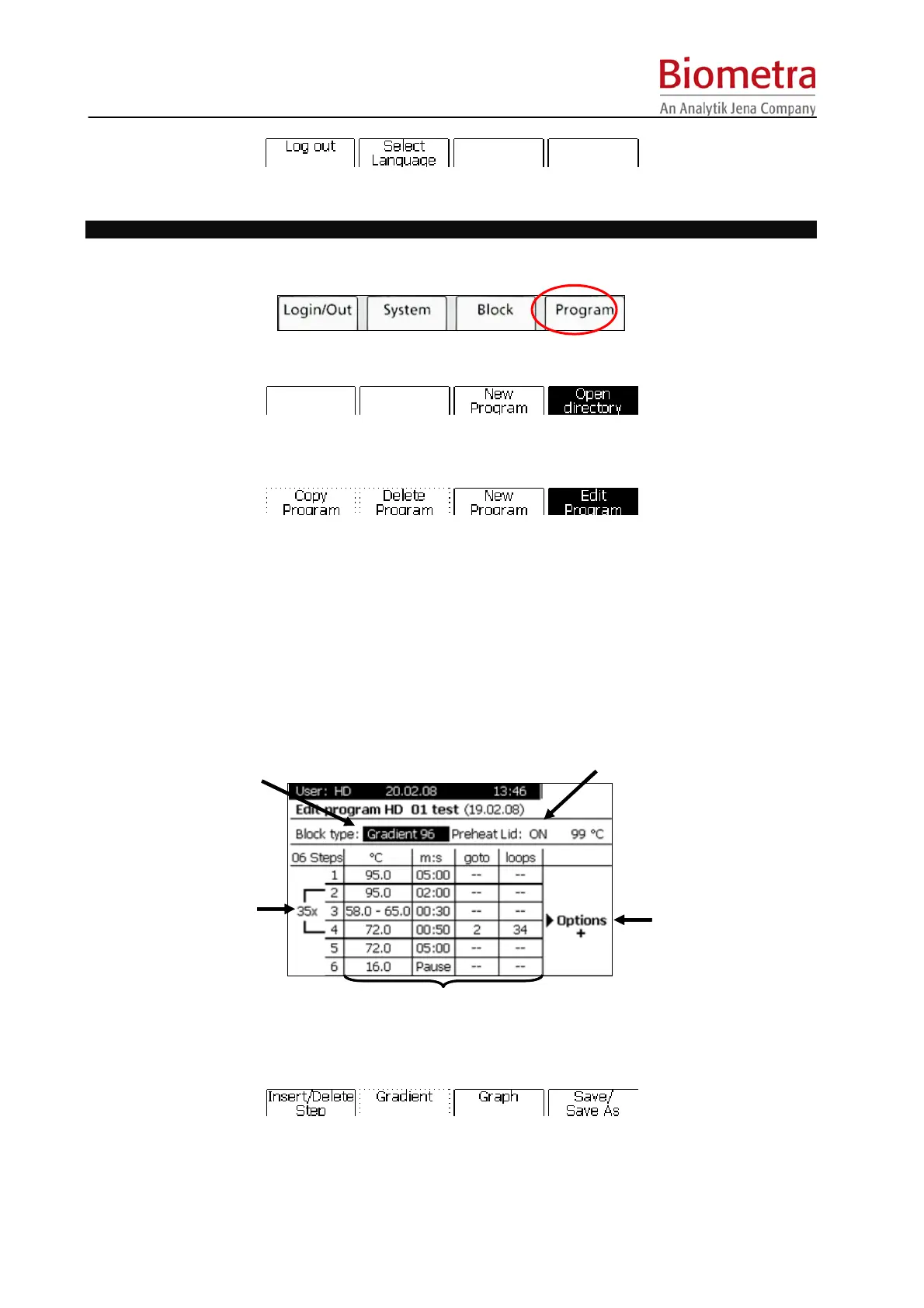
The TProfessional Basic program screen
Status display
„Preheat Lid“
Status display
„Block type“
Programming table
Defined
cycles
Options tab
Status display
„Preheat Lid“
Status display
„Block type“
Programming table
Defined
cycles
Options tab
 To alter block type activate the corresponding status display and press [Block Type].
Select appropriate block type from the menu in the next window. (The TProfessional Basic
Thermocyclers automatically recognize the installed block module. However, it is also possible to write
a program for an alternative block type.)
Options tab



 To Next Page