Rev. 1.4 1.BASIC
1.4 Function and Key
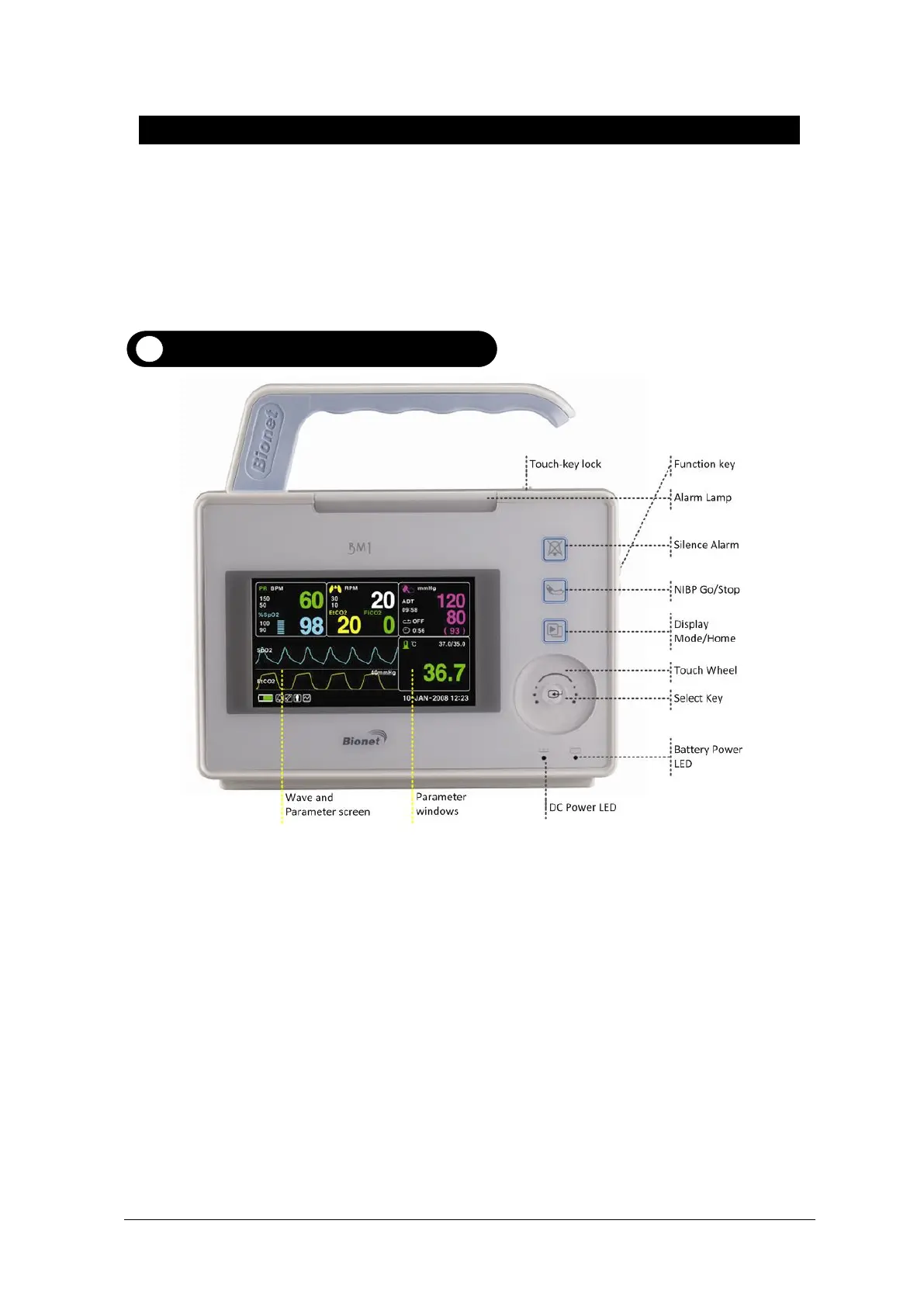
External Function
The front panel of this product consists of an LCD screen and four Touch function keys and one
Touch Wheel.
Operating the BM1 Patient Monitor
Operation Key
1. Alarm: Stop alarm sound.
First press stops the current alarm for one minute
Second press stops the all alarm for five minutes.
Third press stops the all alarm off.
Fourth press makes the alarm back to the original setting.
2. Blood Pressure:Manually completes measuring blood pressure.
3. Display Mode / Home : Change general display and big parametr display , and achieve Home
Key function in main display in sub menu.
4. Touch Wheel Key:This key is used to select menu by turning it clock or anticlockwise to move
cursors.



 To Next Page