Rev. 1.4 5.SpO2
Signal and Data Validity
It is extremely important to determine that the probe is attached to the patient correctly and the data
is verifiable. To make this determination, three indications from the monitor are of assistance—signal
strength bar, quality of the SPO2 waveform, and the stability of the SPO2 values. It is critical to
observe all three indications simultaneously when ascertaining signal and data validity.
Signal Strength Bar
The signal strength bar is displayed within the SPO2 values window. This bar consists of 15 blocks
set depending on the strength of the signal. Proper environmental conditions and probe attachment
will help to ensure a strong signal.
Quality of SPO2 Waveform
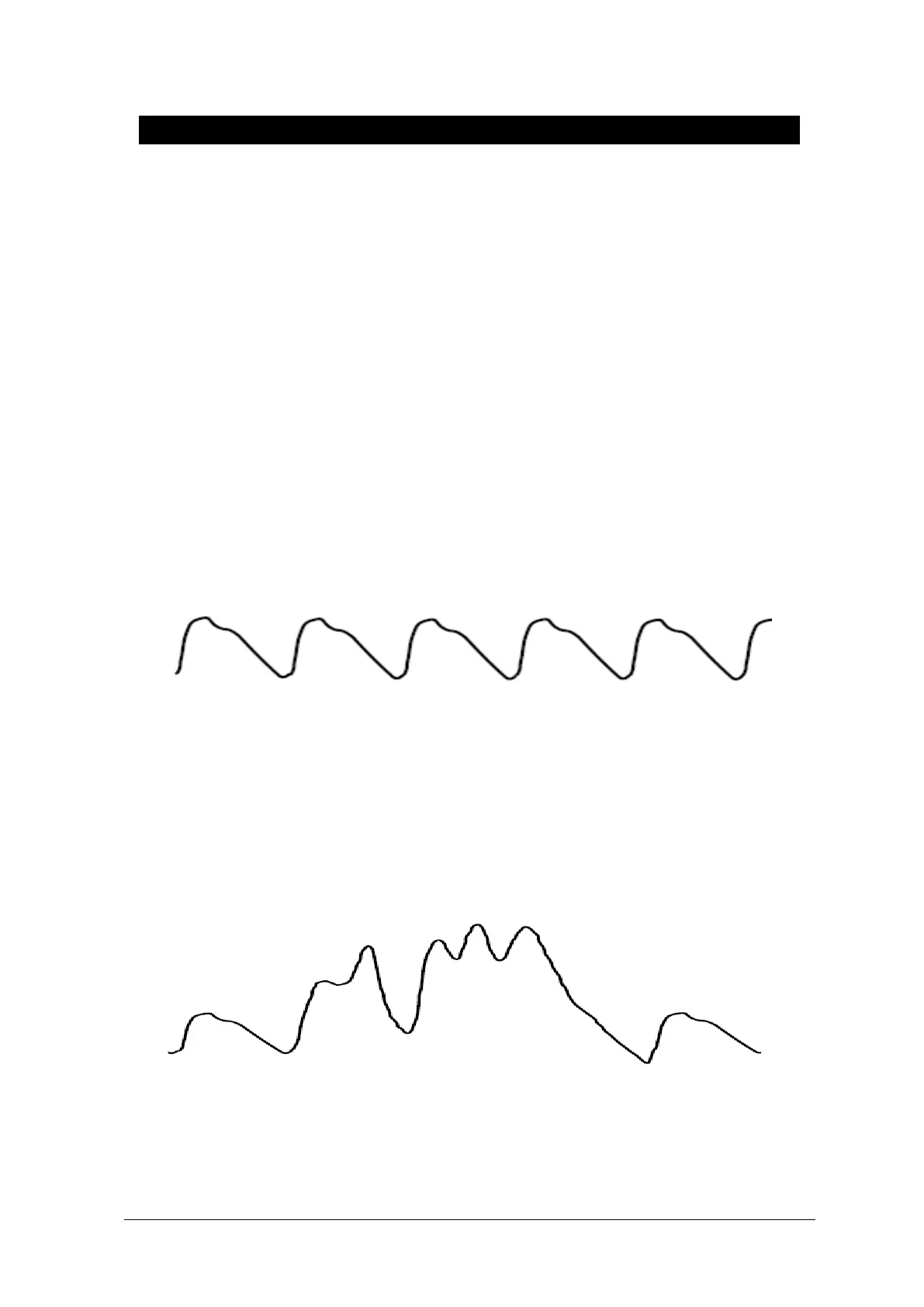
Under normal conditions, the SPO2 waveform corresponds to (but is not proportional to) the arterial
pressure waveform. The typical SPO2 waveform indicates not only a good waveform, but helps the
user find a probe placement with the least noise spikes present. The figure below represents an
SPO2 waveform of good quality.
Good Quality SPO2 Waveform
If noise (artifact) is seen on the waveform because of poor probe placement, the photodetector may
not be flush with the tissue. Check that the probe is secured and the tissue sample is not too thick.
Pulse rate is determined from the SPO2 waveform which can be disrupted by a cough or other
hemodynamic pressure disturbances. Motion at the probe site is indicated by noise spikes in the
normal waveform. (See the figure below.) It has been noted that letting the patient view the SPO2
waveform enables them to assist in reducing motion artifact.
SPO2 Waveform with Artifact



 To Next Page