Rev. 1.4 2. PATIENT/DATA MANAGEMENT
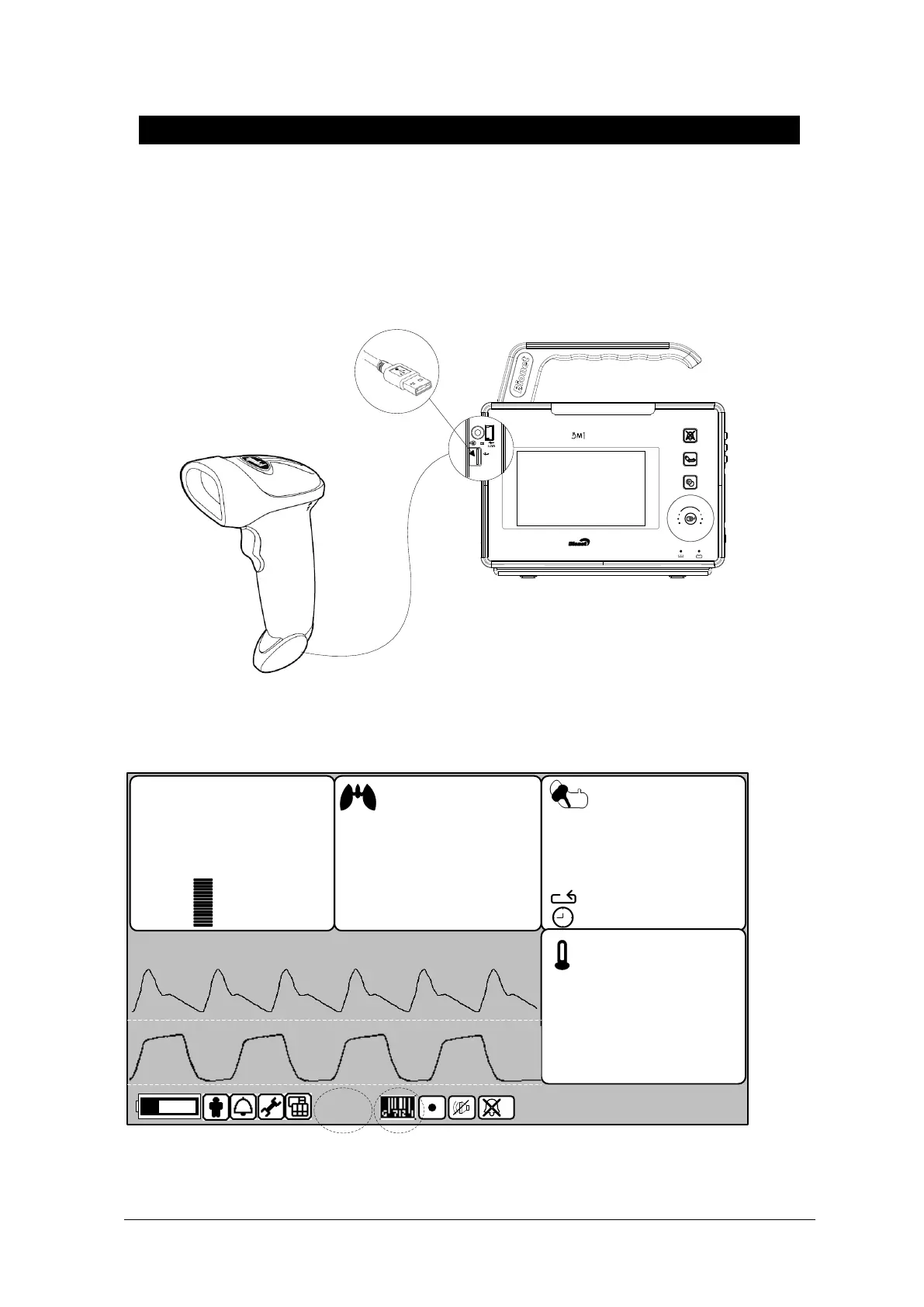
Admit Patient ID using the Barcode Scanner
Using the USB barcode scanner, this product can admit the PATIENT ID in barcode form to
the device. First connect the barcode scanner to the USB HOST connecter on the left side
(from the front) of the device, as shown below. Barcode functionality can be used once after
BEEP sound is made and barcode icon is displayed at the lower part of the screen.
ID will be scanned then sent to device after aligning index LED from the scanner to desired
barcode and pressing input button. Sent ID will be displayed at the lower part of the
display.
10-JAN-2008 12:23
( 93 )
120
32
RPM
EtCO2
mmHg
09:58
ADT
0:56
1HR
36.7
42.0
35.0
℃
80
30
10
20
FiCO2
0
SpO2
40mmHg
EtCO2
60
98
%SpO2
PR
150
50
BPM
100
90
s
131210
Barcode IconPID



 To Next Page